



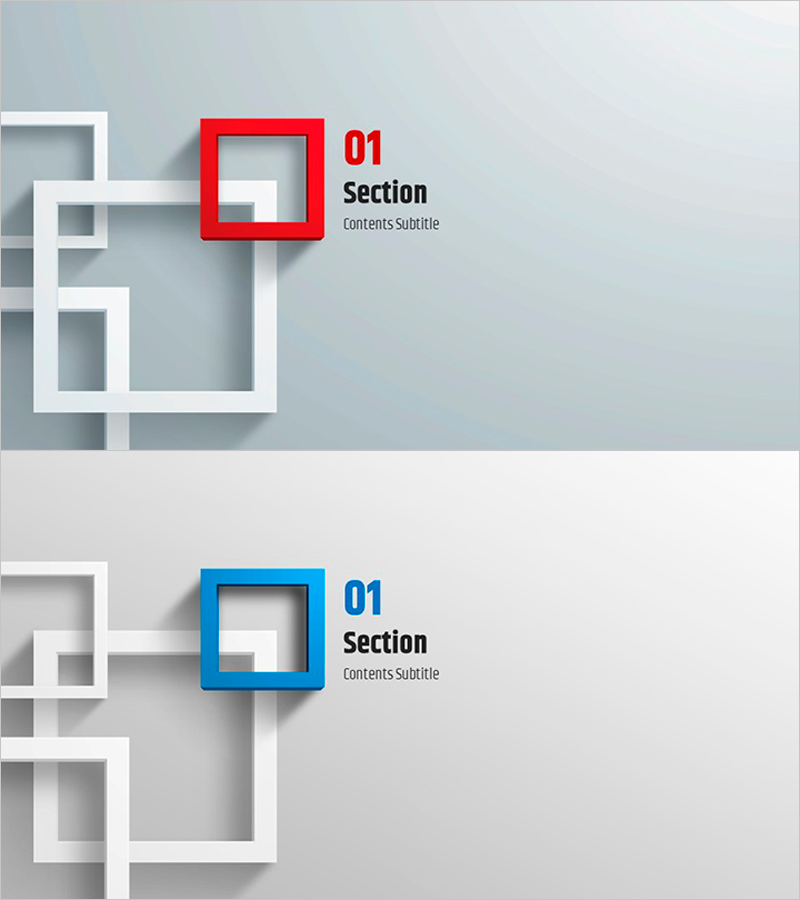
Divide Sections Easily with Square Frame PowerPoint Template
RJ0200010_3
- Last Update 03/31/2025
- File Size 0.9MB
- # of Slides 2
- File Format PPTX
- Slide Ratio 16:9
- Color
Keywords
About the Product
A section divider slide set designed to clearly separate content sections in your presentation. Featuring red and blue 3D square frames against a light gray background with white geometric elements, this 2-slide template provides dedicated text areas for section numbers, titles, and subtitles. Fully editable in PowerPoint, it works seamlessly in business plans, proposals, reports, and pitch decks to enhance document structure and guide audience attention through key content transitions.
Usage Points
-
Main Usage
Insert between major sections of your presentation to clearly delineate content areas and refocus audience attention. The dedicated section number and title input areas help establish a logical document structure and guide viewers through your narrative flow.
-
How to Use
Place this slide between key sections in business proposals, reports, company presentations, or pitch decks. Enter section numbers (01, 02, 03, etc.) in the number field, add your section title in the title area, and include a brief subtitle or description if needed. Customize colors and text to match your brand guidelines.
-
Recommended For
Ideal for corporate reports, investment proposals, marketing plans, training materials, and any structured presentation requiring clear section transitions. Perfect when presenting multiple topics sequentially or breaking content into distinct phases or chapters.
-
Slide Structure
2-slide set with identical layout: each slide contains one section number input field, one title text area, and one subtitle text area. A 3D colored square frame (red or blue) is positioned on the left, with text fields aligned on the right side for clean, professional appearance.
Related Products
-
Clean Science Experiment Template – Style and Usability
#Slide Type #Section Cover
-
Natural Wide Template Section Cover01 – Stylish Presentation
#Slide Type #Section Cover
-
Collaborative Success Slides – Academic and Technical Templates
#Slide Type #Section Cover
-

Mountain Climbing Template – Stylish Section Slide
#Slide Type #Section Cover
