



Application PowerPoint Template with Circular Diagram
RJ0200001_16
- Last Update 03/28/2025
- File Size 0.1MB
- # of Slides 2
- File Format PPTX
- Slide Ratio 16:9
- Color
Keywords
- #Content-Based Slides
- #Design-Based Slides
- #Technical Approach
- #Marketing Plan and Strategy
- #Diagram
- #Service Components
- #Spread
- #Centralized Diagram
- #16:9
- #radial diagram PowerPoint
- #4-direction circular diagram slide
- #central diagram template
- #service component diagram
- #marketing strategy PowerPoint slide
About the Product
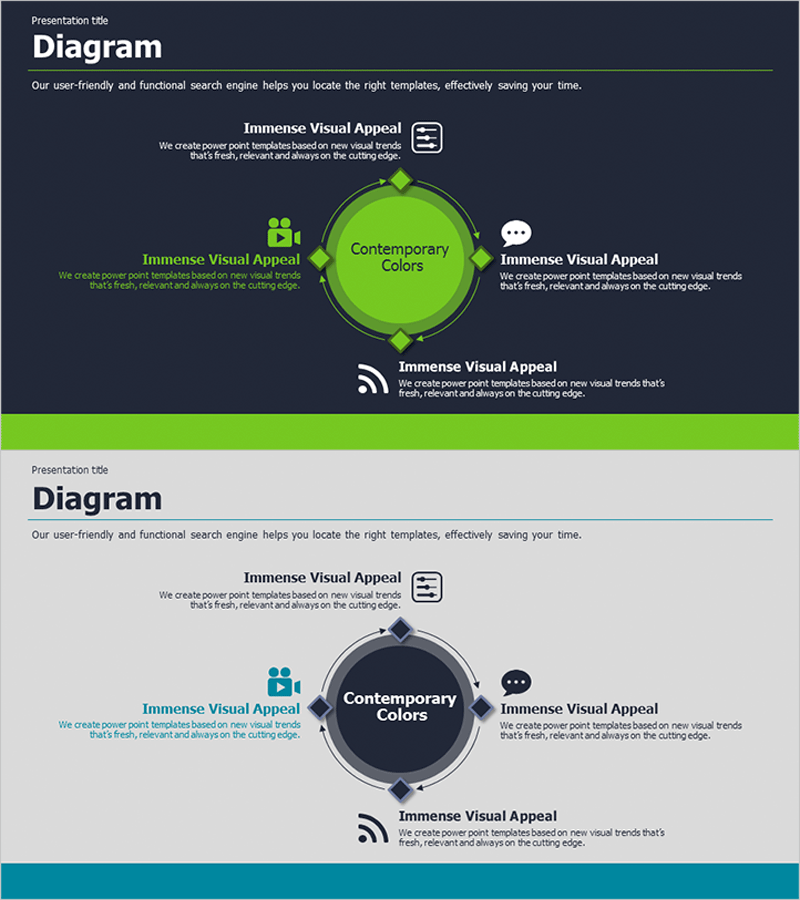
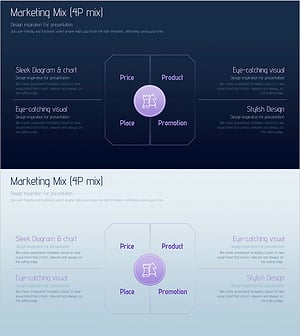
A radial diagram PowerPoint slide with a central circle and four directional content areas arranged symmetrically. Features a contemporary lime green and dark navy two-tone color scheme, with dedicated spaces for icons, text, and descriptions in each direction. Ideal for presenting service components, four pillars of digital marketing strategy, application feature overviews, and core business concepts divided into four key areas. Includes 2 slide layouts with different color combinations (lime and dark backgrounds) in fully editable PPTX format.
Usage Points
-
Main Usage
Visually organize and present four key elements around a central concept using a balanced radial layout. Perfect for illustrating service features, marketing mix (Product, Price, Place, Promotion), application modules, strategic pillars, or any information naturally divided into four categories.
-
How to Use
Enter your core concept (service name, strategy title, or product name) in the central circle. Add specific elements and descriptions to each of the four directional areas by double-clicking text boxes and icons. Customize colors and text as needed, and optionally add connecting lines or arrows to emphasize relationships between elements.
-
Recommended For
Digital marketing presentations, IT and software product launches, business strategy briefings, organizational structure and team role introductions, product feature overviews, and executive reports. Suitable for marketing teams, development teams, product managers, and business leaders.
-
Slide Structure
2-slide set: Slide 1 features lime green background with lime central circle and four directional diagram areas (icons, text, and description boxes included). Slide 2 uses dark navy background with matching central circle and identical four-direction structure. Each area is independently editable, and connecting lines or arrows can be easily added between nodes.
Related Products
-
Visualizing Global Marketing Goals Slide
#Business Vision and Strategy #Marketing Plan and Strategy #Diagram
-
Research Core Competency Diffusion Diagram – Marketing Vision
#Business Vision and Strategy #Marketing Plan and Strategy #Diagram
-
Diverging Diagram for Summer Vacation Marketing Strategy
#Product/Service Introduction #Marketing Plan and Strategy #Diagram
-
Marketing Mix 4P Segmentation Diagram – Strategic Marketing Plan
#Marketing Plan and Strategy #Diagram #Promotion Strategy
