



Bookmark Design PowerPoint Section Cover – Elegant Information Organization
RB0800071_3
- Last Update 03/27/2025
- File Size 5.2MB
- # of Slides 2
- File Format PPTX
- Slide Ratio 4:3
- Color
Keywords
About the Product
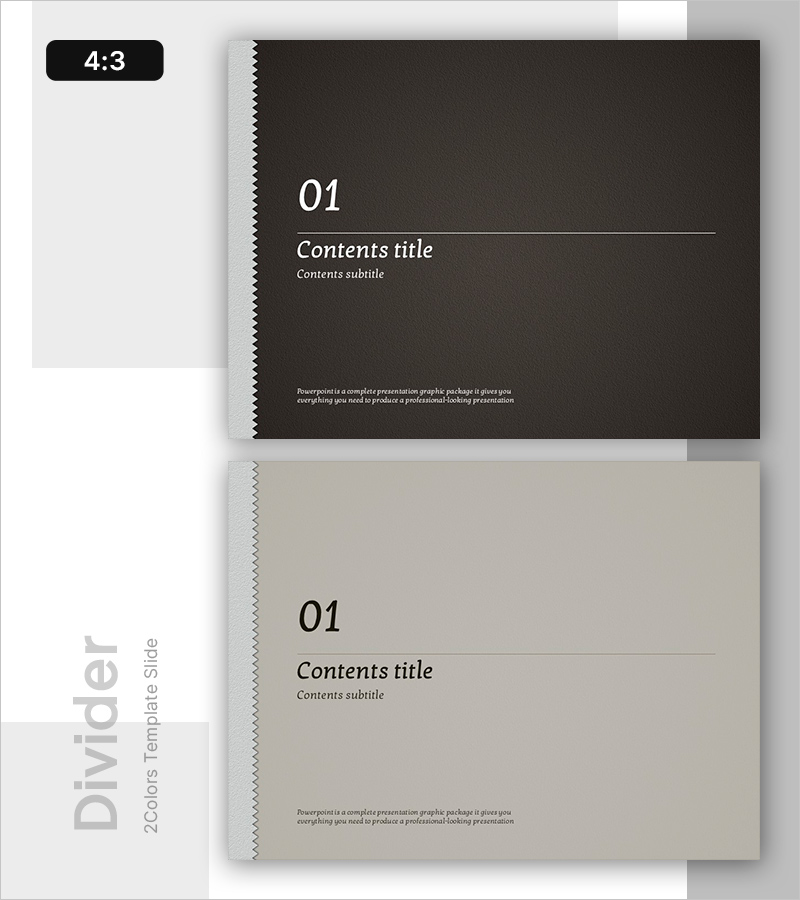
A professional section divider slide for PowerPoint presentations featuring a dark charcoal background with white typography and a distinctive left-side bookmark accent bar. This 2-slide set includes dedicated areas for section number, title, subtitle, and descriptive text, allowing you to clearly mark transitions between presentation sections. The minimalist layout with the bookmark-style design element ensures visual clarity and maintains professional presentation standards throughout your slides.
Usage Points
-
Main Usage
Use this section divider slide to mark transitions between major sections in your presentation. The dark tone and bookmark design element clearly signal the start of each new section while maintaining visual continuity throughout your presentation flow.
-
How to Use
Insert this slide between sections in business plans, proposals, company presentations, and reports. Simply enter your section title in the title area, add a subtitle if needed, and include a brief section description in the text field provided.
-
Recommended For
Ideal for executive presentations, investor pitches, strategic planning sessions, and product launch presentations. Commonly used by consulting firms, technology companies, financial institutions, and corporate teams requiring professional presentation materials.
-
Slide Structure
2-slide set with one dark background version and one light background version. Each slide features a left-side bookmark accent bar, section number placeholder, title area, subtitle area, and descriptive text section for comprehensive section information.
Related Products
-
Multipurpose Business Plan Template Section Slide – Professional and Clean Design
#Slide Type #Section Cover
-
Section Divider PowerPoint Slide – Dark Numbered Intro
#Slide Type #Section Cover
-
Business Plan PowerPoint Template – Stylish Composition
#Slide Type #Section Cover
-

City Modern Theme Business Plan Template Section Slide
#Slide Type #Section Cover
