



Circular Icon Organization Chart Slide – Optimized for Company Introduction
RB0800022_6
- Last Update 03/22/2025
- File Size 1MB
- # of Slides 2
- File Format PPTX
- Slide Ratio 4:3
- Color
Keywords
About the Product
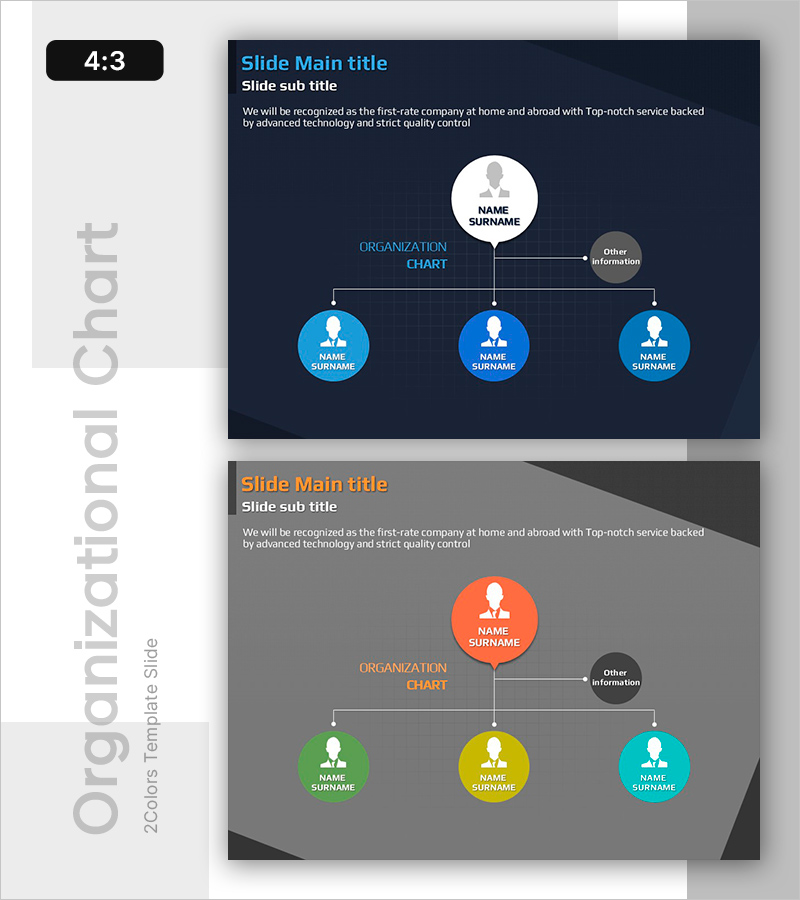
A professional tree diagram PowerPoint slide that clearly visualizes company organizational structure. Features a CEO position at the top with a white circular icon, connected to three department heads below in a hierarchical layout. The dark navy background contrasts with bright blue circular nodes to intuitively convey information hierarchy. Provided in two color versions (dark navy and gray) for immediate use in company introductions, organizational restructuring announcements, personnel structure explanations, and various business presentations. Available in 4:3 aspect ratio PPTX format, fully editable in all PowerPoint versions.
Usage Points
-
Main Usage
Visually represent company organizational hierarchy and reporting relationships. The tree diagram positions the CEO or top decision-maker at the apex and connects subordinate department heads and team leads in hierarchical layers, enabling audiences to instantly grasp organizational structure and accountability.
-
How to Use
Apply to company introduction sections in corporate presentations, new employee onboarding materials, organizational restructuring announcements, investor pitch decks for executive introductions, and internal communication slides. Customize each circular node with actual job titles, names, and department information to match your organization.
-
Recommended For
HR and personnel departments explaining organizational structure, company introduction presentations requiring executive profiles, new department launches or reorganization announcements, large-scale project decision-making structure explanations, and consulting firms analyzing client organizational frameworks.
-
Slide Structure
CEO position circular node (white background) centered at top, 'Organization Chart' label in center, three department head circular nodes (blue tones) horizontally arranged at bottom with connecting lines. Additional 'Other Information' node positioned on the right for supplementary details.
Related Products
-
Business Organization Chart Folder Diagram – Structural Information Delivery
#Company Introduction #Diagram #Organizational Chart
-
Mind Map Diagram Slide Template for Effective Presentations
#Company Introduction #Product/Service Introduction #Diagram
-
Business Work System Organization Chart – Maximizing Efficiency Structure
#Company Introduction #Technical Approach #Diagram
-
Online Business Relationship Diagram - Effective System Composition
#Company Introduction #Technical Approach #Diagram
