



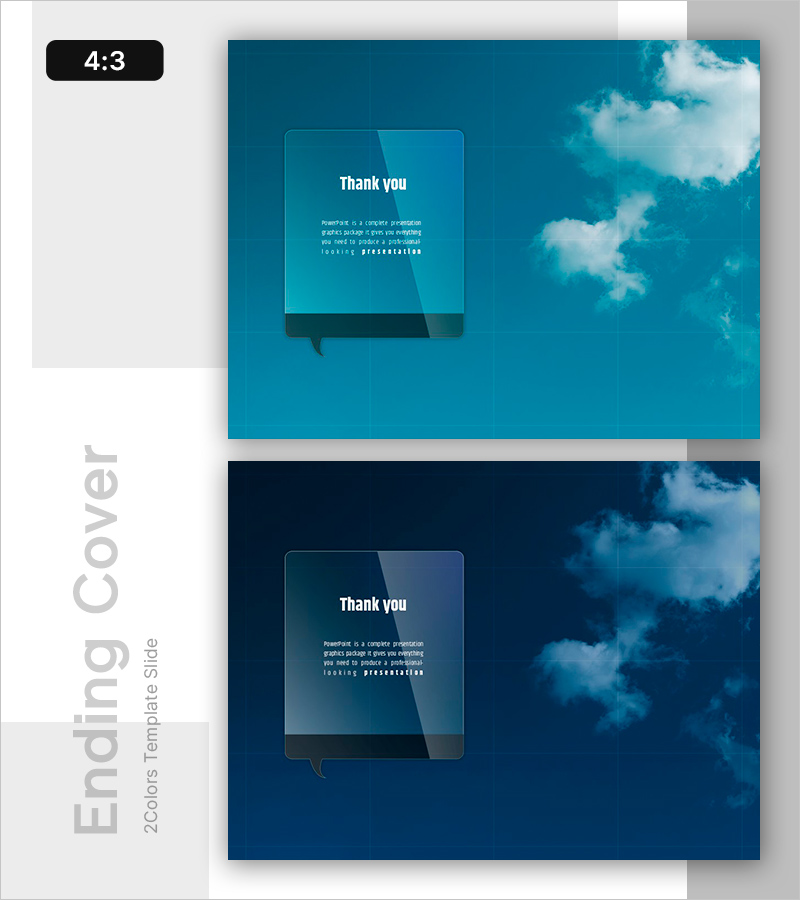
Motional Sky Template Ending Cover – Final Impression
RB0800021_20
- Last Update 03/22/2025
- File Size 2.9MB
- # of Slides 2
- File Format PPTX
- Slide Ratio 4:3
- Color
Keywords
About the Product
A touching ending cover PowerPoint slide that brings your presentation to a memorable close. Featuring two color versions—turquoise and deep blue—with a sky cloud background and transparent message box layout. This slide is optimized for thank you messages and closing remarks, with dedicated text input areas that create an emotional impact while maintaining professionalism. Available in 4:3 ratio PPTX format, fully editable in all PowerPoint versions. Perfect for corporate presentations, seminars, project completion reports, and any professional closing moment.
Usage Points
-
Main Usage
Deliver thank you messages, closing remarks, and contact information on your presentation's final slide with emotional impact. This design maintains professionalism while creating a memorable last impression, leaving your audience with positive feelings about your presentation.
-
How to Use
Place this slide at the end of your presentation and customize the text areas with your thank you message, company name, or contact details. Simply edit the transparent message box text fields and choose between the two color versions—turquoise or deep blue—to match your presentation theme and desired atmosphere.
-
Recommended For
Corporate earnings presentations, project completion reports, seminar conclusions, investor pitch decks, business proposals, training program closings, and any formal presentation requiring an impactful ending. Especially effective when emotional connection with your audience is important.
-
Slide Structure
Two-slide set featuring turquoise and deep blue versions. Each slide contains a sky cloud background image, transparent message box (left-center), title text area (top), body text area (center), and speech bubble element (bottom), allowing clear separation between headline and message content.
Related Products
-
India Wide Template_Ending Page – Gratitude is the Beginning of Success
#Slide Type #Ending Cover
-
Green Eco-friendly Energy Template – End Page for a Sustainable Future
#Slide Type #Ending Cover
-
Natural Environment Wide Template – Ending Page
#Slide Type #Ending Cover
-

Overseas Travel Illustration Template – Ending Page to Express Gratitude
#Slide Type #Ending Cover
