



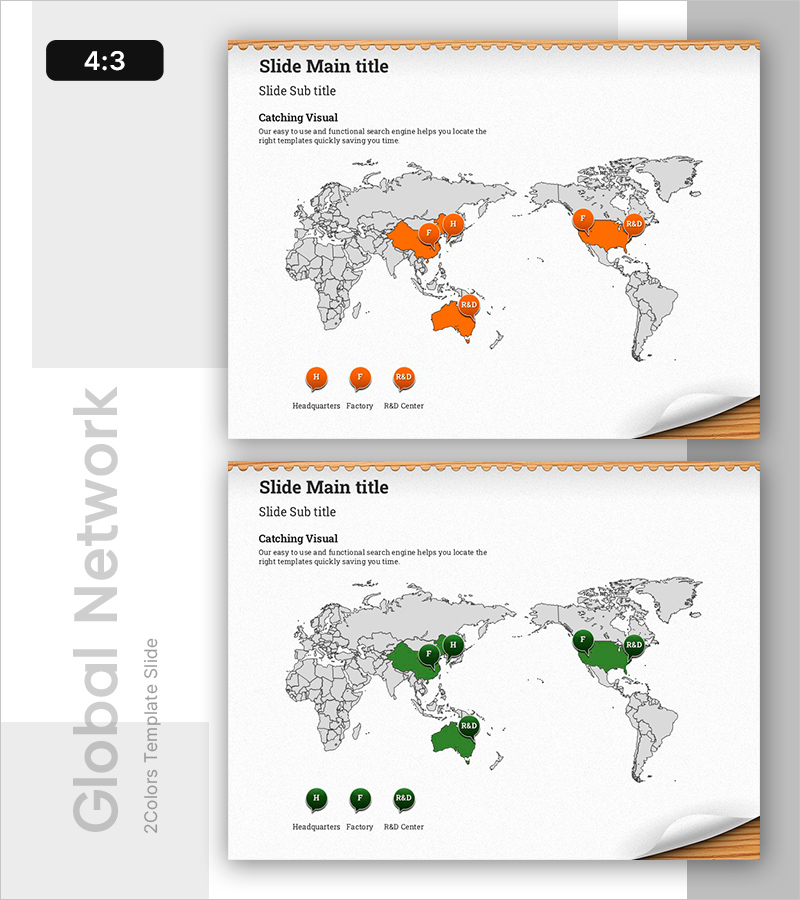
Global Branch Visualization Using Map Slide
RB0800020_5
- Last Update 03/21/2025
- File Size 1.8MB
- # of Slides 2
- File Format PPTX
- Slide Ratio 4:3
Keywords
About the Product
A PowerPoint slide that visualizes global branch offices on a world map, highlighting headquarters, factories, and R&D centers in orange or green to showcase your company's international business network at a glance. The 2-slide set offers color variations (orange/green) with icons and text labels positioned at each location, making it ideal for company presentations, investor pitches, and business reports. This slide effectively communicates your organization's global reach and regional operational footprint to stakeholders.
Usage Points
-
Main Usage
Communicate your company's global expansion and international business footprint to investors, partners, and employees by mapping key operational locations (headquarters, factories, R&D centers) on a world map.
-
How to Use
Insert this slide into company overview presentations, investor relations decks, or annual business reports in the 'Global Network' or 'Business Operations' section to visually demonstrate your organization's geographic presence and regional capabilities.
-
Recommended For
Multinational corporations in manufacturing, IT, finance, and consulting industries, particularly for executives, investor relations teams, and marketing departments presenting international business scope and operational reach.
-
Slide Structure
Two-slide layout featuring a world map background with highlighted regions in orange or green, location icons (headquarters/factory/R&D center), legend area, and three text input zones for title, subtitle, and descriptive content.
Related Products
-
Strategic Mutual Growth PowerPoint Slide – Infinity Synergy
#Business Vision and Strategy #Diagram #Business Strategy
-
Service Architecture PowerPoint – Hexagon Hub 6 Modules
#Product/Service Introduction #Technical Approach #Product/Service Introduction
-

Brand vs. Competitor Messaging Slide – 3-Point, Blue & Green
#Product/Service Introduction #Market and Competitor Analysis #Benefits and Advantages
-
Contact Closing PowerPoint Slide – Interior Dark Two-Column
#Company Introduction #Contact Information
