Square Box PowerPoint Cover – A Clean and Clear Start
RB0800003
- Last Update 03/17/2025
- File Size 0.2MB
- # of Slides 2
- File Format PPTX
- Slide Ratio 4:3
- Color
Keywords
About the Product
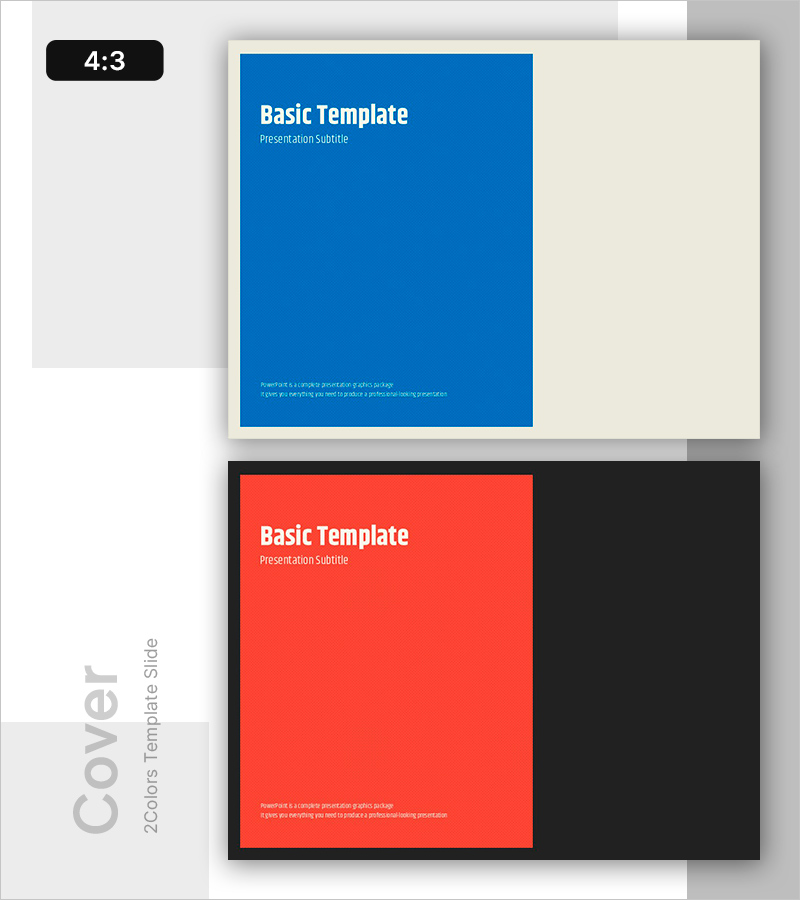
A professional cover slide PowerPoint template that sets the tone for your entire presentation. This template features two design variations: a blue box on the left with cream background, and a red box on the right with black background, offering flexible color options for different corporate brands or presentation themes. Each slide includes clearly defined areas for title, subtitle, and descriptive text, making it easy to input company name, presentation topic, and supporting information. Formatted in 4:3 aspect ratio PPTX, it is compatible with all major presentation software and ready for immediate use as the opening page of business documents.
Usage Points
-
Main Usage
Establish a strong first impression for your presentation with this professional cover slide. The two color options—blue and red—allow you to align with your corporate brand or presentation theme, while clearly separated text areas ensure effective placement of company name, presentation title, and subtitle.
-
How to Use
Use as the opening page for business plans, proposals, company introductions, marketing presentations, and investor pitches. Select either the blue or red design variant based on your corporate colors or presentation tone, then input your title and subtitle to create a polished cover page.
-
Recommended For
Ideal for corporate professionals, marketing teams, sales representatives, consultants, educators, and anyone who regularly creates presentations. Particularly effective for organizations with blue or red brand colors seeking consistent visual identity across all presentations.
-
Slide Structure
Two-slide template with distinct color variations. Each slide features a colored box (blue or red) positioned on one side with a cream or black background on the opposite side. Text areas are horizontally aligned with title section at top, subtitle in middle, and descriptive text at bottom, creating a clear information hierarchy.