



Strategic Pyramid by Stage – Visualizing Business Vision and Strategy
RB0500022_7
- Last Update 03/14/2025
- File Size 0.4MB
- # of Slides 2
- File Format PPTX
- Slide Ratio 4:3
- Color
Keywords
- #Content-Based Slides
- #Design-Based Slides
- #Business Vision and Strategy
- #Diagram
- #Business Strategy
- #Business Goals
- #Structure
- #Pyramid Chart
- #4:3
- #pyramid diagram PowerPoint
- #4-level hierarchical structure slide
- #business strategy presentation
- #organizational hierarchy template
- #vision strategy PowerPoint slide
About the Product
A hierarchical pyramid diagram PowerPoint slide that visualizes business vision and strategy across four levels. The design features a gradient color progression from lime green to brown, with directional arrows highlighting the importance of each tier. The left side provides text areas for layer descriptions, while the right side connects key messages like 'Top quality design' through arrow annotations. Available in 4:3 aspect ratio with 2 slides, this presentation template is ready for executive reports, strategic planning sessions, and organizational structure explanations.
Usage Points
-
Main Usage
Clearly express organizational vision, strategy, and execution plans through a 4-level hierarchical pyramid structure. Visualize the priority and interdependence of each tier to effectively communicate strategic direction to executives and employees.
-
How to Use
Enter layer-specific descriptions in the left text areas (stylish design, contemporary colors, visual appeal, immersive visual expression). Add key messages to the right-side arrow annotations to emphasize the importance of each level. Customize colors and text to match your organization's branding.
-
Recommended For
Ideal for executives, strategy teams, marketing departments, and organizational development teams presenting business vision, strategic plans, organizational structures, and priority hierarchies. Suitable for quarterly strategy reports, new employee training materials, organizational restructuring announcements, and management policy presentations.
-
Slide Structure
Four-tier pyramid structure: top tier 'Stylish Design' (lime green), second 'Contemporary Colors' (medium green), third 'Visual Appeal' (dark green), bottom 'Immersive Visual Expression' (brown). Each tier has a right-side arrow with annotation like 'Top quality design'. Four text input areas on the left for layer descriptions. Two identical slides provided for flexible use.
Related Products
-
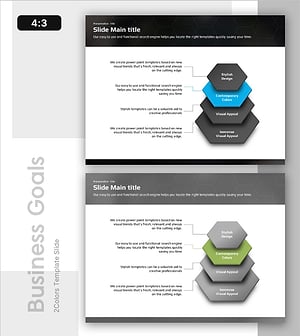
Analysis Diagram of Hexagonal Layered Structure – Visualizing Business Strategy
#Business Vision and Strategy #Diagram #Business Strategy
-
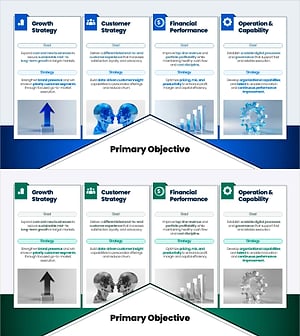
Business Strategy Framework Slide – Growth, Customer, Financial & Operations
#Business Vision and Strategy #Text Box #Business Strategy
-
Business Goal Icon Diagram – Visualization of Vision and Strategy
#Business Vision and Strategy #Diagram #Business Strategy
-
Watercolor Business Strategy Diagram - Clearly Define Business Goals
#Business Vision and Strategy #Diagram #Business Strategy
