



Hexagonal Element Connection for Service and Business Introduction
RB0300033_4
- Last Update 03/10/2025
- File Size 0.3MB
- # of Slides 2
- File Format PPTX
- Slide Ratio 4:3
- Color
Keywords
- #Content-Based Slides
- #Design-Based Slides
- #Product/Service Introduction
- #Business Introduction
- #Diagram
- #Features
- #Business Areas
- #Cluster
- #Chain Diagram
- #4:3
- #hexagonal diagram PowerPoint
- #connection diagram slide
- #6-node radial structure
- #business introduction diagram
- #service area visualization
- #PowerPoint slide template download
About the Product
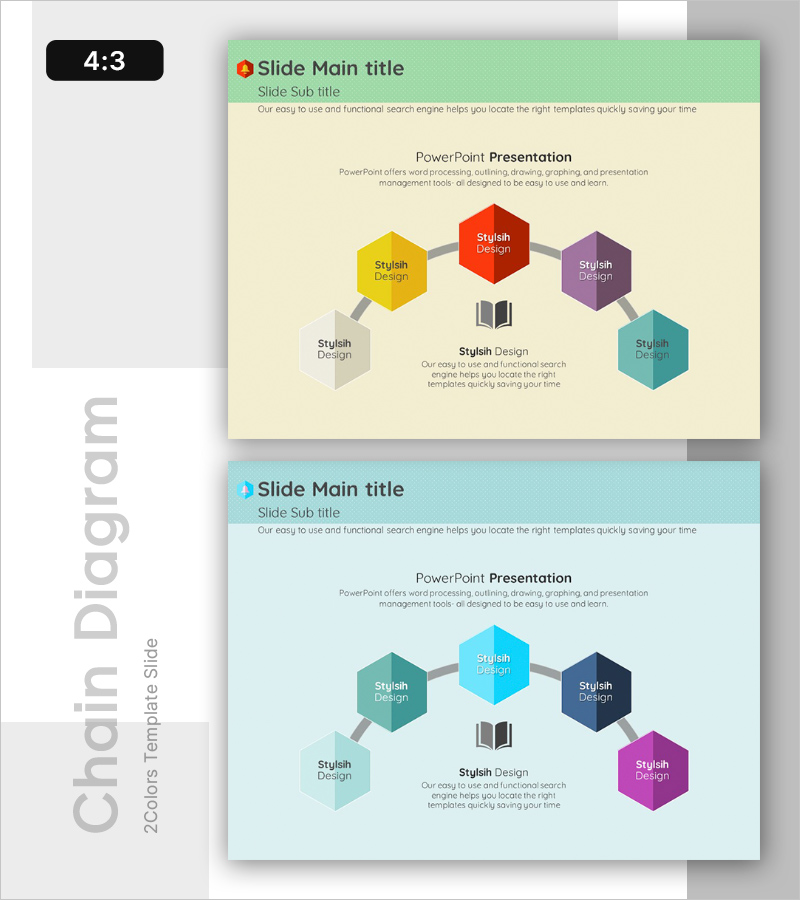
A PowerPoint slide featuring six hexagonal nodes arranged in a radial pattern around a central element, connected by gray lines. Each hexagon is distinguished by a unique color (red, yellow, purple, teal, gray, white) to visually categorize and emphasize service areas, business characteristics, core functions, or key competencies. With a 4:3 aspect ratio and 2-slide layout, this diagram is ready to integrate into business introduction sections of presentations, pitch decks, and corporate slideshows.
Usage Points
-
Main Usage
Visualize a company's core value or service offering at the center, with six surrounding hexagonal nodes representing business divisions, service categories, core competencies, target audiences, competitive advantages, or strategic vision. This layout enables stakeholders to grasp the entire business structure at a glance.
-
How to Use
Place your company name or core message in the central hexagon, then add business areas, service categories, or key capabilities to each of the six surrounding nodes. Customize colors to match each category's characteristics. Insert into business introduction pages of company profiles, business plans, or investor pitch decks.
-
Recommended For
Startup and SME business structure explanations, corporate division introductions, consulting service portfolio presentations, marketing team customer segmentation visualization, and strategic planning team value proposition mapping.
-
Slide Structure
Radial layout with six hexagonal nodes evenly distributed around a central focal point, each connected by gray lines. Each node features a distinct color for visual differentiation. Two-slide set includes the base layout and a color variation version for design flexibility.
Related Products
-
Cluster Diagram of Internet Shopping Purchase Area – Ease of Purchase
#Product/Service Introduction #Business Introduction #Diagram
-
3D Printing Characteristics Diagram – Business Introduction with Innovation
#Product/Service Introduction #Business Introduction #Diagram
-
Pentagon Connection Star Diagram - Cluster and Performance Introduction
#Product/Service Introduction #Business Introduction #Diagram
-
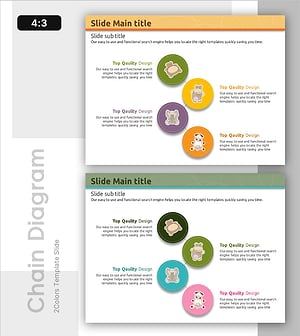
Individual Animal Info Diagram – Visual Classification System
#Product/Service Introduction #Business Introduction #Diagram
