



Workbook Area Expansion Diagram – Visual Knowledge Sharing
RB0300018_6
- Last Update 03/10/2025
- File Size 0.4MB
- # of Slides 2
- File Format PPTX
- Slide Ratio 4:3
- Color
Keywords
- #Content-Based Slides
- #Design-Based Slides
- #Company Introduction
- #Business Introduction
- #Diagram
- #Business Areas
- #Business Areas
- #Spread
- #Centralized Diagram
- #4:3
- #hexagon diagram PowerPoint
- #radial expansion slide
- #central concept diagram
- #6-area business structure
- #PowerPoint diagram slide template
About the Product
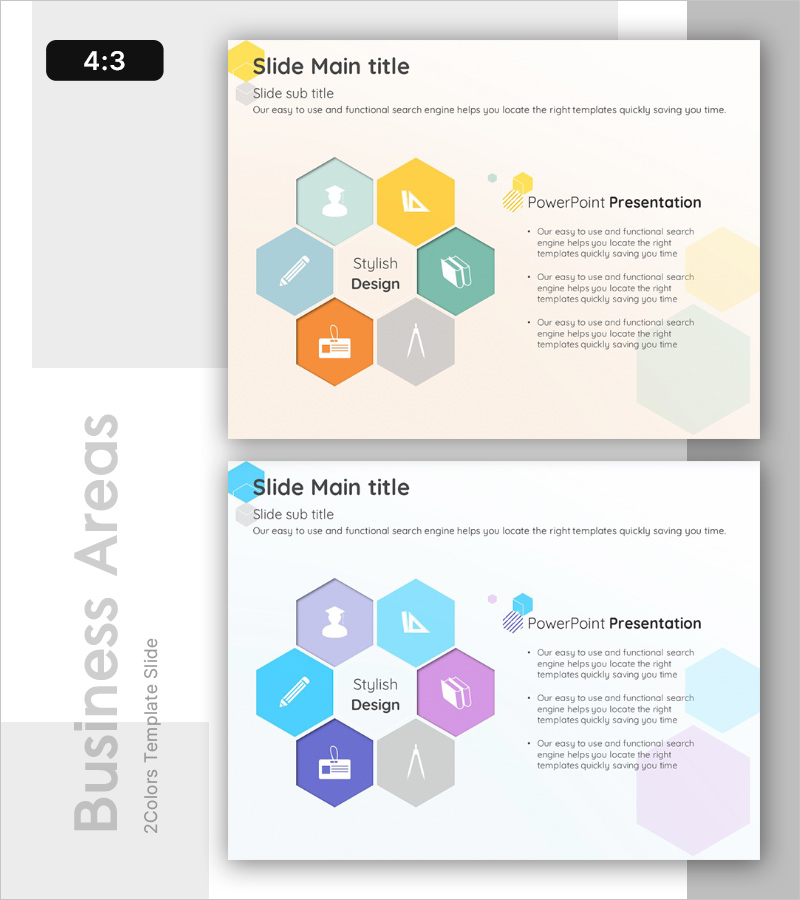
A radial expansion diagram PowerPoint slide featuring a central concept extending to 6 surrounding hexagonal nodes. Each hexagon contains a distinct icon (user, pen, book, building, architecture, badge) representing different functional areas or business domains. The design uses a soft beige background with five color variations: teal, yellow, green, orange, and gray hexagons that create clear visual hierarchy. The 2-slide set includes the primary diagram layout and an alternative color scheme (purple, blue, pink, and gray tones). Ideal for business domain analysis, organizational structure presentations, product category classification, and strategic planning decks where you need to communicate how multiple areas connect to a central concept.
Usage Points
-
Main Usage
Visualizes how multiple functional areas, business domains, or strategic initiatives radiate from a central concept or core value. Perfect for illustrating organizational structures, product portfolios, market segments, service offerings, core competencies, or strategic pillars in a clear, hierarchical manner that emphasizes the relationship between the center and surrounding elements.
-
How to Use
Enter descriptive text in each hexagon node to label the surrounding areas or functions. Replace the default icons with symbols that represent each domain's characteristics. Adjust colors to differentiate priority levels, categories, or departments. Choose between the two provided color schemes (teal/yellow/green/orange or purple/blue/pink) based on your presentation theme and audience context.
-
Recommended For
Recommended for executives, business strategists, product managers, marketing professionals, organizational development specialists, and educators who need to present multi-faceted business structures, departmental relationships, product ecosystems, or strategic frameworks. Works well in corporate strategy presentations, organizational restructuring announcements, product launch decks, and educational seminars.
-
Slide Structure
Central text label surrounded by 6 hexagonal nodes arranged in a radial pattern, each containing a unique icon. First slide features teal, yellow, green, orange, and gray color palette. Second slide provides an alternative color scheme with purple, blue, pink, and gray tones. Both layouts maintain consistent spacing and visual balance for professional presentation impact.
Related Products
-
Travel Business Services Area – Effective Diagram Design
#Company Introduction #Business Introduction #Diagram
-
Hexagonal Diffusion Diagram for Business Area Visualization
#Company Introduction #Business Introduction #Diagram
-
Equipment and Marketing Strategy Diagram – Visualizing Business Structure
#Company Introduction #Business Introduction #Diagram
-
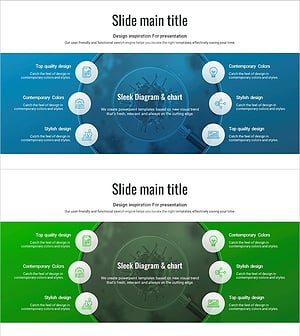
Vaccine Diffusion Diagram – Business Introduction and Diffusion Strategy
#Company Introduction #Business Introduction #Diagram
