



Functional Components of a Mobile App – Effective Product/Service Presentation
RB0200029_4
- Last Update 03/09/2025
- File Size 2.9MB
- # of Slides 2
- File Format PPTX
- Slide Ratio 4:3
- Color
Keywords
- #Content-Based Slides
- #Design-Based Slides
- #Product/Service Introduction
- #Diagram
- #Product/Service Introduction
- #Composition
- #Cluster
- #Chain Diagram
- #4:3
- #mobile app diagram PowerPoint
- #app functional components slide
- #product structure presentation
- #app architecture diagram
- #connected function layout PowerPoint template
About the Product
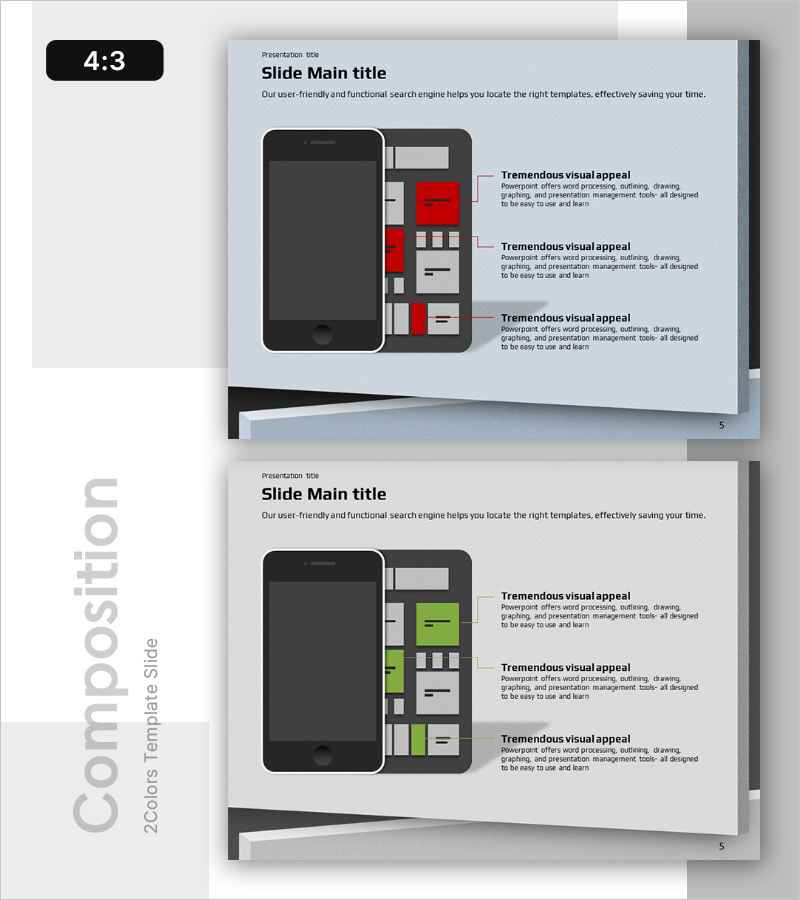
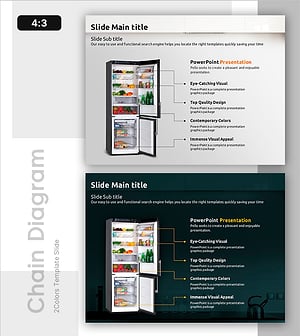
A PowerPoint slide that visualizes the core functions of a mobile app across three distinct sections connected by arrows. The left side features a smartphone mockup while the right side displays the functional components diagram, creating an intuitive visual representation of your product or service structure. Available in two color versions—red and green accents—with dedicated text input areas for each functional section. This presentation slide is ready to use for app introductions, product feature explanations, and service architecture presentations.
Usage Points
-
Main Usage
Clearly communicate your mobile app's key functions and structure to audiences by breaking down features into three distinct, visually connected sections. The smartphone mockup combined with the functional diagram effectively conveys app architecture, making it ideal for product pitches, feature walkthroughs, and investor presentations.
-
How to Use
Insert your app interface image into the left smartphone mockup, then add function names and descriptions to each of the three right-side sections. Adjust arrow directions to emphasize information flow, and customize colors to match your brand identity for professional presentations.
-
Recommended For
Mobile app development companies and startups presenting product features, IT firms explaining technical architecture, marketing teams showcasing product capabilities, venture capital pitch decks, and customer-facing product demonstration presentations.
-
Slide Structure
Two-slide set in 4:3 aspect ratio. Each slide features a smartphone mockup (black frame) on the left and three functional component sections (highlighted in red or green) on the right, connected by directional arrows. Each section includes dedicated spaces for function titles and descriptions, with two color variants (red and green) provided.
Related Products
-
Retirement Planning Element Diagram – Foundations of Financial Planning
#Product/Service Introduction #Diagram #Product/Service Introduction
-
Introduction to Drone Components – Core of Product Design
#Product/Service Introduction #Diagram #Product/Service Introduction
-
Introduction to Food Trucks – Modern Diagram Utilization
#Product/Service Introduction #Diagram #Product/Service Introduction
-
4-Step Method for Ingredient Management – Effective Diagram Presentation
#Product/Service Introduction #Diagram #Product/Service Introduction
