



Folder Shape Diffusion Diagram – Business Vision and Strategy Introduction
RB0200006_8
- Last Update 03/08/2025
- File Size 0.2MB
- # of Slides 2
- File Format PPTX
- Slide Ratio 4:3
- Color
Keywords
- #Content-Based Slides
- #Design-Based Slides
- #Product/Service Introduction
- #Business Vision and Strategy
- #Diagram
- #Composition
- #Business Goals
- #Spread
- #Radial Diagram
- #4:3
- #radial diagram PowerPoint
- #folder shape slide template
- #vision strategy diagram
- #business planning presentation
- #3-step flowchart PPT
About the Product
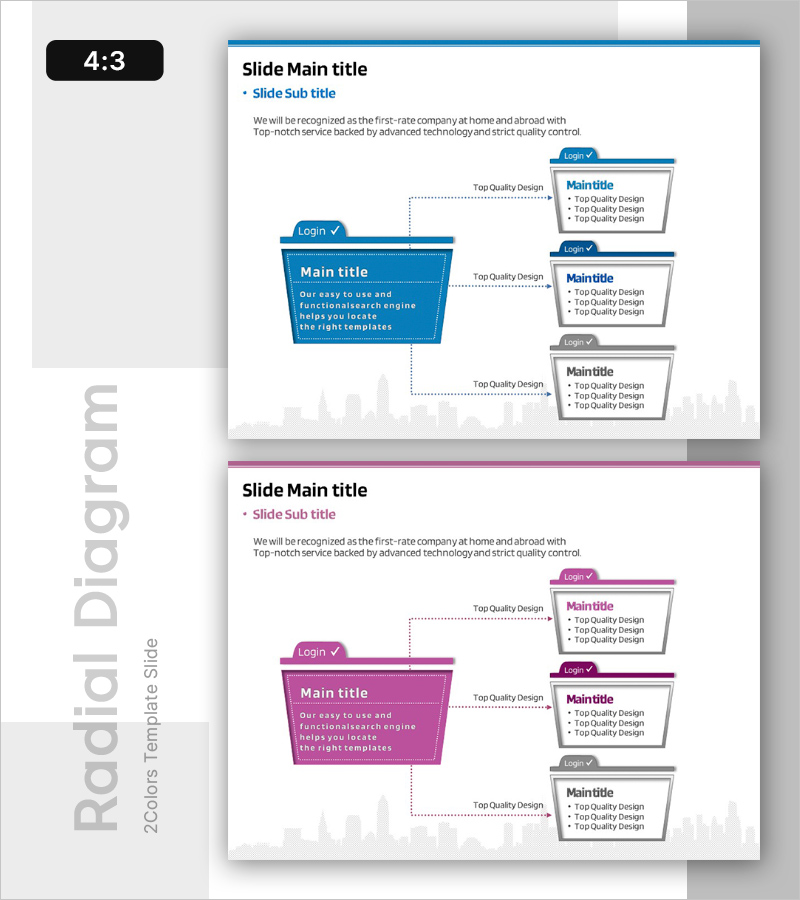
A folder-shaped radial diagram PowerPoint slide that expands from a core vision into three strategic stages. The main folder on the left connects to three detailed items on the right in a progressive flow, perfectly designed to explain business vision, strategy, and execution plans step-by-step. The blue and gray color contrast clearly represents information hierarchy, with checkmarks and editable text areas at each stage for immediate customization. This 4:3 ratio, 2-slide template is ready to use in presentations, pitch decks, and strategic planning documents.
Usage Points
-
Main Usage
Visualizes how an organization's core vision expands into concrete strategies and execution plans. Effectively communicates the connection between top-level objectives and operational tasks in executive reports, business planning presentations, and strategic alignment meetings.
-
How to Use
Enter your core vision, goal, or theme in the left folder, then add strategic initiatives, implementation tasks, or performance metrics in the three right-side stages. Double-click each text box to edit content, and adjust folder colors and text styles to match your brand identity and presentation needs.
-
Recommended For
Ideal for executives, strategy planners, business development managers, and marketing leaders presenting organizational vision, medium-term strategy, or new business initiatives. Particularly suited for executive briefings, board presentations, and investor pitches where hierarchy between strategic goals and operational actions must be emphasized.
-
Slide Structure
Main slide features a left-side folder shape (containing main title and description text) connected to three right-side rectangular boxes (each with checkmark, title, and 3-line text area). Dotted arrows connect the stages, and the 2-slide layout allows multiple vision-strategy combinations to be presented.
Related Products
-
Introducing Business Vision with Road Diagram
#Product/Service Introduction #Business Vision and Strategy #Diagram
-
Composition of the Botanic Gardens – Visually Appealing Diagram
#Product/Service Introduction #Diagram #Features
-

Establishing Collaborative Business Goals – Essential Diagram for Goal Setting
#Product/Service Introduction #Business Vision and Strategy #Diagram
-
Simple & Modern Wide PPT Diffusion Diagram
#Product/Service Introduction #Diagram #Product/Service Introduction
