



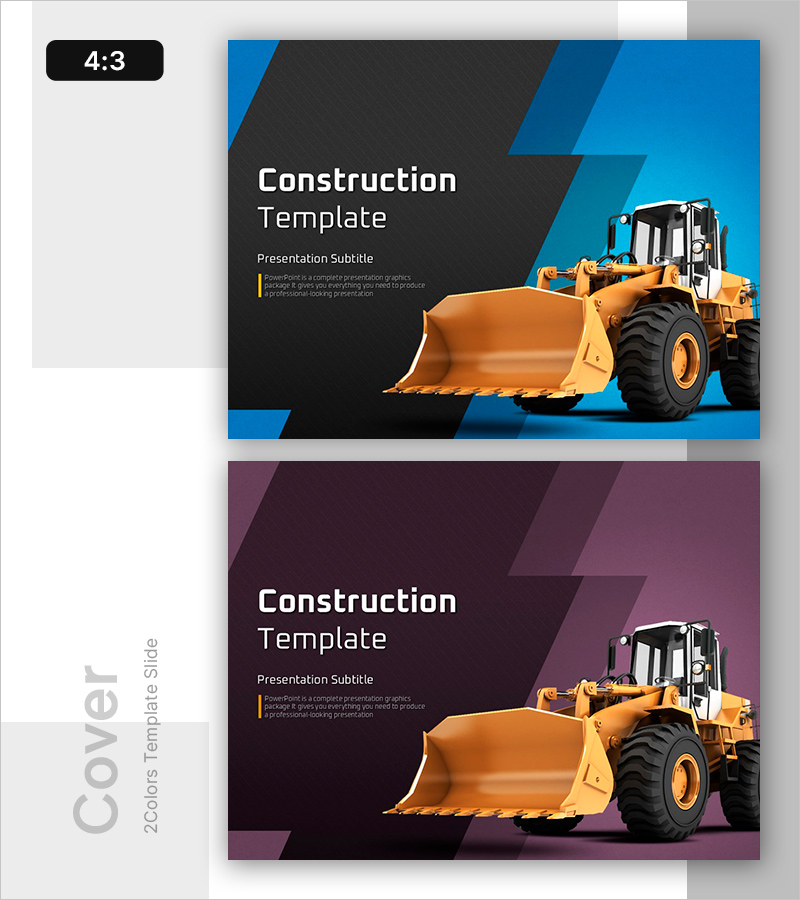
Heavy Equipment Construction Strategy Template
RB0100075
- Last Update 03/07/2025
- File Size 15.3MB
- # of Slides 2
- File Format PPTX
- Slide Ratio 4:3
- Color
Keywords
About the Product
A 2-slide cover set designed for heavy equipment and construction project presentations. Features a dark gray and blue angled geometric background with a yellow excavator image, creating a professional first impression for construction proposals, reports, and strategy presentations. The 4:3 ratio PPTX format includes clearly defined text input areas for title, subtitle, and description text, ready for immediate editing. Ideal for construction companies, equipment rental firms, and civil engineering consultancies presenting official presentations and PowerPoint slides.
Usage Points
-
Main Usage
Serves as the cover slide for construction, civil engineering, and heavy equipment business proposals, strategy presentations, and project reports. The excavator imagery and geometric background visually communicate industry expertise and reliability, strengthening the overall brand presentation of your document.
-
How to Use
Slide 1 is the main cover with title, subtitle, and description text input areas; Slide 2 is an alternative cover with a purple color variation. Double-click each text box to enter your company name, project title, or presentation topic. All text fields are fully editable.
-
Recommended For
Construction companies, equipment rental services, civil engineering firms, and construction consulting companies. Suitable for employees in business development, project management, marketing, and sales roles preparing proposals, project presentations, and investor pitch decks.
-
Slide Structure
2-slide layout with each slide containing a title input area (approximately 40 characters), subtitle area (approximately 20 characters), and description text area (approximately 100 characters). The yellow excavator image is positioned on the right side, while the left background features an angled geometric pattern as a visual accent.
Related Products
-
Rounded Edge Cover Slide – Modern Business PowerPoint
#Slide Type #Cover
-
Global Company Profile Template Cover – A Professional Start
#Slide Type #Cover
-
Best Partnership Proposal Cover
#Slide Type #Cover
-
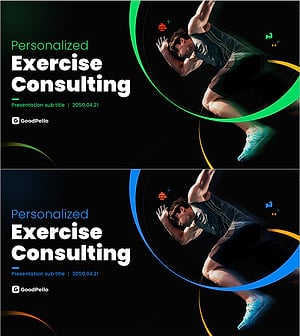
Personalized Exercise Consulting Proposal Cover – A Harmonious Blend of Professionalism and Innovation
#Slide Type #Cover
