



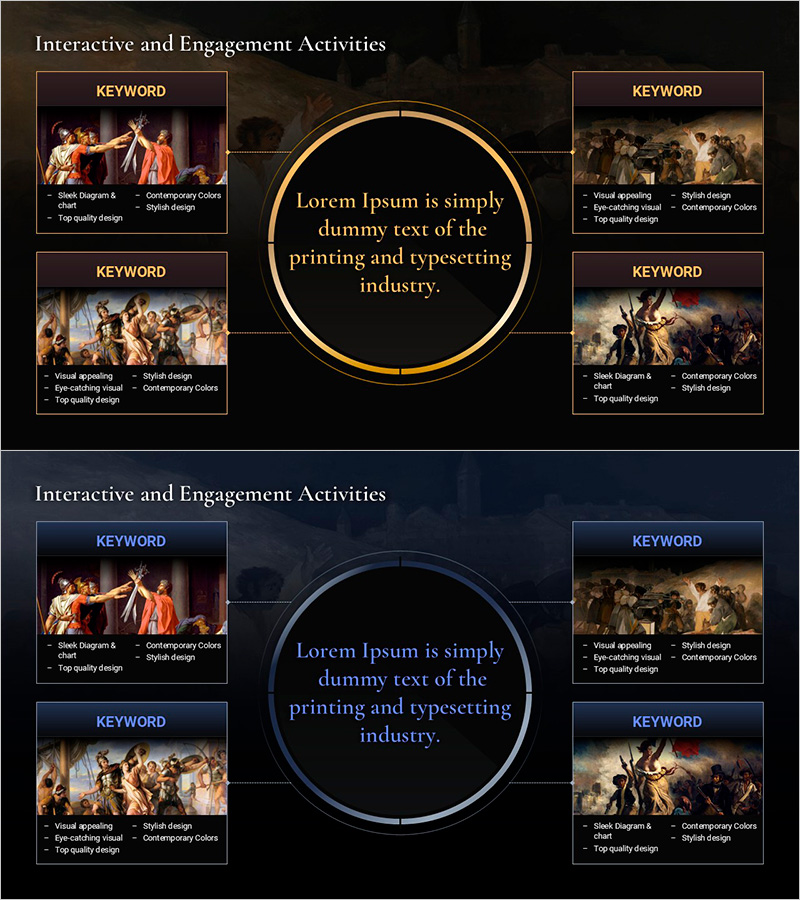
History Unfolded in Masterpieces – Interactive Diagram Slide
RM0900015_7
- Last Update 03/05/2025
- File Size 4MB
- # of Slides 2
- File Format PPTX
- Slide Ratio 16:9
- Color
Keywords
- #Content-Based Slides
- #Design-Based Slides
- #Product/Service Introduction
- #Diagram
- #Product/Service Introduction
- #Features
- #Cluster
- #Spread
- #Chain Diagram
- #Centralized Diagram
- #16:9
- #radial diagram PowerPoint
- #4-direction diagram slide
- #interactive presentation slide
- #center-point diagram template
- #masterpiece presentation PowerPoint
About the Product
An interactive radial diagram PowerPoint slide featuring a masterpiece image background with a central circular frame radiating outward in four directions. The design combines a gold-bordered circular center with four keyword boxes connected by dotted lines, optimized for history, culture, and art presentations. The 16:9 widescreen format includes 2 slides ready for immediate editing, perfect for visual storytelling that connects figures, events, and contexts within historical artworks.
Usage Points
-
Main Usage
Designed to express four perspectives (context, meaning, impact, characteristics) radiating from a central concept (artwork, historical event, figure) in history, culture, and art presentations. The radial structure naturally guides audience attention from center to periphery, enhancing information delivery efficiency.
-
How to Use
Enter the core topic (artwork title, historical event, figure name) in the central circular frame, then populate the four directional boxes with related keywords, descriptions, and data. The dotted connecting lines visualize the relationship between center and surrounding information, allowing sequential or simultaneous explanation during presentation.
-
Recommended For
History and art lectures, cultural seminars, museum and gallery planning presentations, educational institution art history presentations, cultural heritage introductions, and humanities-related academic presentations. Particularly effective when analyzing and explaining a single artwork or historical event from multiple perspectives.
-
Slide Structure
2-slide composition featuring a gold-bordered circular center with four directional keyword boxes and dotted connecting lines. Masterpiece background image spans the entire slide, with each box providing independently editable text areas. The second slide mirrors the layout for alternative topic application.
Related Products
-
Analyzing the Interconnectedness of Molecular Frameworks PowerPoint Template - Cluster and Connection Elements
#Product/Service Introduction #Diagram #Product/Service Introduction
-
Expanding Values from Nature – Sustainable Social Responsibility
#Product/Service Introduction #Corporate Social Responsibility #Diagram
-
Diagram Slide Explaining Structure and Function of Plants
#Product/Service Introduction #Diagram #Product/Service Introduction
-
Cluster Diagram of Internet Shopping Purchase Area – Ease of Purchase
#Product/Service Introduction #Business Introduction #Diagram
