



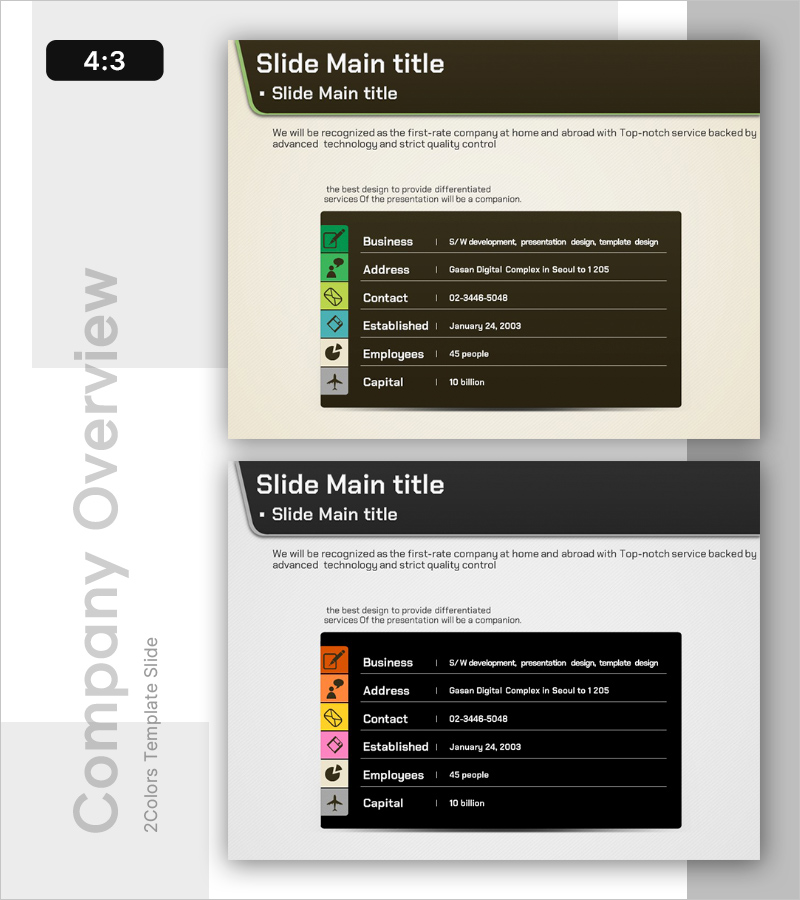
Silhouette PPT Company Overview – Cluster Format Information Visualization
RB0100024_4
- Last Update 03/02/2025
- File Size 0.5MB
- # of Slides 2
- File Format PPTX
- Slide Ratio 4:3
- Color
Keywords
- #Content-Based Slides
- #Design-Based Slides
- #Company Introduction
- #Diagram
- #Text Box
- #Company Overview
- #Contact Information
- #Rectangle Text Box
- #4:3
- #company overview PPT slide
- #company profile PowerPoint design
- #icon cluster slide
- #corporate information visualization
- #how to present company overview in PowerPoint
About the Product
A professional company overview PowerPoint slide that presents key corporate information at a glance. This presentation design features six essential items—business field, address, contact, established date, employees, and capital—arranged in a cluster format with colorful icons against a dark background. Each item is paired with a unique colored icon (green, yellow, blue, pink, brown, gray) to establish clear information hierarchy and enhance visual readability. The beige background contrasts with the dark information boxes, reinforcing corporate credibility and professionalism. The 2-slide set offers varied color combinations and maintains 4:3 aspect ratio for universal presentation compatibility.
Usage Points
-
Main Usage
Designed for investor pitches, partner introductions, and new employee onboarding presentations to effectively communicate core company information including business focus, location, contact details, founding date, workforce size, and capital. The icon-based cluster layout transforms complex data into clear, digestible information that enhances audience comprehension.
-
How to Use
Insert this slide in the opening or middle section of your company introduction presentation. Replace placeholder text with your actual company details and customize icon colors to match your brand identity if needed. Choose between two color combination options to align with your overall presentation aesthetic.
-
Recommended For
Ideal for corporate investor relations presentations, employee onboarding sessions, partnership proposals, client meetings, and recruitment briefings where clear, credible company information presentation is essential. Particularly effective for B2B presentations where information clarity and professional impression are critical.
-
Slide Structure
Each slide features a title area at the top and six information boxes arranged vertically below. Every item combines a left-aligned icon with right-aligned text (item label and details), creating a clear visual hierarchy. Both slides maintain identical structure with different icon color schemes for design variety.
Related Products
-
Company Basic Information Summary Profile – A Slide with Professionalism and Trust
#Company Introduction #Diagram #Company Overview
-
Company Summary Slide – Contact Information
#Company Introduction #Diagram #Company Overview
-
Company Overview Diagram – Clear Information Delivery
#Company Introduction #Diagram #Company Overview
-
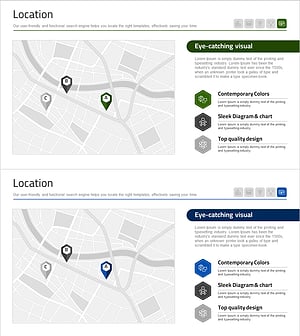
Hospital Location Map – Clear and Effective Guidance
#Company Introduction #Diagram #Other
