



Foundational Approaches to Architectural Design – Effective Operational Planning
RB0100017_5
- Last Update 03/02/2025
- File Size 0.6MB
- # of Slides 2
- File Format PPTX
- Slide Ratio 4:3
- Color
Keywords
- #Content-Based Slides
- #Design-Based Slides
- #Product/Service Introduction
- #Operational Plan
- #Diagram
- #Development Plan
- #Mitigation Measures
- #Spread
- #4:3
- #comparison diagram PowerPoint slide
- #two-panel slide layout
- #symmetrical comparison slide
- #operational planning PowerPoint
- #how to create comparison slides in PowerPoint
About the Product
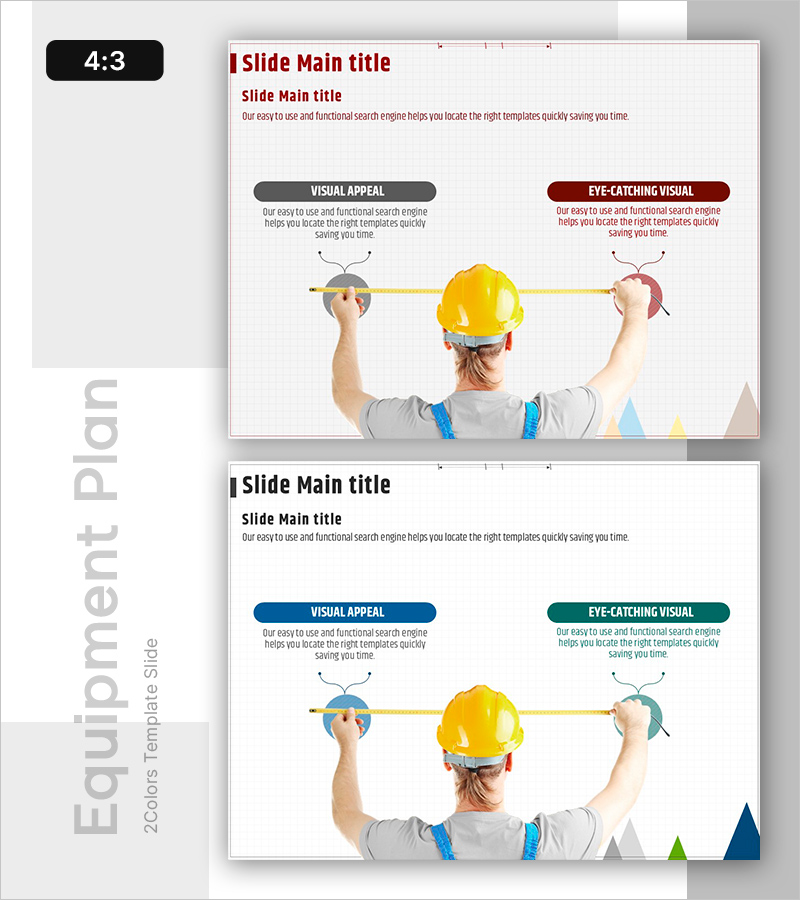
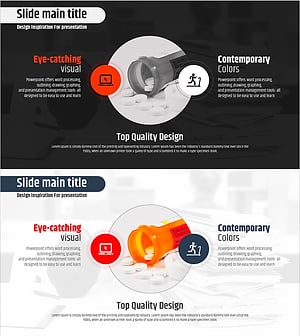
A PowerPoint slide designed with a symmetrical two-panel comparison structure. Centered around a yellow safety helmet, the left panel presents 'Visual Appeal' while the right panel showcases 'Eye-Catching Visual,' enabling simultaneous expression of dual concepts. Each section features independent text boxes and icon spaces, optimized for product/service comparisons, solution presentations, and operational planning analysis. Gray and burgundy button-style headers paired with light beige geometric elements at the bottom create a professional atmosphere. Available in 4:3 ratio PPTX format for immediate editing, this slide works seamlessly in architectural presentations, design pitches, technical briefings, marketing proposals, and business documents across industries.
Usage Points
-
Main Usage
Optimized for comparing and visually contrasting two concepts, approaches, or characteristics simultaneously. Enhances information delivery in any presentation scenario requiring side-by-side comparison—product advantages vs. existing solutions, current state vs. target state, or Option A vs. Option B analysis.
-
How to Use
Enter the first concept's title, description, and icon in the left panel; place the second concept's content in the right panel. The central yellow safety helmet image can be retained for construction/safety/technology themes or replaced with alternative imagery. Modify button header colors (gray and burgundy) to match your brand palette for visual consistency.
-
Recommended For
Technical presentations in architecture, design, and engineering sectors; solution proposals from product development teams; operational strategy briefings with current-state and improvement-plan analysis; competitive comparison analysis for marketing teams; and As-Is vs. To-Be structure representation in consulting reports.
-
Slide Structure
Two-slide package featuring identical layouts for multiple comparison scenarios. Each slide contains one title area, left comparison section (one text box and icon space), right comparison section (one text box and icon space), and one central image, enabling sequential presentation of multiple comparison topics.
Related Products
-
Ideas Blooming in Three Directions – Creativity and Vision
#Product/Service Introduction #Business Management #Diagram
-
Diffusion Diagram of How to Deal with Injuries
#Operational Plan #Risk Management and Regulatory Compliance #Diagram
-
Diagram for Tired Modern People – Strategies and Solutions
#Business Vision and Strategy #Operational Plan #Diagram
-
The Importance of Vitamin Nutrition – Effective Information Delivery through Diagrams
#Operational Plan #Diagram #Risk Management
