



Table of Contents Slide – Diary Style Presentation
RB0100014_2
- Last Update 03/02/2025
- File Size 4.8MB
- # of Slides 2
- File Format PPTX
- Slide Ratio 4:3
- Color
Keywords
About the Product
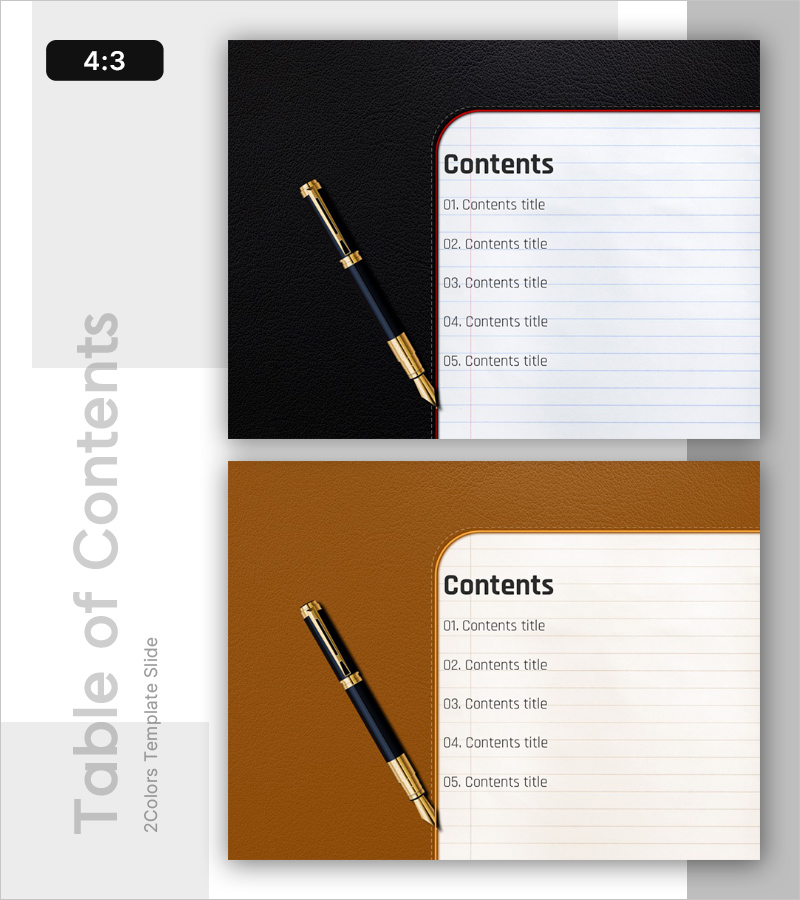
A professional table of contents slide for your PowerPoint presentation featuring a diary-style design with pen illustration and notebook layout. Available in two color options—black and brown—to match your corporate branding. The slide includes five numbered entry fields for organizing your presentation topics clearly. Provided in 4:3 aspect ratio PPTX format, this slide is ready to use immediately as the contents page in business documents, proposals, and company presentations.
Usage Points
-
Main Usage
This slide serves as an effective contents page to preview your entire presentation structure to the audience. The diary-style design enhances document credibility and professionalism while clearly presenting your presentation flow. Ideal for business plans, proposals, company introductions, and marketing presentations.
-
How to Use
Simply enter your presentation topics in the five text input fields provided on the slide. Select either the black or brown background version that matches your corporate brand colors. The pen and notebook illustrations are fixed elements; you only need to edit the text for immediate use in your presentation.
-
Recommended For
Perfect for business plans, investment pitch decks, proposals, company introductions, marketing strategies, and any formal business presentation requiring a professional contents page. Especially effective for finance, consulting, and corporate sales presentations where a polished impression is essential.
-
Slide Structure
The 2-slide set features a black or brown background on the left side with a pen illustration, and a white notebook area on the right. The notebook section displays a 'Contents' heading followed by five numbered items (01-05) arranged vertically, each with dedicated text input space for your presentation topics.
Related Products
-
Diagonal Theme IR Template Contents – Company Introduction and Strategy
#Slide Type #Table of Contents
-

Startup Business Plan Template Contents – A Creative Vision Start
#Slide Type #Table of Contents
-
Idea Marketing Plan Template Contents – Business Insights
#Slide Type #Table of Contents
-
Business Classic Theme Proposal Contents Slide
#Slide Type #Table of Contents
