



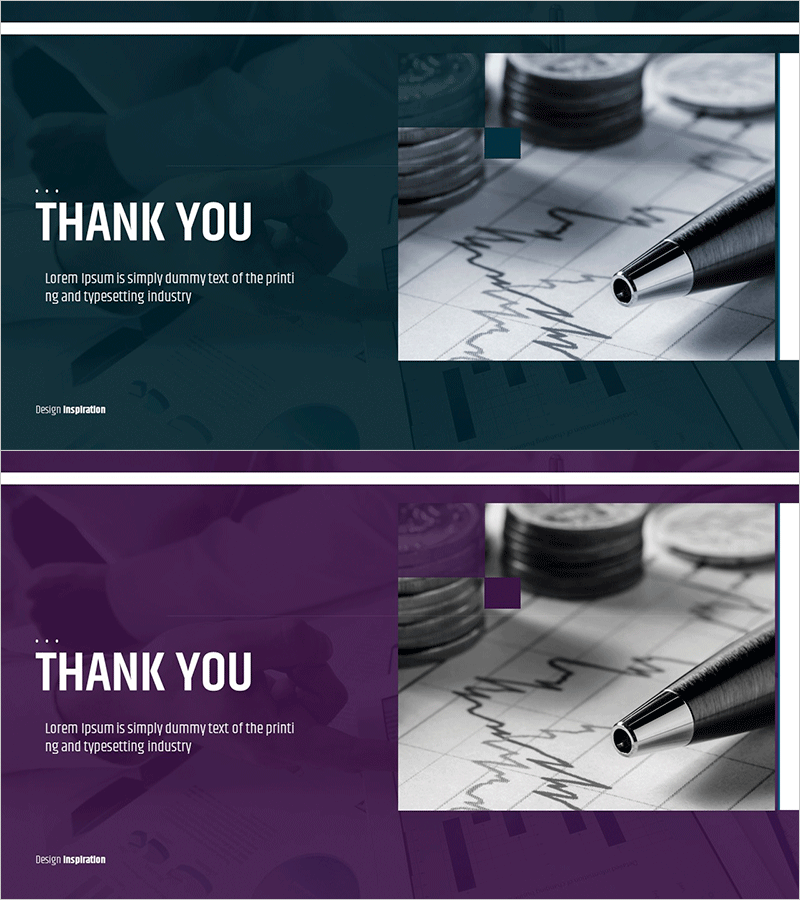
Ending Cover PPT Template for Investment Attraction – Stable Growth
RM0500002_29
- Last Update 02/20/2025
- File Size 4.7MB
- # of Slides 2
- File Format PPTX
- Slide Ratio 16:9
- Color
Keywords
About the Product
A professional ending cover PowerPoint slide designed for investment pitch presentations. This 2-slide set features a dark teal and purple dual-tone background with white typography, combining a text area on the left with a financial chart image on the right in an asymmetrical layout. The design conveys corporate stability and growth, perfect for closing remarks or contact information slides. Immediately editable and ready to use as the final section of your business presentation or investor pitch deck.
Usage Points
-
Main Usage
Serves as the closing slide for investment pitches and business presentations, delivering thank you remarks or contact information. Creates a lasting positive impression while reinforcing corporate stability and innovation through the dual-tone color scheme of dark teal and purple.
-
How to Use
Place at the end of your presentation to display closing remarks, contact details, or call-to-action information. Edit the left text area with company name, contact person, and phone number. Insert company logo or additional visuals in the right image area. Optimized for 16:9 widescreen displays.
-
Recommended For
Ideal for investor relations presentations, corporate briefings, startup funding pitches, partnership proposals, and business meetings. Suitable for finance, technology, consulting, manufacturing, and other industries requiring professional closing slides.
-
Slide Structure
Two-slide layout with each slide divided into a left text input area (title and body text in two levels) and a right image area. The first slide features a dark teal background while the second uses purple, providing visual variety and maintaining design consistency throughout the presentation.
Related Products
-

Sports Game Template Ending Cover
#Slide Type #Ending Cover
-
Healthy Living Exercise Template Ending
#Slide Type #Ending Cover
-

India Wide Template_Ending Page – Gratitude is the Beginning of Success
#Slide Type #Ending Cover
-
Eco-friendly Recycling Wide Template – Impressive End Page
#Slide Type #Ending Cover
