



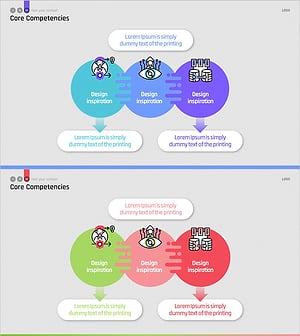
Gradient Core Values Diagram – Effective Visual Communication
RM0300020_9
- Last Update 02/12/2025
- File Size 0.2MB
- # of Slides 2
- File Format PPTX
- Slide Ratio 16:9
- Color
Keywords
- #Content-Based Slides
- #Design-Based Slides
- #Product/Service Introduction
- #Business Vision and Strategy
- #Diagram
- #Features
- #Core Competencies
- #Cluster
- #Chain Diagram
- #16:9
- #radial diagram PowerPoint
- #core values slide template
- #3-node diagram
- #gradient diagram PPT
- #business strategy presentation slide
- #how to create radial diagram in PowerPoint
About the Product
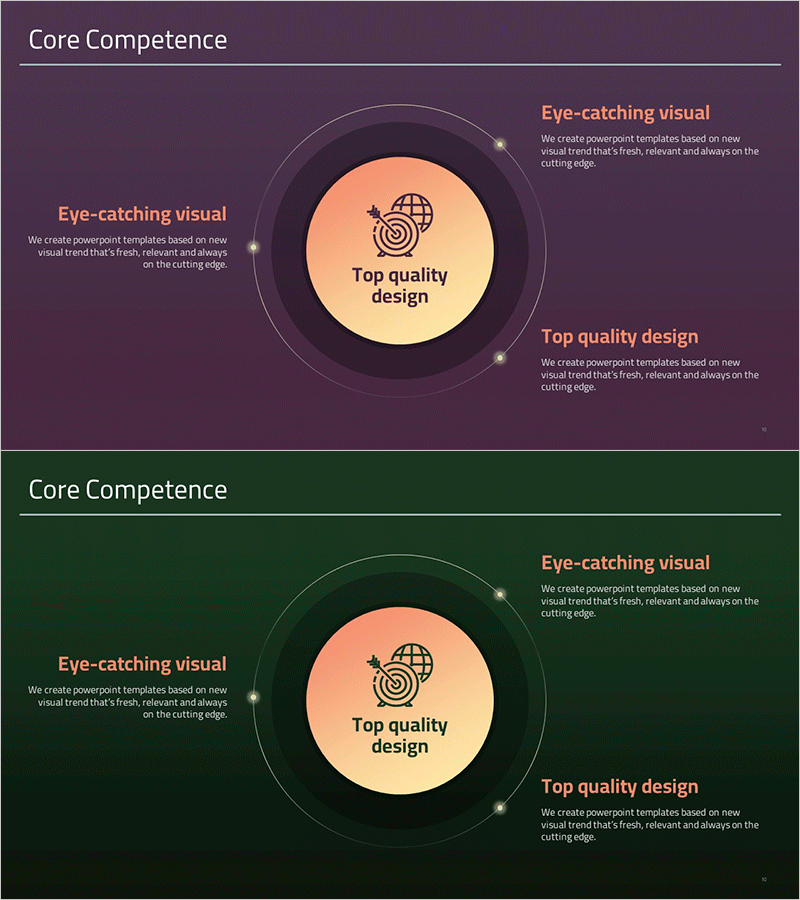
A radial diagram PowerPoint slide with three nodes radiating from a central circle, ideal for presenting core values, mission statements, and brand messaging. The design features an orange gradient center circle connected to three outer nodes with text areas, creating a clear visual hierarchy. This 2-slide deck (16:9 aspect ratio) works effectively in company introductions, strategy presentations, and organizational culture sharing. Each node accommodates icons and descriptive text for immediate use, with fully editable colors and fonts to match any presentation context.
Usage Points
-
Main Usage
Visually communicate organizational core values, mission statements, and brand identity through a center-to-periphery radiating structure. This design creates immediate visual impact and helps audiences understand the organization's fundamental principles and strategic direction at a glance.
-
How to Use
Insert into company overview sections, executive welcome slides, strategy briefings, employee onboarding presentations, or brand repositioning announcements. Replace the center concept with your primary message and populate the three outer nodes with supporting details. Customize colors to match corporate branding guidelines.
-
Recommended For
Executives, HR professionals, marketing teams, and organizational development specialists presenting company culture, mission, and vision. Ideal for startup investor pitches, corporate restructuring announcements, nonprofit mission statements, and cross-functional organizational communication initiatives.
-
Slide Structure
2-slide set. Slide 1: Title + radial diagram with central orange gradient circle, 3 outer nodes, connecting lines, and text areas. Slide 2: Alternative background color variation. All nodes are independently editable with adjustable gradient colors and line weights.
Related Products
-
Core Competency Simple Diagram – Strategic Insights in Clusters
#Product/Service Introduction #Business Vision and Strategy #Diagram
-
Key Core Competency Circular Diagram – Business Vision and Strategy
#Product/Service Introduction #Business Vision and Strategy #Diagram
-
Main Elements of Eco-Friendly Energy PowerPoint Template - Vision and Strategy
#Product/Service Introduction #Business Vision and Strategy #Diagram
-
Core Competency Linkage Diagram – Communicating Vision and Strategy
#Product/Service Introduction #Business Vision and Strategy #Diagram
