



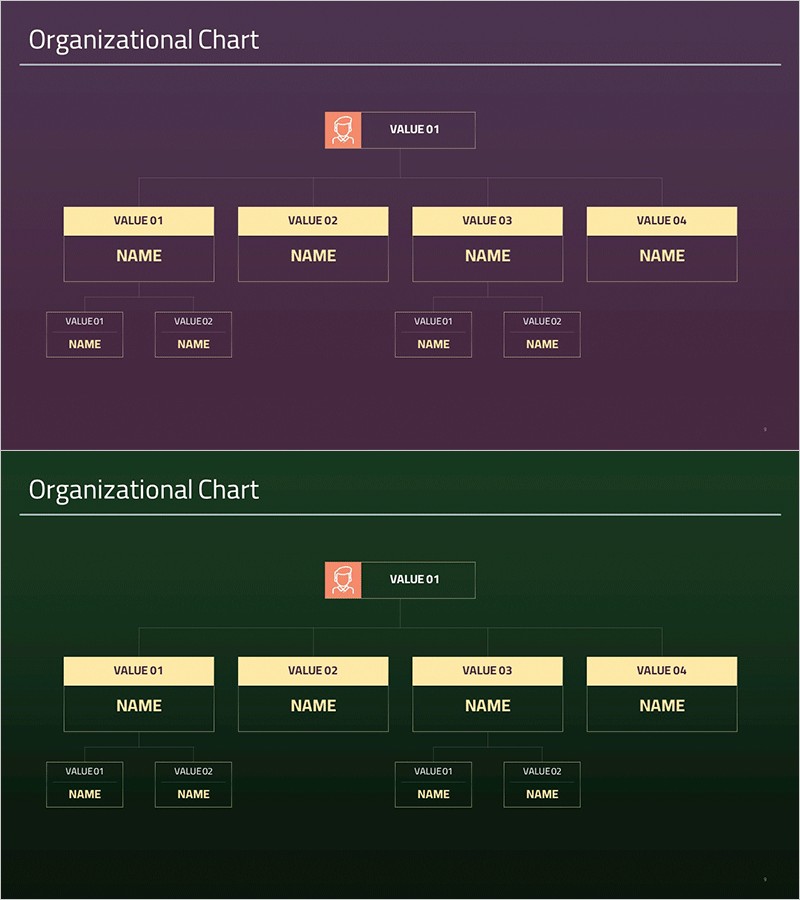
Simple Organizational Chart Square Diagram – Clarifying Company Structure
RM0300020_8
- Last Update 02/12/2025
- File Size 0.2MB
- # of Slides 2
- File Format PPTX
- Slide Ratio 16:9
- Color
Keywords
- #Content-Based Slides
- #Design-Based Slides
- #Company Introduction
- #Technical Approach
- #Diagram
- #Organizational Chart
- #System Architecture Diagram
- #Structure
- #Tree Diagram
- #16:9
- #tree diagram PowerPoint
- #organizational chart slide template
- #hierarchy structure diagram
- #company organization PowerPoint
- #how to create organizational chart in PowerPoint
About the Product
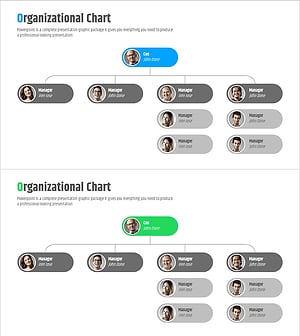
A tree diagram PowerPoint slide that clearly visualizes company organizational structure and reporting relationships. This structural diagram displays CEO at the top through four hierarchical levels, making it ideal for organizational charts and company introductions. The slide features yellow header boxes and gray-bordered nodes that distinctly separate job titles, departments, and team members. It works equally well for technical system architecture diagrams and departmental structure explanations. Provided in 16:9 PPTX format with 2 slides, ready for immediate editing and customization.
Usage Points
-
Main Usage
Effectively communicate company organizational structure and reporting lines through visual hierarchy. Designed to show CEO, departments, teams, and individual roles at a glance. Ideal for organizational restructuring announcements, employee onboarding, and company introduction presentations.
-
How to Use
Insert this slide into the organizational structure section of company introduction presentations, or apply it to technical system architecture and project team composition explanations. Simply edit the text in each node to add actual job titles, department names, and employee names for immediate use.
-
Recommended For
Perfect for company profile presentations, organizational restructuring announcements, employee onboarding materials, technical architecture documentation, and project team composition briefings. Especially valuable for HR departments, executives, and technical teams presenting organizational information.
-
Slide Structure
Consists of a 3-level tree structure with 1 CEO node at the top, 4 manager-level nodes in the middle, and 4 team member nodes at the bottom. Each node features a yellow header box for titles/departments and gray-bordered box for names, connected by vertical lines showing hierarchical relationships. Two slide variations provide layout flexibility.
Related Products
-
Company Profile Organization Chart Diagram – Modern and Organized Visual
#Company Introduction #Technical Approach #Diagram
-
Business Field and Organization Flow Chart – Effective Organizational Management
#Company Introduction #Technical Approach #Diagram
-
Corporate Representative Silhouette Organization Chart – Stylish Presentation
#Company Introduction #Technical Approach #Diagram
-
Company Organization Chart Diagram – Systematic and Clear Information Delivery
#Company Introduction #Technical Approach #Diagram
