



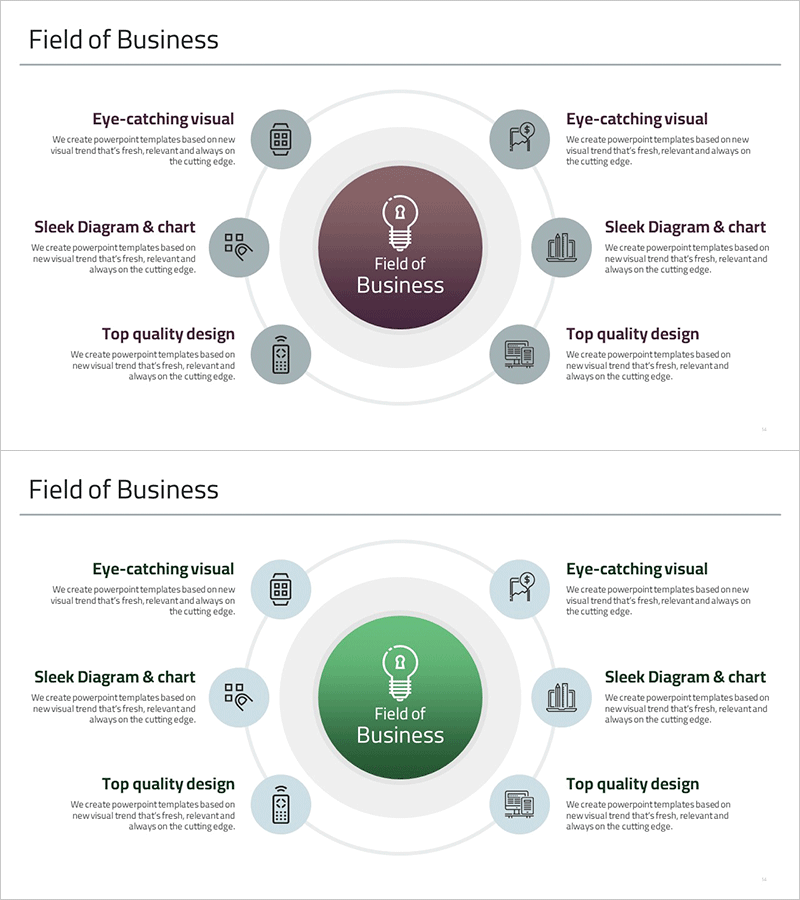
Business Areas for Future Growth – Business Introduction Diagram
RM0300020_13
- Last Update 02/12/2025
- File Size 0.3MB
- # of Slides 2
- File Format PPTX
- Slide Ratio 16:9
- Color
Keywords
- #Content-Based Slides
- #Design-Based Slides
- #Company Introduction
- #Business Introduction
- #Diagram
- #Business Areas
- #Business Areas
- #Spread
- #Centralized Diagram
- #16:9
- #radial diagram PowerPoint
- #central diagram slide template
- #business areas presentation
- #organizational structure diagram
- #business introduction slide download
About the Product
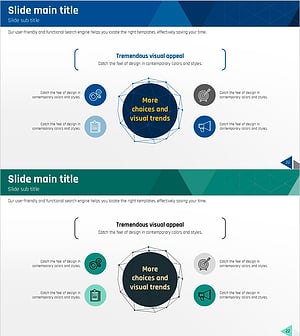
A PowerPoint slide featuring a radial diagram structure that expands business areas from a central core. The central concept (business domain, growth driver, etc.) is surrounded by 6 satellite nodes, each containing an icon and text field. The design uses a dark wine-toned center and light gray satellite circles to establish clear visual hierarchy, with connecting lines representing relationships. Ideal for business presentations, company introductions, and strategic planning documents to communicate organizational structure, business portfolio, and future growth areas at a glance.
Usage Points
-
Main Usage
Visualize core business domains or strategic growth drivers using a radial structure expanding from the center. Effectively communicate complex information in business introductions, organizational structure explanations, portfolio presentations, and future strategy discussions with intuitive visual design.
-
How to Use
Enter the core concept (company name, business domain, strategic goal) in the central circle and place detailed items in the 6 surrounding nodes. Customize node icons to match your industry or content, edit text fields, and adjust colors to align with brand identity for immediate use.
-
Recommended For
Executive reports, business plans, company introduction presentations, strategic planning seminars, investor pitch decks, organizational restructuring briefings, new business launch announcements, marketing strategy meetings, and any business presentation requiring clear explanation of organizational structure and direction.
-
Slide Structure
2-slide set with each slide featuring 1 central circle (dark wine tone) surrounded by 6 satellite circles (light gray). Connecting lines link the center to each satellite, with icon and text input areas positioned in each satellite node for customization.
Related Products
-
Travel Business Services Area – Effective Diagram Design
#Company Introduction #Business Introduction #Diagram
-
Mobile Security Service Diagram
#Company Introduction #Business Introduction #Diagram
-
Business Value Diagram – Visualizing Business Sectors
#Company Introduction #Business Introduction #Diagram
-
Equipment and Marketing Strategy Diagram – Visualizing Business Structure
#Company Introduction #Business Introduction #Diagram
