



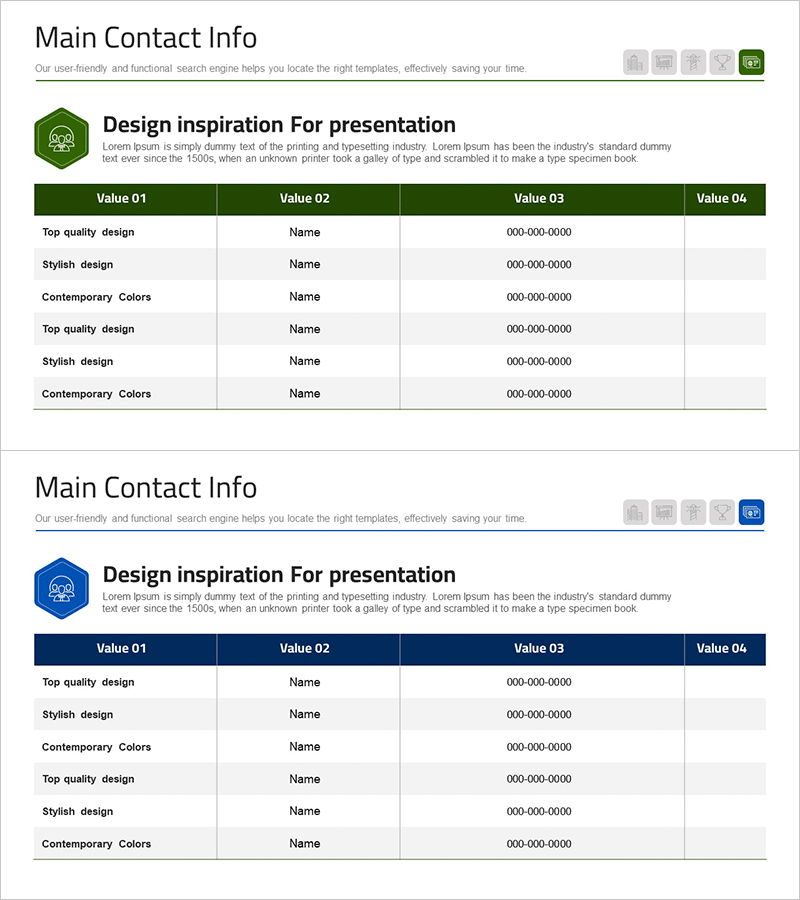
Business Partner Contact Slide – Key Business Connections
RM0300017_24
- Last Update 02/11/2025
- File Size 0.3MB
- # of Slides 2
- File Format PPTX
- Slide Ratio 16:9
- Color
Keywords
- #Content-Based Slides
- #Design-Based Slides
- #Company Introduction
- #Business Introduction
- #Business Vision and Strategy
- #Diagram
- #Contact Information
- #Business Overview
- #Table
- #16:9
- #business partner contact PowerPoint slide
- #vendor contact information table PPT
- #business partner slide template
- #company contact list presentation
- #how to create contact information in PowerPoint
About the Product
A PowerPoint slide designed to systematically organize business partner and vendor contact information. Features a dark green header with a 4-column table layout on a white background, clearly displaying company name, contact person, phone number, and email address. The 2-slide set includes a title slide with table layout on the first slide and an additional partner information input template on the second slide. Ideal for presenting key business relationships in company introductions, business proposals, and investment materials. This presentation template effectively visualizes reliable business connections and partnership networks in professional PowerPoint decks.
Usage Points
-
Main Usage
Organize and present key business partner and vendor contact information in a structured format. Visually represent company collaboration networks and partnerships to demonstrate reliable business foundations to investors, partners, and stakeholders.
-
How to Use
Use in company introduction presentations under 'Key Partners' section, business proposals in 'Partnership' segments, and investment materials for 'Business Network' slides. Enter actual company names, contact persons, phone numbers, and emails in the table cells. Add rows as needed to display additional partner information.
-
Recommended For
Executives, sales teams, and business development professionals presenting partner status and collaboration networks. Suitable for investment pitch presentations, business partnership proposals, and company overview presentations emphasizing trustworthy business relationships.
-
Slide Structure
Slide 1: Title area (Business Partner Contact Information) with 4-column table (Company Name, Contact Person, Phone, Email) containing 6 data entry rows. Slide 2: Identical table layout for additional partner information input. Dark green header establishes clear information hierarchy, while alternating row background colors enhance readability.
Related Products
-
Key Business Contacts for Effective Connection and Information Delivery
#Company Introduction #Business Introduction #Business Vision and Strategy
-
List of Key Business Contacts Slide – Business Connection
#Company Introduction #Business Introduction #Business Vision and Strategy
-
Company Key Contents Summary Table – Business Overview Tool
#Company Introduction #Business Introduction #Business Vision and Strategy
-
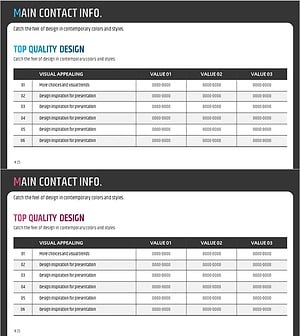
Table of Main Business Contacts – Trusted Business Network
#Company Introduction #Business Introduction #Business Vision and Strategy
