



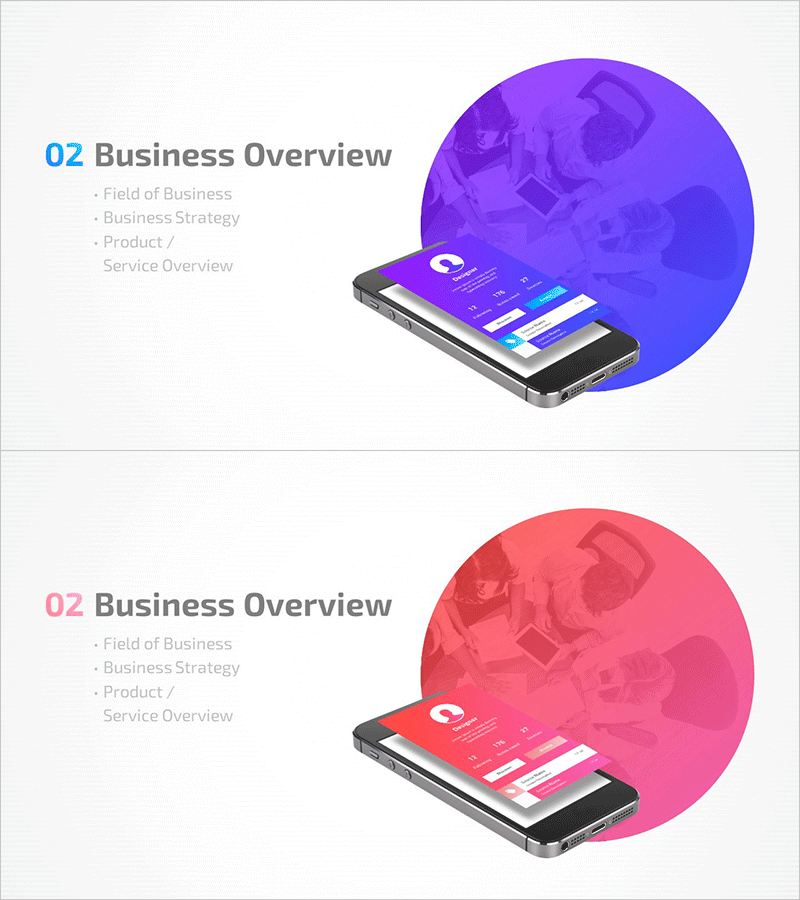
Mobile App Company Profile Template Section Slide 02
RM0300016_12
- Last Update 02/11/2025
- File Size 2.9MB
- # of Slides 2
- File Format PPTX
- Slide Ratio 16:9
- Color
Keywords
About the Product
A section divider slide designed for mobile app company profile presentations. This PowerPoint slide set includes 2 layouts featuring purple and pink color versions. The left side displays '02 Business Overview' as the main title with three text input areas for Field of Business, Business Strategy, and Product/Service Overview. The right side showcases a large circular graphic with a global map background and mobile app interface imagery, creating a modern visual hierarchy. The slide is ready for immediate text customization and integration into professional presentations.
Usage Points
-
Main Usage
Serves as a section divider or chapter opening slide for company profile presentations and business pitches. This slide introduces the Business Overview section, capturing audience attention and setting expectations for detailed content that follows.
-
How to Use
Enter your company's business field, strategy, and product/service overview in the three text areas on the left side. Choose either the purple or pink version based on your corporate brand colors. Particularly effective for mobile app-based service companies and digital enterprises.
-
Recommended For
Ideal for mobile app development companies, IT startups, and digital service providers creating company profiles or investor pitch decks. Use this slide as the opening page of your Business Overview section to enhance presentation structure and professional credibility.
-
Slide Structure
Two-slide set with identical layouts in different color schemes (purple and pink). Asymmetrical design with title and three text input areas on the left, and a large circular graphic combining global map and mobile app interface imagery on the right.
Related Products
-
Modern Simple Business Plan Template Section Slide
#Slide Type #Section Cover
-
Eco-friendly Wide PPT Section Slide – Sleek Design and Structure
#Slide Type #Section Cover
-
Travel Plan PPT Section Cover – Session Cover
#Slide Type #Section Cover
-
Voyage Travel Project Slide – Stylish Design
#Slide Type #Section Cover
