



Hexagon Pattern Company Profile Section Slide
RM0300009_12
- Last Update 02/09/2025
- File Size 0.4MB
- # of Slides 2
- File Format PPTX
- Slide Ratio 16:9
- Color
Keywords
About the Product
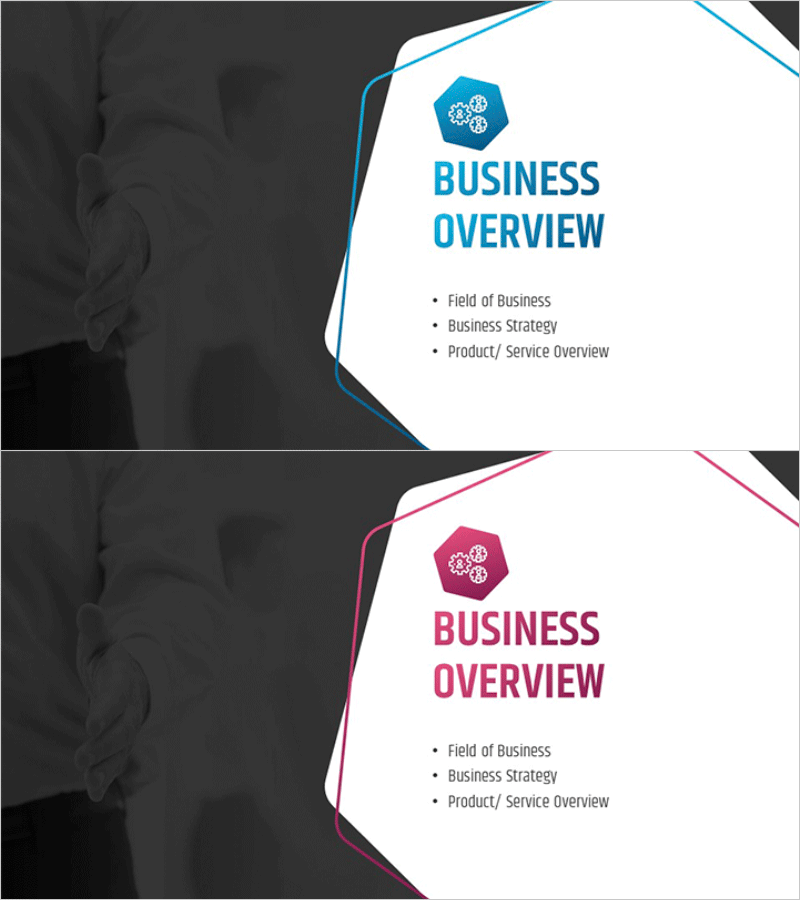
A 2-slide section divider set designed to introduce key company information in your presentation. Featuring geometric hexagon patterns against a dark background, this PowerPoint slide offers both blue and pink color variants. The layout includes a hexagon icon and 'BUSINESS OVERVIEW' heading in the upper right, with three bullet-point text areas below for presenting business field, strategy, and product/service overview. Delivered in 16:9 widescreen PPTX format, fully editable and ready to establish a professional, trustworthy opening for corporate presentations.
Usage Points
-
Main Usage
Serves as a professional section divider for company profile presentations, reinforcing corporate credibility and expertise through visual design. The hexagon geometry symbolizes innovation and systematic structure, while dual color options (blue and pink) allow alignment with your brand identity.
-
How to Use
Insert this slide at the beginning of major sections in company profiles, business proposals, or investor presentations. Enter your business field, management strategy, and key products/services in the three text areas. Add your company logo or imagery to the dark left panel to strengthen brand recognition.
-
Recommended For
Ideal for corporate executives, marketing teams, and business development professionals preparing company presentations. Particularly suited for tech companies, financial institutions, consulting firms, and startups seeking a contemporary, trustworthy visual presentation.
-
Slide Structure
Two-slide set with each slide divided into a dark left panel (for logo and imagery) and white right panel (title plus three-item text layout). Hexagon icon and colored accent lines (blue or pink) frame the top and right edges, creating clear visual hierarchy and professional separation.
Related Products
-
Restaurant Business Plan Template Section Slide
#Slide Type #Section Cover
-
City Modern Theme Business Plan Template Section Slide
#Slide Type #Section Cover
-
Business Plan PowerPoint Template – Stylish Composition
#Slide Type #Section Cover
-
Interior Business Plan Template Section: Emphasis on Market Analysis
#Slide Type #Section Cover
