



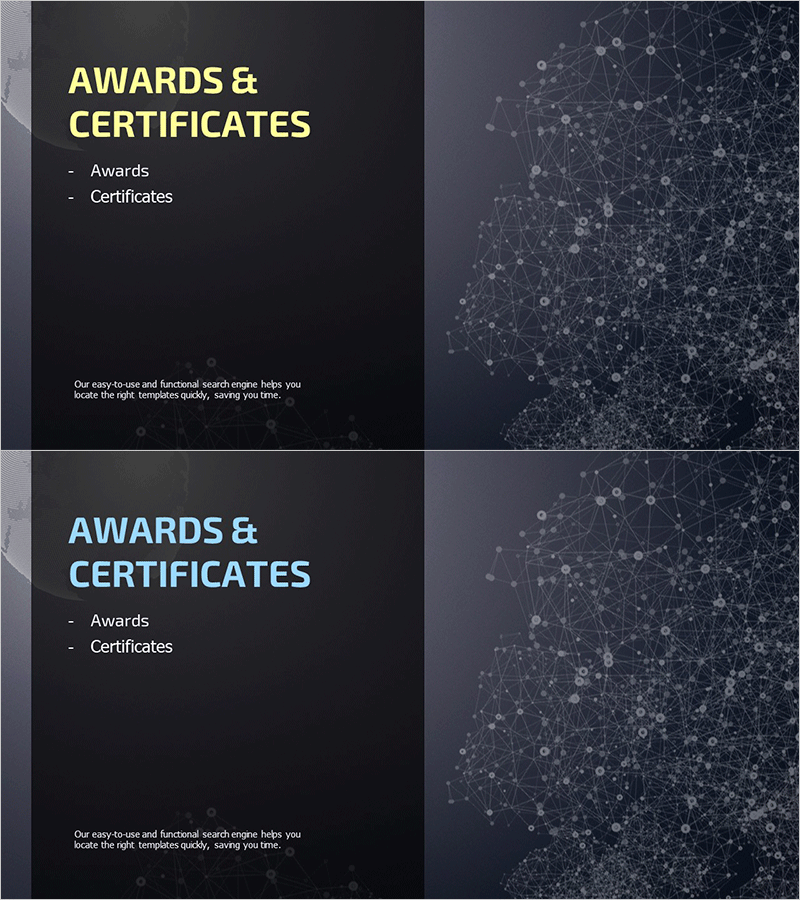
Global Company Profile Template Section Slide – Emphasizing Awards and Certifications
RM0300008_20
- Last Update 02/09/2025
- File Size 9.1MB
- # of Slides 2
- File Format PPTX
- Slide Ratio 16:9
- Color
Keywords
About the Product
A professional section slide for company profile presentations that highlights awards, certifications, and industry recognition. Features a dark gray background with yellow and light blue accent titles, complemented by a network graphic pattern on the right side that conveys technical expertise and global capability. The 2-slide set provides layout variations for flexible use across multiple sections. The text-based structure allows clear listing of awards, certifications, partnerships, and credentials. Fully editable in PowerPoint format for immediate customization and deployment in investor pitches, client proposals, and corporate presentations.
Usage Points
-
Main Usage
Effectively showcase company achievements, international certifications, industry credentials, and strategic partnerships to build trust with investors, clients, and business partners. Demonstrates competitive differentiation and establishes organizational credibility within the corporate presentation narrative.
-
How to Use
Position this section after company overview or vision/mission slides to highlight organizational accomplishments and recognition. Insert award names, certification bodies, and acquisition dates in the text areas. Add certification logos or partner marks in designated spaces to reinforce credibility and professional standing.
-
Recommended For
B2B sales materials, investor pitch decks, client proposals, recruitment presentations, and international business meetings. Ideal for finance, IT, consulting, manufacturing, and professional services industries where trust and credibility are paramount.
-
Slide Structure
2-slide set with consistent layout variations. Each slide features a title area on the left (yellow or light blue), central text input zone (3-5 bullet points), and right-side network graphic background. Information hierarchy is clearly defined for easy reading and professional appearance.
Related Products
-
Section Slide Template with Visual Emphasis – Contemporary Design
#Slide Type #Section Cover
-
Company Overview PowerPoint Slide – Professional Presentation Design
#Slide Type #Section Cover
-
City Modern Theme Business Plan Template Section Slide
#Slide Type #Section Cover
-
Balloon Party Template Section Slide – Bring Life to Your Special Moments
#Slide Type #Section Cover
