



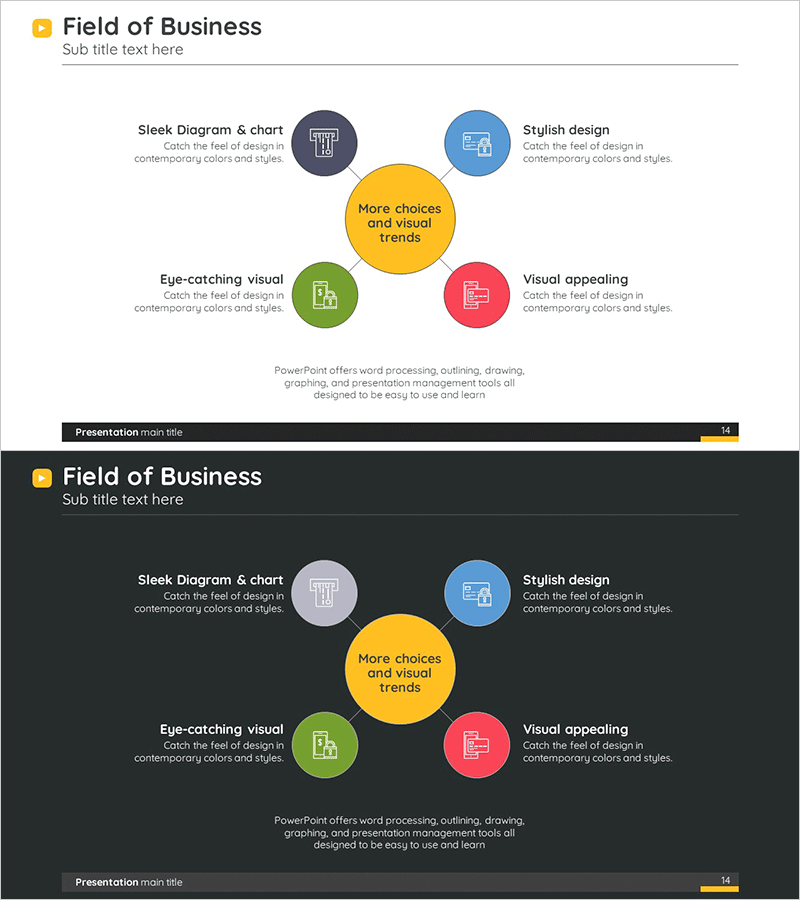
Circular Center Diagram – Business Area Overview
RM0300004_13
- Last Update 02/07/2025
- File Size 0.3MB
- # of Slides 2
- File Format PPTX
- Slide Ratio 16:9
- Color
Keywords
- #Content-Based Slides
- #Design-Based Slides
- #Company Introduction
- #Business Introduction
- #Diagram
- #Business Areas
- #Business Areas
- #Spread
- #Centralized Diagram
- #16:9
- #radial diagram PowerPoint
- #center circle diagram slide
- #business area overview presentation
- #5-item diagram template
- #how to create radial diagram in PowerPoint
About the Product
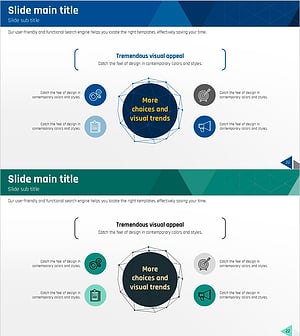
A radial diagram PowerPoint slide featuring a central yellow circle with four directional colored nodes positioned around it. This design effectively visualizes company business areas, service categories, or product divisions. Each node includes an icon and text description, making it ready for immediate presentation use. Two versions are provided—one with a light background and one with a dark background—allowing you to match your overall presentation tone. The slide set consists of 2 slides in 16:9 widescreen PPTX format.
Usage Points
-
Main Usage
Visualize company business areas, service categories, product lines, or operational divisions radiating from a central focal point. Communicates equal importance across all areas and enables stakeholders to grasp the complete business portfolio at a glance.
-
How to Use
Apply in company profile presentations for business overview sections, business plans for area descriptions, investor pitch decks for business model explanations, and organizational restructuring communications. Edit node text and icons to reflect actual business divisions, and adjust colors as needed.
-
Recommended For
Executive and C-suite strategic presentations, new employee orientation covering company business areas, investor and partner pitches, marketing team portfolio presentations, and post-reorganization business structure explanations.
-
Slide Structure
Central yellow circle focal point with four directional nodes in distinct colors (gray, blue, green, pink) positioned at cardinal directions. Each node contains an icon and text input area. Two versions provided: light background and dark background.
Related Products
-
Travel Business Services Area – Effective Diagram Design
#Company Introduction #Business Introduction #Diagram
-
Hexagonal Diffusion Diagram for Business Area Visualization
#Company Introduction #Business Introduction #Diagram
-
Card Payment Service Area Diagram – Business Sector Introduction
#Company Introduction #Business Introduction #Diagram
-
Equipment and Marketing Strategy Diagram – Visualizing Business Structure
#Company Introduction #Business Introduction #Diagram
