



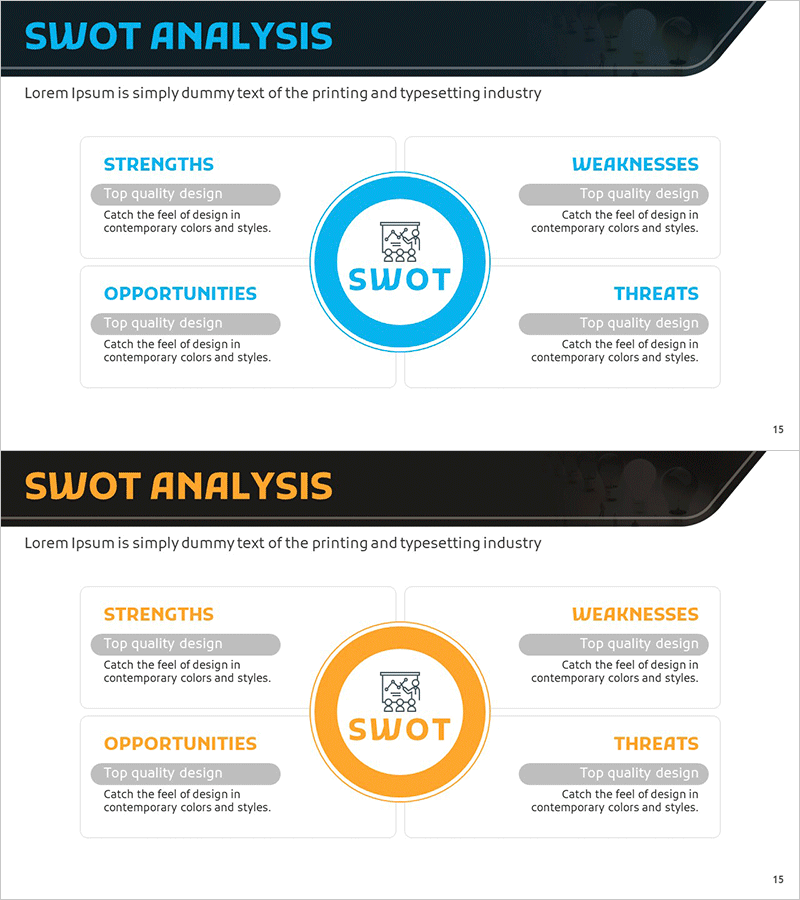
SWOT Segmentation Diagram – The Perfect Choice for Market Analysis
RM0200009_14
- Last Update 02/03/2025
- File Size 0.5MB
- # of Slides 2
- File Format PPTX
- Slide Ratio 16:9
- Color
Keywords
- #Content-Based Slides
- #Design-Based Slides
- #Market and Competitor Analysis
- #Diagram
- #SWOT Analysis
- #Market Analysis
- #Spread
- #Centralized Diagram
- #16:9
- #SWOT analysis diagram
- #SWOT analysis PowerPoint
- #4-segment diagram
- #market analysis slide
- #SWOT template
- #strategic analysis presentation
- #SWOT framework slide
About the Product
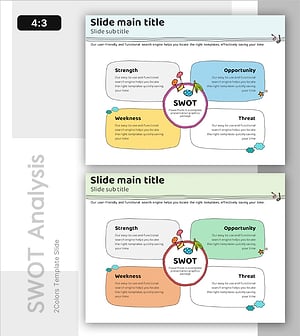
A professional 4-segment SWOT analysis diagram PowerPoint slide designed for strategic market analysis and business planning. The layout features a central circular SWOT icon with four symmetrically arranged quadrants representing Strengths, Weaknesses, Opportunities, and Threats. Each segment includes a gray header box and text input area for detailed analysis. Two color versions are provided—blue tone and orange tone—allowing you to match your corporate branding and customize instantly. This presentation template is ideal for executive reports, marketing strategy decks, business plans, competitive analysis, and strategic planning presentations.
Usage Points
-
Main Usage
Systematically analyze and visualize organizational strengths, weaknesses, opportunities, and threats using the SWOT framework. Supports strategic decision-making, market entry evaluation, competitive positioning, and comprehensive environmental assessment in a single visual format.
-
How to Use
Starting from the top-left quadrant and moving clockwise, fill in Strengths, Weaknesses, Opportunities, and Threats in each segment. Enter 3–5 key points in the gray header box and text area for each quadrant to create a comprehensive internal and external analysis of your organization.
-
Recommended For
Executive strategy presentations, marketing team market-entry reports, new business evaluation meetings, quarterly business reviews, investor pitch decks (IR materials), organizational strategy workshops, management training seminars, and competitive analysis sessions.
-
Slide Structure
2-slide deck. Slide 1: Blue-tone background with 4-segment SWOT diagram (central circular icon, four quadrants with title boxes and text input areas). Slide 2: Orange-tone background with identical diagram structure. 16:9 widescreen format, PPTX file.
Related Products
-
SWOT Analysis Arrow Circular Diagram - Market and Competitor Analysis
#Market and Competitor Analysis #Diagram #SWOT Analysis
-
Diamond Overlay SWOT Diagram
#Market and Competitor Analysis #Diagram #SWOT Analysis
-
Circle Split SWOT Analysis Diagram – New Horizons in Market Analysis
#Market and Competitor Analysis #Diagram #SWOT Analysis
-
SWOT Analysis of Children's Music Activities – Effective Strategy Development
#Market and Competitor Analysis #Diagram #SWOT Analysis
