



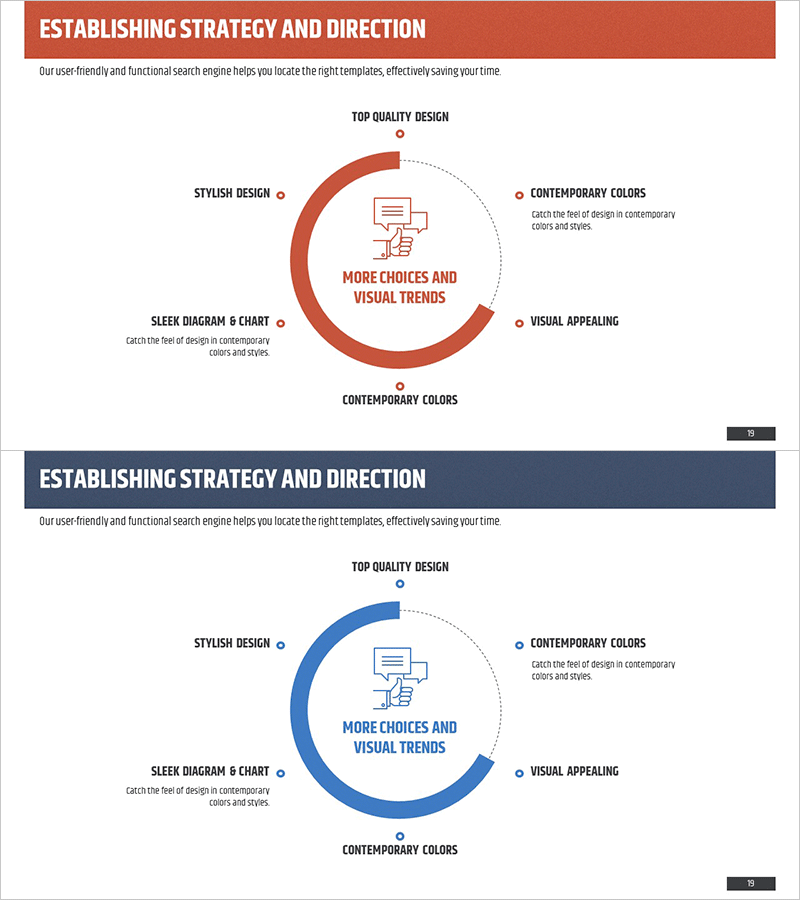
Business Strategy Progress Diagram – Effective Direction Setting
RM0200003_18
- Last Update 02/01/2025
- File Size 2.8MB
- # of Slides 2
- File Format PPTX
- Slide Ratio 16:9
- Color
Keywords
- #Content-Based Slides
- #Design-Based Slides
- #Business Vision and Strategy
- #Marketing Plan and Strategy
- #Diagram
- #Business Strategy
- #Marketing Strategy
- #Spread
- #Centralized Diagram
- #16:9
- #radial diagram PowerPoint
- #strategy progress presentation slide
- #business direction setting template
- #5-step process diagram
- #how to create strategy diagram in PowerPoint
About the Product
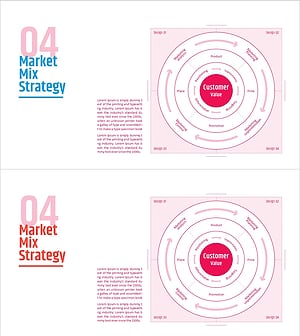
A radial strategy diagram PowerPoint slide that visualizes business strategy progress and directional focus. The design features a central core concept with five items radiating outward, allowing you to represent each item's progress stage by stage. Using an orange gradient arc and icons for intuitive visual communication, this slide is ready to use for executive briefings, marketing strategy presentations, business vision sharing, and various corporate presentations. The 2-slide set in 16:9 widescreen format clearly conveys strategy formulation and execution phases.
Usage Points
-
Main Usage
Designed to place your organization's core strategy at the center and arrange five detailed execution items radially, enabling stakeholders to grasp overall business direction and progress status at a glance. Ideal for executive meetings, board reports, and company-wide strategy communications where consistent messaging and execution transparency are critical.
-
How to Use
Enter your core strategy name in the central icon area and fill in five detailed execution tasks in the radial items. Represent progress by adjusting color intensity or arc length for each item to visualize completion status. Modify text boxes to match your organization's strategic structure and customize as needed.
-
Recommended For
Best suited for executives, strategy teams, marketing departments, and business development teams presenting quarterly or annual strategy updates and progress reports. Particularly effective for integrated strategy presentations involving multiple departments, investor briefings, and internal strategy alignment communications.
-
Slide Structure
Two-slide set with the first slide featuring an orange gradient arc, central icon, and five radial item text boxes, while the second slide uses an identical structure in blue. Both slides are formatted in 16:9 widescreen to optimize for modern presentation environments and professional display standards.
Related Products
-
7P Marketing Strategy Diagram – Business Vision and Strategy
#Business Vision and Strategy #Marketing Plan and Strategy #Diagram
-
7P Marketing Mix Strategy Slide
#Business Vision and Strategy #Marketing Plan and Strategy #Diagram
-
Setting Business Strategies by Sector - Unleashing Data
#Business Vision and Strategy #Marketing Plan and Strategy #Diagram
-
4P Strategy Cycle Diagram – Key to Marketing Success
#Business Vision and Strategy #Marketing Plan and Strategy #Diagram
