



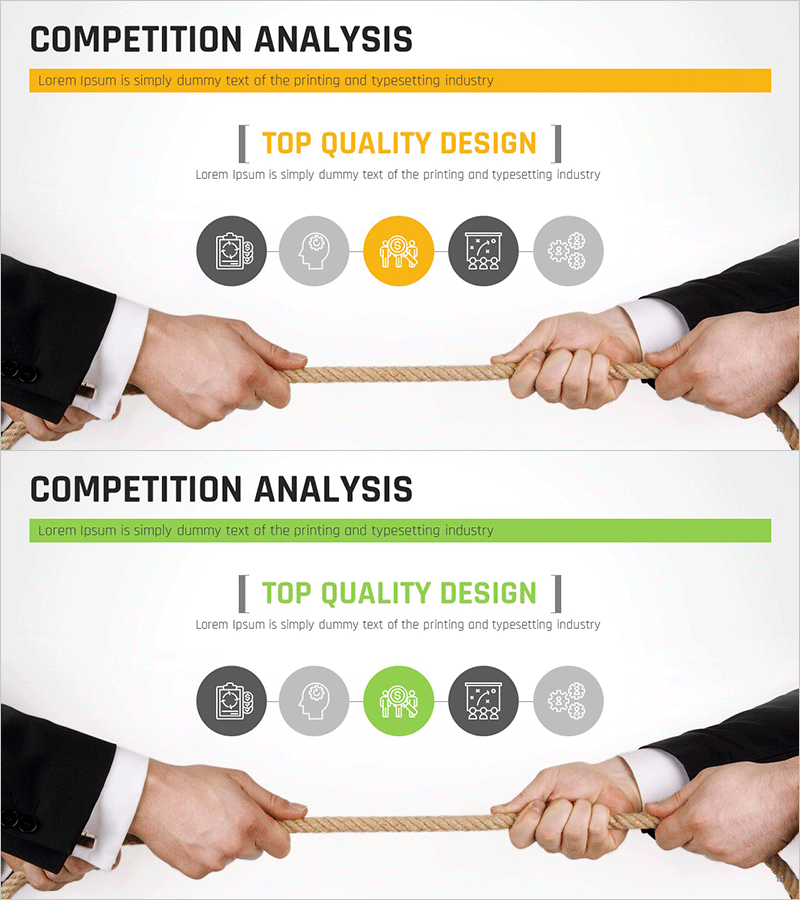
Tug of War Characteristic Diagram – Competition Analysis
RM0100008_12
- Last Update 01/26/2025
- File Size 1.1MB
- # of Slides 2
- File Format PPTX
- Slide Ratio 16:9
- Color
Keywords
- #Content-Based Slides
- #Design-Based Slides
- #Product/Service Introduction
- #Business Vision and Strategy
- #Diagram
- #Features
- #Business Vision
- #Cluster
- #Chain Diagram
- #16:9
- #tug of war diagram PowerPoint
- #competition analysis slide template
- #opposing forces diagram
- #dual comparison PPT
- #connection diagram download
About the Product
A tug of war connection diagram PowerPoint slide that visualizes opposing forces and competitive dynamics. Five circular icons in yellow and gray tones are symmetrically arranged on both sides of a central rope, effectively illustrating competitive relationships, stakeholder conflicts, and comparative analysis. This 2-slide set is ready to use for business presentations including competitor analysis, marketing strategy development, and negotiation frameworks. The 16:9 widescreen PPTX format is fully editable in all PowerPoint versions.
Usage Points
-
Main Usage
This slide visualizes competitor analysis, stakeholder conflicts, and dual-side comparisons using a tug of war metaphor. It effectively communicates power balance between two forces, competitive relationships, and negotiation dynamics. Ideal for executive reports, marketing strategy presentations, and business proposals.
-
How to Use
Slide 1 provides the base layout, and Slide 2 offers a color variation. Simply replace the left and right icon text with competitor names, strategy items, or stakeholder groups. The central rope image and circular icons support color changes, and adding extra nodes is straightforward.
-
Recommended For
Executives, marketing managers, strategy planning teams, and sales professionals presenting competitor analysis, market positioning, and negotiation strategies. Particularly effective when emphasizing two-sided opposition, mutual competition, and balanced competitive dynamics.
-
Slide Structure
2-slide composition. Each slide features a central rope with 5 circular icons on the left and 5 on the right (10 total) in symmetric arrangement. Title 'Competition Analysis' at top, rope image in center, and text input areas flanking both sides in 16:9 widescreen layout.
Related Products
-
Smart Network Characteristics Diagram – Visualizing Business Vision and Connection
#Product/Service Introduction #Business Vision and Strategy #Diagram
-
Galaxy Theme Brain Structure Shape Connection Diagram
#Product/Service Introduction #Diagram #Features
-
Circle Diagram for Online Shopping – Medical Business Linear Diagram
#Product/Service Introduction #Diagram #Features
-
Stylish Section Divider for a Focused Office Mood
#Product/Service Introduction #Diagram #Features
