



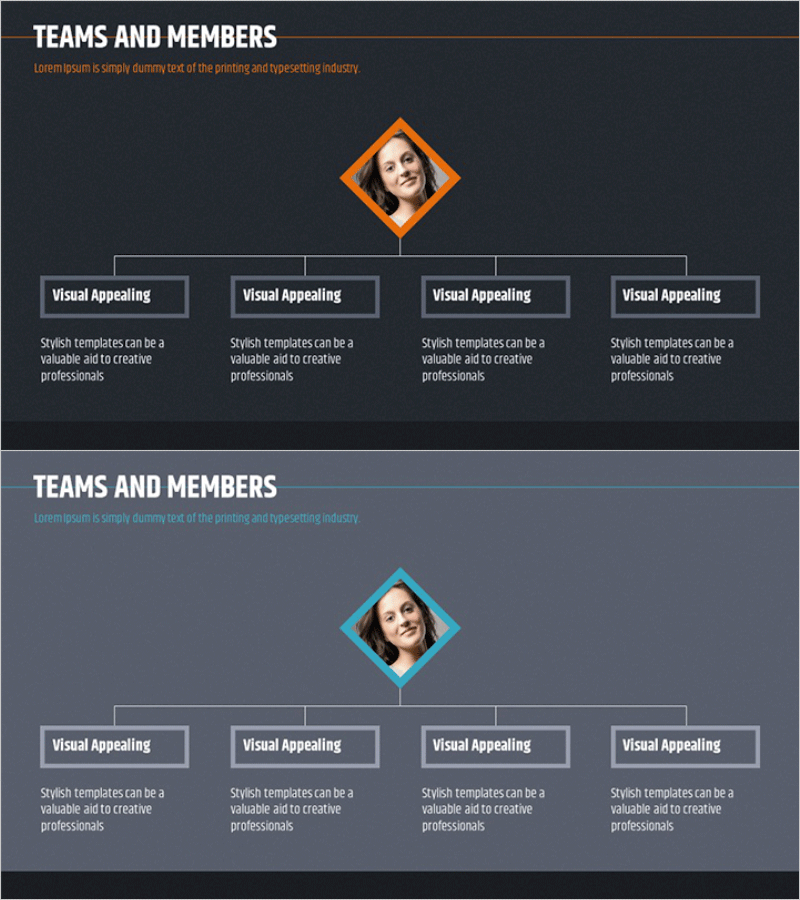
Team Organization Chart Profile – Structure and Harmony
RM0100004_8
- Last Update 01/25/2025
- File Size 3.9MB
- # of Slides 2
- File Format PPTX
- Slide Ratio 16:9
- Color
Keywords
About the Product
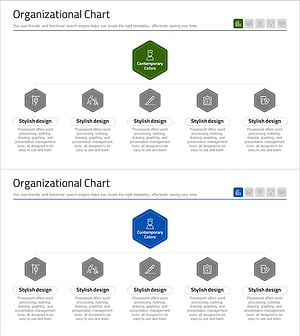
A tree diagram PowerPoint slide that clearly visualizes organizational hierarchy and reporting structure. The design features a diamond-shaped frame at the top center for a profile image, with four connected boxes below representing team members or departments. Set against a dark gray background with orange or blue accent colors, the slide emphasizes hierarchical relationships through clean connecting lines. The 2-slide set allows flexible representation of various organizational structures, with clearly defined text and image areas for immediate editing. Ideal for company profile presentations, team introduction sections, and organizational restructuring announcements.
Usage Points
-
Main Usage
Visually represent organizational hierarchy and reporting lines through a tree diagram structure. The design places a key leader or central figure in the top diamond frame, with four subordinate nodes below representing team members or departments, enabling instant comprehension of organizational structure.
-
How to Use
Insert the organization leader's profile photo and name in the top diamond frame, then fill in team names or member information in the four boxes below. The connecting lines automatically express hierarchical relationships, allowing you to adapt the structure to different organizations by simply editing text. Color modifications are also straightforward.
-
Recommended For
Company profile organization pages, team building presentations, new employee orientation materials, organizational restructuring announcements, HR recruitment briefing sessions, executive introduction slides, and departmental overview presentations.
-
Slide Structure
2-slide set with each slide featuring a diamond-shaped frame at the top center (profile image area) and four rectangular boxes below (text input areas). Connecting lines link the diamond to each box, expressing hierarchical relationships. Dark background with orange or blue accent colors creates visual emphasis and clarity.
Related Products
-
Team Organization Chart Planning Schedule – Modern Diagram
#Company Introduction #Diagram #Manpower
-
Organizational Chart Diagram & Table – Visualizing Team Structure
#Company Introduction #Diagram #Manpower
-
Business Organizational Chart Silhouette Diagram
#Company Introduction #Diagram #Other
-
Medical Services Business Organization Chart
#Company Introduction #Diagram #Manpower
