



Free Diagram PowerPoint Template – Intuitive Visual Elements
OD0100003
- Last Update 01/25/2025
- File Size 0.4MB
- # of Slides 4
- File Format PPTX
- Slide Ratio 16:9
- Color
Keywords
About the Product
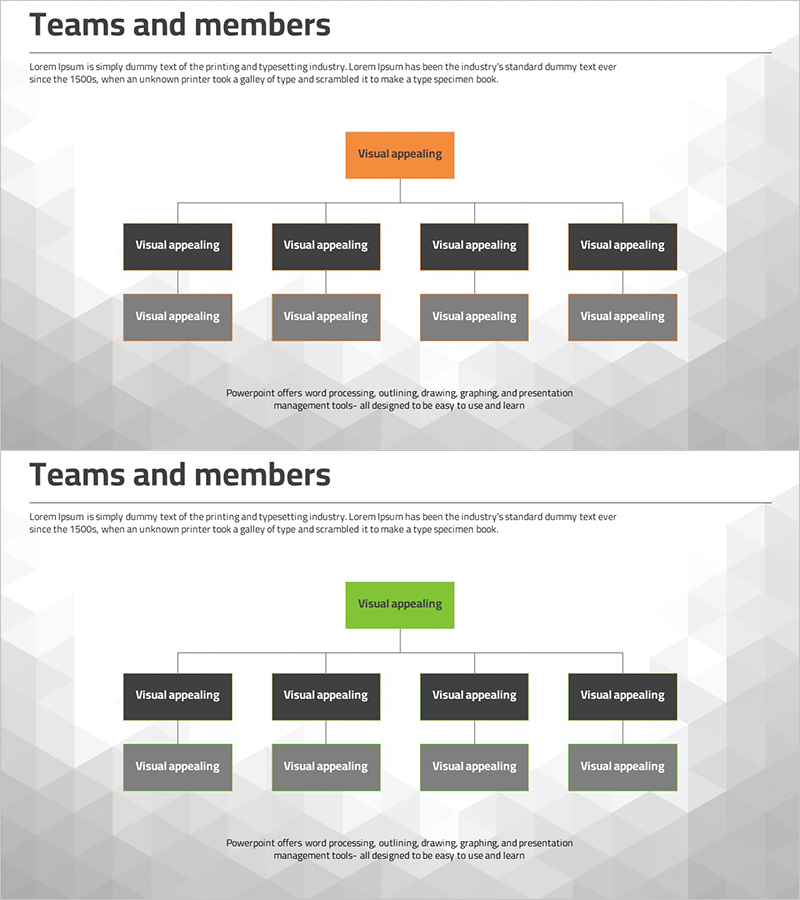
This free PowerPoint slide features a clean 3-tier tree organizational chart designed to visualize team structures and department hierarchies at a glance. The layout flows from a single top-level box down to four mid-level department boxes, each connected to one sub-level box below, giving you nine editable text areas in total. Built on a light gray polygon-pattern background, the slide uses dark gray rectangular boxes paired with a bold accent color at the top — available in two color versions: orange and green — so you can match the tone of your presentation. Simply replace the placeholder text in each box to instantly adapt this slide for a company profile, business plan, project proposal, or any other presentation deck. The structured hierarchy makes it easy to communicate reporting lines, team compositions, or project task assignments in a single, focused slide. If you need a wider variety of org chart and tree diagram slides, explore GoodPello's premium diagram collection for more options.
Usage Points
-
Main Usage
Designed to visualize team compositions, department hierarchies, and project task structures in a 3-tier tree format. Ideal for the organizational chart section of company profiles, business plans, and project proposals.
-
How to Use
Enter the top-level department or project name in the root box, add four team or division names in the mid-level boxes, and fill in roles or member names in the four sub-level boxes. Choose the orange or green accent version to match your presentation style.
-
Recommended For
Business professionals who need a quick org chart slide, startup founders introducing their team structure, proposal writers explaining project task assignments, and project managers presenting team compositions to stakeholders.
-
Slide Structure
Single-slide layout with a 3-tier tree diagram containing 9 text areas (1 top-level, 4 mid-level, 4 sub-level boxes). Includes two color accent versions: orange and green.
Related Products
-
Free Diffusion Diagram PPT Template | Centerless Structure Presentation Diagram
#Free Diagrams
-
Law Firm Organization Chart – Enhancing Work Efficiency with Clear Structure
#Free Diagrams
-
Basic Revenue Model Diagram – Foundations of Operations and Marketing Strategy
#Free Diagrams
-
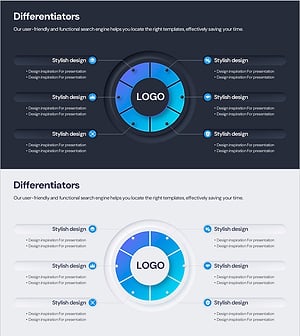
Differentiated Core Competencies Diagrams for Business Strategy
#Free Diagrams
