



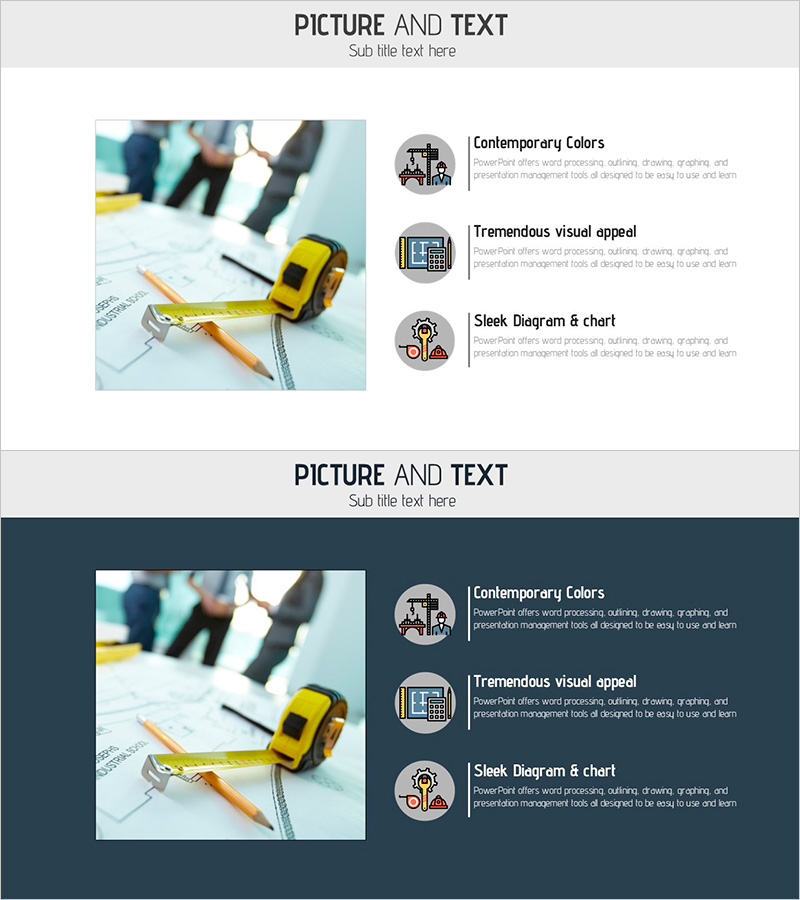
Construction Equipment Illustration and Features – Effective Development Plan Introduction
RJ0900013_24
- Last Update 08/19/2025
- File Size 2.3MB
- # of Slides 2
- File Format PPTX
- Slide Ratio 16:9
- Color
Keywords
About the Product
A PowerPoint slide designed to visually present key features and benefits of construction equipment. The layout combines a large image area on the left with three icon-based text sections on the right, making it ideal for product introductions and development plan presentations. The light gray background with black text ensures excellent readability and clarity. This slide is optimized for construction, equipment, and infrastructure-related presentations where product features need to be communicated effectively. The 16:9 widescreen format includes 2 slides in fully editable PPTX format.
Usage Points
-
Main Usage
This slide is designed to compare and explain key features and benefits of construction equipment at a glance. The large image on the left provides intuitive product representation, while the three icon sections on the right structure core features with text and icons to enhance audience comprehension.
-
How to Use
Use this slide in product introduction presentations, development plan pitches, and construction or equipment-related business meetings. Insert product photos in the left image area and add key features (performance, efficiency, durability) in the three right sections to deliver clear messages to your audience.
-
Recommended For
Recommended for product managers, sales teams, and presenters in construction, equipment, and infrastructure companies. Ideal for investor meetings, partner negotiations, and internal presentations where you need to effectively communicate product reliability and competitive advantages.
-
Slide Structure
Consists of 2 slides, each divided into a large image input area on the left (approximately 40%) and three icon-based text sections on the right (approximately 60%). Each text section features a three-tier hierarchy with icon, title, and description text for clear information organization.
Related Products
-
Presentation Slide on the Effects of Exercise
#Product/Service Introduction #Features #Benefits and Advantages
-
Resort Activity Program Presentation Slide
#Product/Service Introduction #Diagram #Composition
-
Food Nutrient Diagram – Capturing Nutrition and Quality
#Product/Service Introduction #Business Vision and Strategy #Diagram
-
Painting Circular Diagram – Visualization of Marketing Strategies
#Product/Service Introduction #Marketing Plan and Strategy #Diagram
