Introduction to Social Networks – Presentation with Modern Flair
RL0100090_3
- Last Update 01/23/2025
- File Size 2.9MB
- # of Slides 2
- File Format PPTX
- Slide Ratio 4:3
- Color
Keywords
About the Product
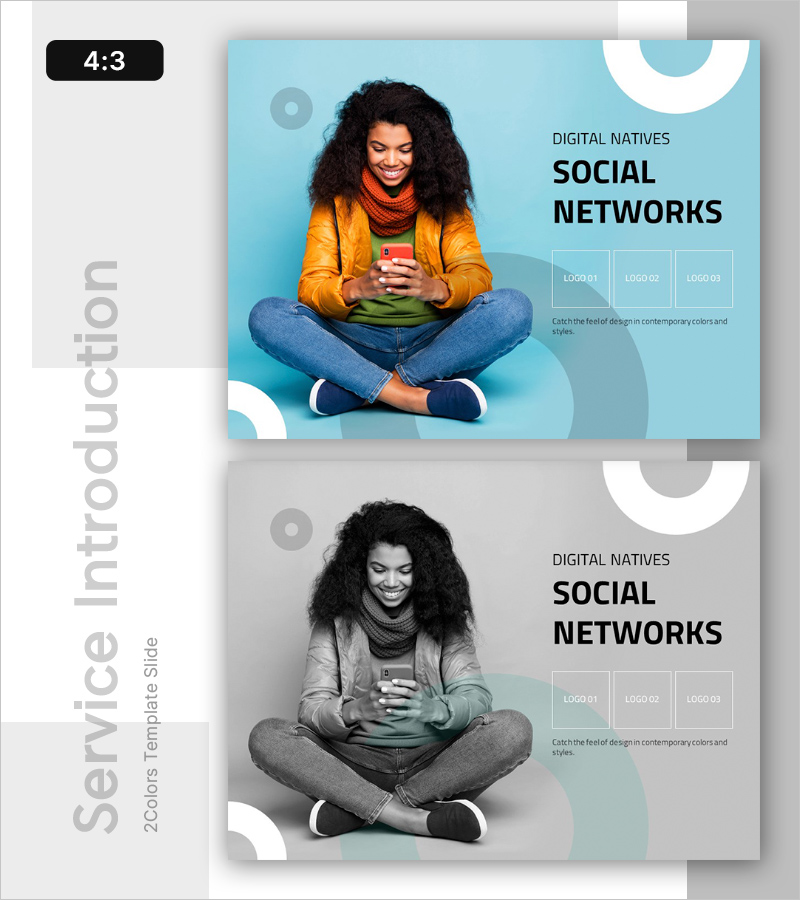
A PowerPoint slide designed to introduce social networks and digital platforms to modern audiences. Featuring a light blue background with white geometric elements in a clean 2-color composition, this slide separates a real-world photo on the left from text and logo areas on the right, creating an effective comparison layout. Optimized for social platform introductions, digital marketing strategy presentations, and technology trend discussions. Delivered in 4:3 ratio PPTX format with three logo slots and descriptive text fields, allowing immediate customization for multi-channel social media comparisons or platform-specific deep-dive presentations.
Usage Points
-
Main Usage
Present social networks, digital platforms, and social media marketing strategies with a bright, approachable tone that resonates with digital-native audiences. The light blue background and user-centric layout make it effective for comparing multiple social channels, analyzing platform performance, or introducing new digital initiatives.
-
How to Use
Place actual user or target audience imagery in the left photo area, then input platform names, key features, and statistics in the right text section. Insert social channel logos into the three logo slots for multi-platform strategy presentations, or use one or two logos for single-platform deep-dive content. Text and image areas are fully editable.
-
Recommended For
Marketing teams, social media managers, digital agencies, startup founders, and corporate communications departments presenting social platform strategies, channel analysis, user segmentation, product launches, brand introductions, or digital marketing campaign overviews. The bright, contemporary design is particularly effective for innovation-focused and youth-oriented presentations.
-
Slide Structure
Two-slide set with each slide divided into a left photo area (flexible for different image sizes) and a right content section. The right section contains title and description text fields plus three logo slots, unified by light blue background with geometric shapes (circles and curves) for visual cohesion.