



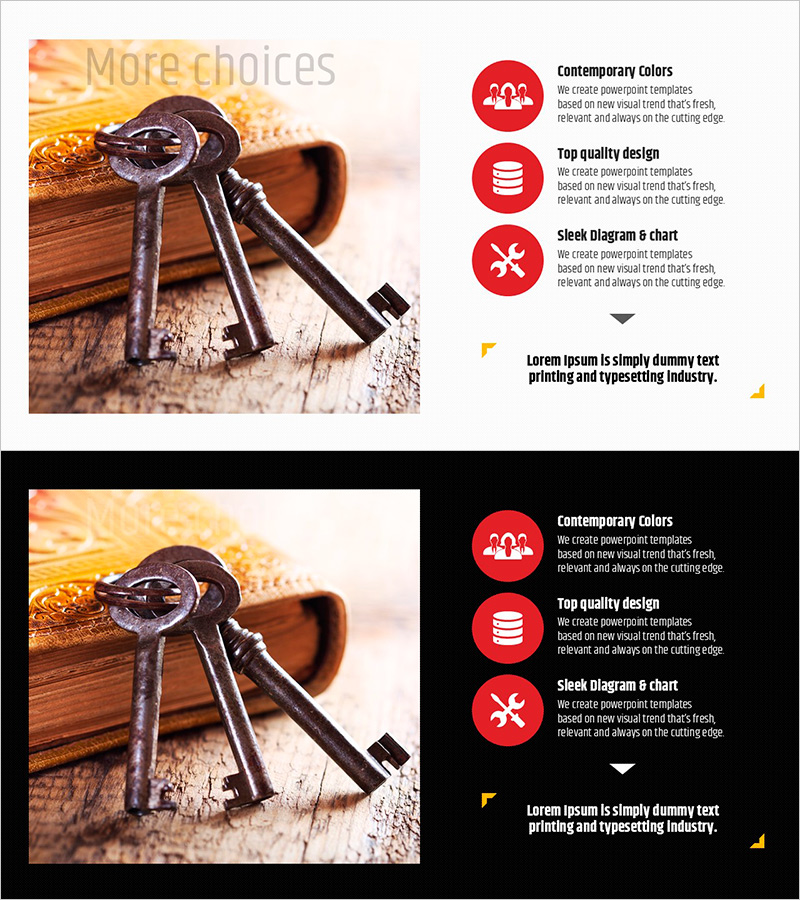
Facility Solution Slide – Visualizing Operational Plans with Flow Diagram
RJ0800037_6
- Last Update 08/10/2025
- File Size 1.6MB
- # of Slides 2
- File Format PPTX
- Slide Ratio 16:9
- Color
Keywords
About the Product
A 2-slide PowerPoint presentation designed to communicate facility and operational solutions visually. The layout features a left image area paired with a right text and icon section, creating a balanced 2-column structure. Three red circular icons organize information hierarchically, allowing you to present problem analysis, solution strategy, and expected outcomes in sequential flow. This slide deck is ready to use in investor reports, business proposals, and operational planning presentations. Formatted in 16:9 widescreen PPTX, fully editable in all PowerPoint versions.
Usage Points
-
Main Usage
Visualize facility problem analysis and solution pathways step-by-step to strengthen decision-making credibility. Present current situation, improvement strategy, and expected results in sequential flow format, increasing audience comprehension and reinforcing execution plan reliability.
-
How to Use
Insert facility or site photos in the left image area. Fill the right text boxes with problem description, solution strategy, and anticipated results. The three red icons serve as visual anchors for key points—write concise messages for each stage to maximize impact.
-
Recommended For
Ideal for facility improvement project reports, operational efficiency proposals, facility management presentations, process improvement business plans, and quality management strategy briefings. Recommended for manufacturing, construction, and facility management professionals, project managers, and operations executives presenting problem-solving processes.
-
Slide Structure
Two-slide deck with asymmetric 2-column layout on each slide: left image input area (approximately 40%) and right text-icon area (approximately 60%). The right section contains one title, three red circular icons, and three text description fields—perfect for expressing 3-stage processes or three solution options.
Related Products
-

Physical Care for Childbirth – Production and Technology Development Strategies
#Operational Plan #Production and Technology Development Strategy #Mitigation Measures
-
Gradient Presentation Template for Operational Planning – Innovation and Strategy
#Operational Plan #Production and Technology Development Strategy #Mitigation Measures
-
Visualizing Strength Exercise Strategy with Diagram Slide
#Operational Plan #Diagram #Production and Technology Development Strategy
-
Cluster Diagram for Building Equipment Strategy
#Operational Plan #Diagram #Production and Technology Development Strategy
