Modern Diagram and Chart Presentation Slide
RJ0800037_5
- Last Update 08/10/2025
- File Size 0.1MB
- # of Slides 2
- File Format PPTX
- Slide Ratio 16:9
- Color
Keywords
About the Product
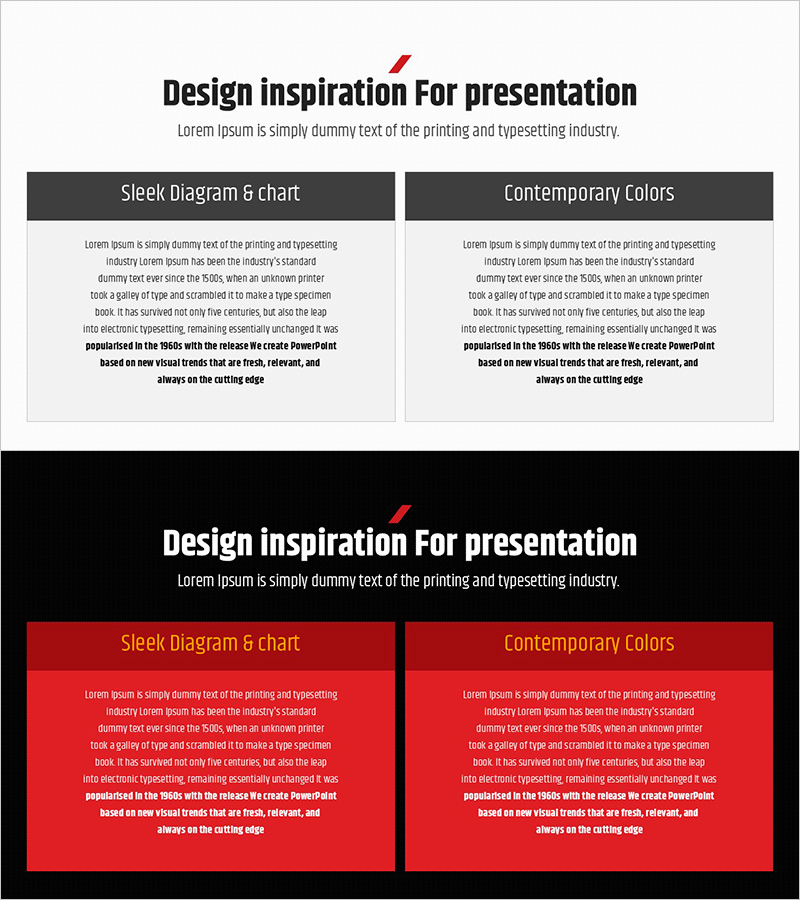
This free PowerPoint slide features a two-column panel layout designed to compare two concepts, strategies, or options side by side. The upper section includes a bold sans-serif title with a red diagonal accent mark and a gray subtitle, while the lower section is divided into two panels, each with a dark gray or red header and a light gray body text area. Two background theme variations are included: a white background with dark gray headers and a black dot-pattern background with red headers, allowing you to match the tone of your presentation. With six editable text areas in total—title, subtitle, left and right headers, and left and right body sections—this slide is ready to use with minimal editing. It is ideal for comparison slides in business plans, proposals, and reports, including As-Is/To-Be analyses, pros and cons breakdowns, and two-option presentations. For a wider range of comparison and text box slides, explore GoodPello's premium slide collections.
Usage Points
-
Main Usage
This slide is designed to compare two concepts, strategies, services, or options side by side in a single presentation slide. It works best in the comparison or analysis sections of business plans, proposals, and reports, helping audiences quickly grasp key differences at a glance.
-
How to Use
Enter your comparison topic in the title and subtitle fields at the top, then add each item label (e.g., As-Is / To-Be, Pros / Cons) in the left and right panel headers. Fill in the body text areas with supporting details, and choose between the white background or black dot-pattern background theme to match your presentation style.
-
Recommended For
Best suited for business planners, consultants, and sales professionals who need to present two contrasting strategies or options clearly. Also recommended for students and office workers who need a ready-made comparison slide for reports, proposals, or academic presentations.
-
Slide Structure
Single-slide layout with 2 text areas in the upper section (title and subtitle) and 4 text areas in the lower two-column panel (left header, left body, right header, right body). Includes 2 background theme variations: white background with dark gray headers and black dot-pattern background with red headers.