



Introducing Men's Suit Products – Designer's Sleek Choice
RJ0800014_9
- Last Update 08/04/2025
- File Size 6.9MB
- # of Slides 2
- File Format PPTX
- Slide Ratio 16:9
- Color
Keywords
About the Product
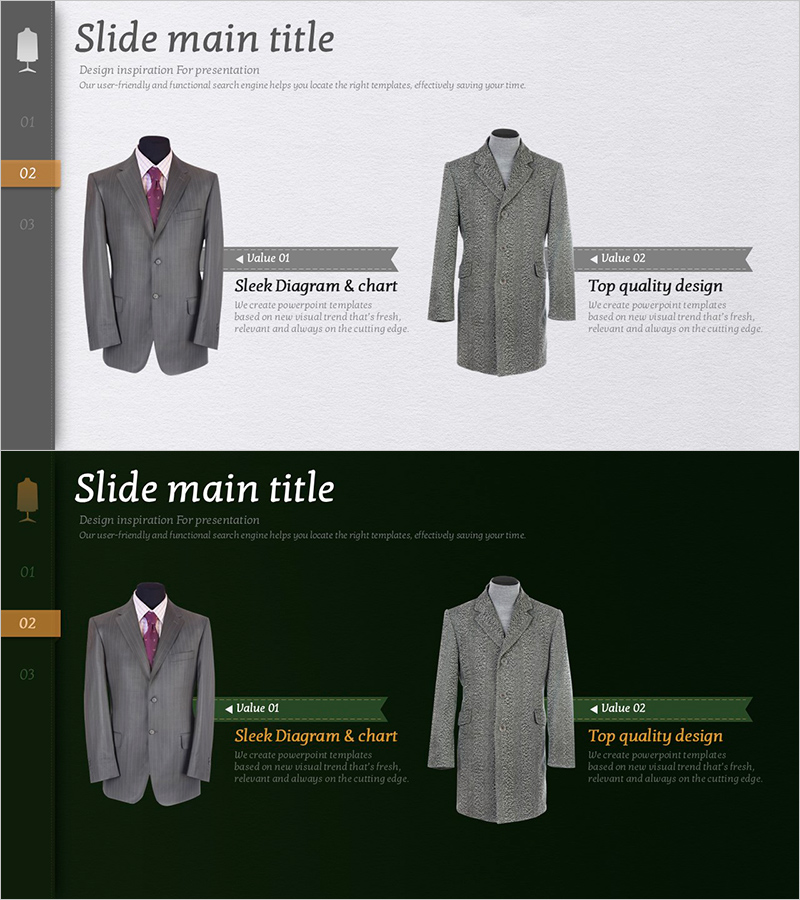
A PowerPoint slide that compares two key product benefits for men's suits using a side-by-side image layout. The left side displays one suit image with a value proposition (e.g., 'Sleek Diagram & Chart'), while the right side shows another suit image with a contrasting benefit (e.g., 'Top Quality Design'). Two color scheme options are provided: light gray background (top) and dark green background (bottom), both maintaining the same layout structure for consistent visual communication. This slide is optimized for product presentations, sales pitches, and marketing decks where highlighting product differentiation is essential. Available in 16:9 widescreen format, fully editable PPTX file.
Usage Points
-
Main Usage
This slide visually emphasizes product benefits and competitive advantages through a parallel image-text layout. It enables clear, intuitive communication of product features and builds customer confidence during product introductions, marketing presentations, and sales pitches.
-
How to Use
Insert product images in the left and right image areas. Add key benefits (quality, design, functionality, price competitiveness, etc.) in the corresponding text boxes. Select the background color (light gray or dark green) to match your presentation tone. Keep text concise—one to two lines maximum—to maintain readability and visual impact.
-
Recommended For
Product marketing managers, sales teams, product planners, and brand managers presenting to customers, creating proposals, or developing product catalogs. Suitable for fashion, apparel, accessories, electronics, consumer goods, and any industry requiring visual product comparison.
-
Slide Structure
The slide features a two-item comparison structure. The top section contains the main title and subtitle. The center area displays a left product image with one text box and a right product image with another text box. Each image is labeled with 'Value 01' and 'Value 02' banners, with dedicated text areas below for entering key messages.
Related Products
-
Before and After Effect Comparison Content Slide
#Emotional Messages #Product/Service Introduction #Benefits and Advantages
-
Benefits of Premium Package Travel – Stylish Design
#Product/Service Introduction #Diagram #Product/Service Introduction
-
Introduction to Services and Features - Intuitive Diagram Design
#Product/Service Introduction #Diagram #Product/Service Introduction
-
Fantastic Wide PowerPoint Square Text Box – The Perfect Tool for Product Presentations
#Product/Service Introduction #Text Box #Product/Service Introduction
