



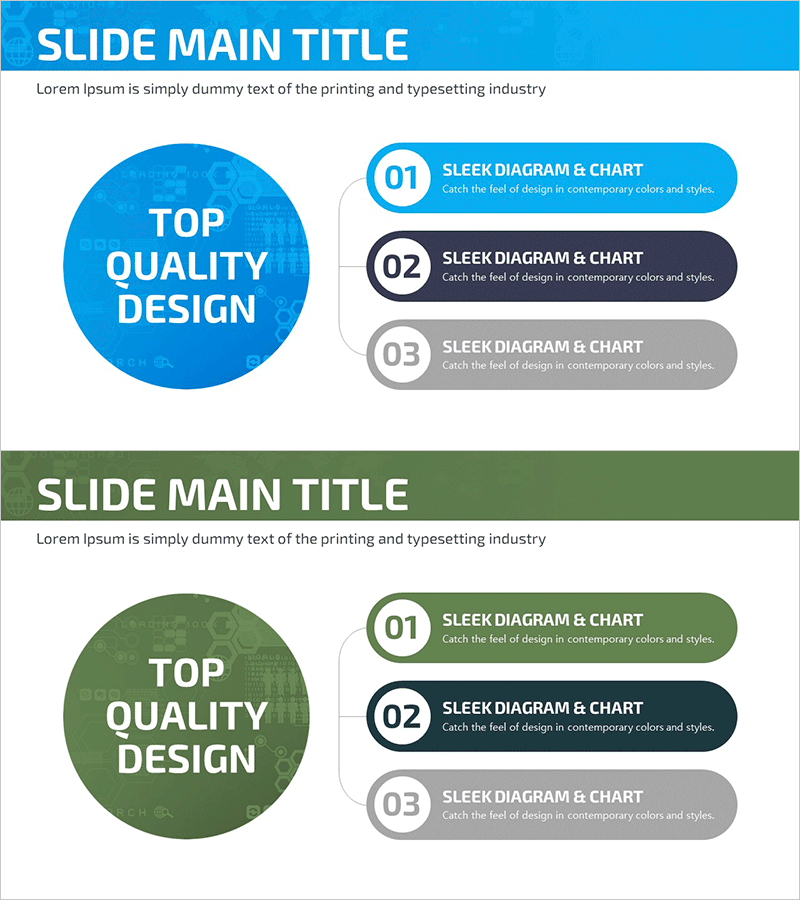
Global Business Goals Diagram
RJ0700009_9
- Last Update 07/24/2025
- File Size 1.7MB
- # of Slides 2
- File Format PPTX
- Slide Ratio 16:9
- Color
Keywords
- #Content-Based Slides
- #Design-Based Slides
- #Business Vision and Strategy
- #Marketing Plan and Strategy
- #Diagram
- #Business Goals
- #Marketing Objectives
- #Cluster
- #Chain Diagram
- #16:9
- #circular diagram PowerPoint
- #connection diagram slide
- #business goals presentation
- #global strategy diagram
- #3-node diagram template
- #callout bubble slide
- #business objective visualization
About the Product
A 3-node circular connection diagram PowerPoint slide designed to visualize core business objectives in global strategy presentations. The layout features a large central circular node connected to three callout speech bubbles, intuitively expressing the relationship between primary goals and detailed execution strategies. The color scheme combines bright blue, dark gray, and light gray tones to reinforce credibility in international business presentations. With 2 slides provided, you get the same layout in color variations for immediate adaptation to your presentation context and brand guidelines. This diagram template flexibly applies to marketing objectives, business goals, organizational strategies, and cross-functional initiatives.
Usage Points
-
Main Usage
Clearly visualizes the hierarchical relationship between core business objectives and detailed execution strategies in global business presentations. The central circular node emphasizes the primary goal while three connected callout bubbles present each strategic area in parallel, enhancing audience comprehension.
-
How to Use
Use this diagram in the strategy section of business plans, investment pitch decks, or marketing proposals to explain organizational goals and execution roadmaps. Simply edit the central text and three callout bubble texts to match your company's goal structure and customize the content.
-
Recommended For
Ideal for executives, strategy managers, and marketing teams presenting business objectives to employees, investors, and partners. Particularly effective when communicating multi-layered goal structures such as global expansion strategies, new business initiatives, or organizational restructuring.
-
Slide Structure
2-slide set. Each slide contains one large central circular node (1 text input area) connected to 3 callout speech bubbles (1 text input area each, 3 total). Slide 1 features a blue central node with blue, dark gray, and light gray callouts. Slide 2 provides the same structure with color variations for design flexibility.
Related Products
-
Clothing Service Marketing Goals – Modern Design
#Business Vision and Strategy #Marketing Plan and Strategy #Diagram
-
Enhance Your Brand with Paper Ad Mockup – Creative Marketing Strategy
#Business Vision and Strategy #Marketing Plan and Strategy #Diagram
-
Asset Management Business Marketing Goals Slide – Vision and Strategy
#Business Vision and Strategy #Marketing Plan and Strategy #Diagram
-
Car Sharing Global Marketing Goals - Connecting Business Strategies
#Business Vision and Strategy #Marketing Plan and Strategy #Diagram
