



Travel Photo History Diagram – Capturing Travel Memories
RJ0600095_17
- Last Update 07/16/2025
- File Size 0.7MB
- # of Slides 2
- File Format PPTX
- Slide Ratio 16:9
- Color
Keywords
- #Content-Based Slides
- #Design-Based Slides
- #Product/Service Introduction
- #Business Vision and Strategy
- #Diagram
- #Composition
- #Core Competencies
- #Spread
- #Centralized Diagram
- #16:9
- #radial diagram PowerPoint slide
- #6-item circular diagram
- #travel photo diagram template
- #central image diagram
- #value proposition slide
- #how to create radial diagram in PowerPoint
About the Product
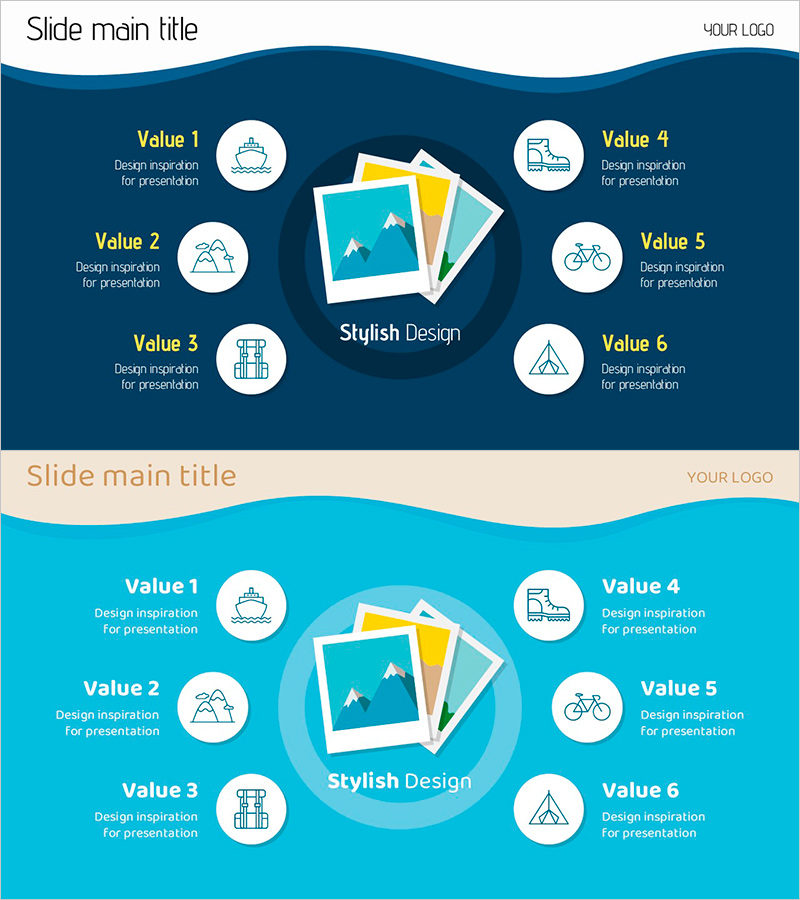
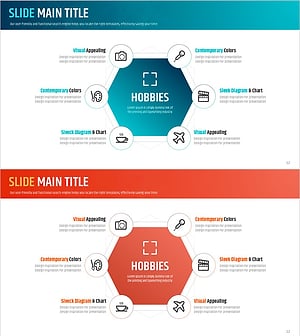
A radial diagram PowerPoint slide that visually organizes travel memories and key information around a central focal point. Six value items are arranged symmetrically—three on the left and three on the right—radiating from a central image area featuring overlapping travel photos. Each item includes a white circular node with an icon, yellow title text, and gray descriptive text. The design uses a dark blue background with turquoise accents and white elements to create clear visual hierarchy. Two color versions (dark blue and turquoise) are provided, allowing you to select the version that best matches your presentation theme. This slide template is ready to use for travel experience sharing, project outcome presentations, product value propositions, organizational mission statements, and other scenarios requiring radial information display.
Usage Points
-
Main Usage
This slide presents a central focal point (image or concept) surrounded by six related items (values, features, benefits, or steps) arranged in a radial pattern. It enables audiences to grasp the complete structure at a glance. Ideal for travel experience sharing, project success presentations, product or service value introduction, organizational mission and vision statements, and comparative analysis of multiple related concepts.
-
How to Use
Replace the central photo area with your own key image, then edit the text and icons in the six surrounding nodes to match your presentation content. Keep descriptions concise so the audience can quickly understand each point. Customize icons as needed to maintain visual consistency throughout your presentation.
-
Recommended For
Travel photo album presentations, marketing campaign value propositions, new product launch announcements, organizational culture and mission introductions, project outcome sharing, and educational seminars. Recommended for marketers, planners, educators, project managers, and professionals who need to explain core concepts or multiple related items in a structured visual format.
-
Slide Structure
Two-slide set. Slide 1 features a dark blue background with a central image area (three overlapping travel photos), six white circular nodes (three left, three right) containing icons, yellow titles, and gray descriptions. Slide 2 uses the same layout with a turquoise background. Both slides are in 16:9 widescreen format, PPTX file type, with all elements fully editable.
Related Products
-
Saturn Composition Diagram – Business Vision and Core Competencies
#Product/Service Introduction #Business Vision and Strategy #Diagram
-
Slide for Effective Presentation of Medicinal Ingredients Composition
#Product/Service Introduction #Business Vision and Strategy #Diagram
-
IT Financial Business Service Composition Contents – Vision Dissemination
#Product/Service Introduction #Business Vision and Strategy #Diagram
-
Hobby Hexagonal Diagram - The Optimal Tool for Visualizing Business Strategy
#Product/Service Introduction #Business Vision and Strategy #Diagram
