



Smart Travel Map App Project Template – Section Slide
RJ0600053_3
- Last Update 07/04/2025
- File Size 3.6MB
- # of Slides 2
- File Format PPTX
- Slide Ratio 16:9
- Color
Keywords
About the Product
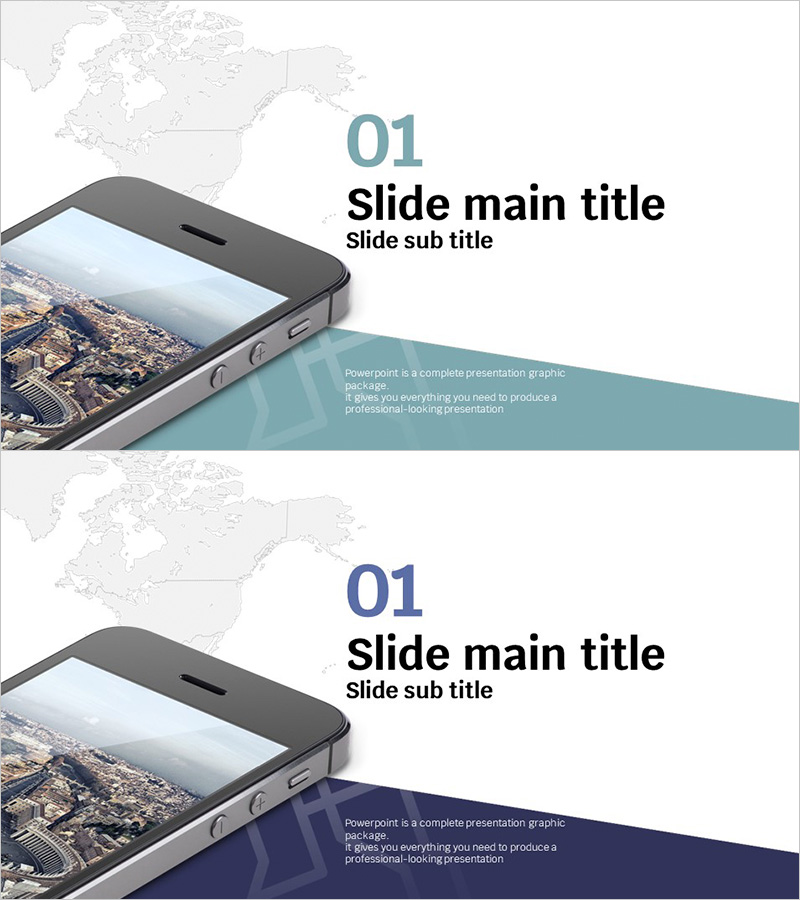
A professional section slide set for smart travel map app project presentations, featuring 2 slides in 16:9 widescreen format. The design combines a world map background with a smartphone image and teal or navy accent bars, creating a minimalist layout with dedicated text areas for main and sub titles. This PPTX file is fully editable in PowerPoint and ideal for opening technology project pitches or app development presentations. Two color variations—teal and navy—allow you to match the slides to your presentation theme and desired tone, emphasizing innovation and global reach.
Usage Points
-
Main Usage
This section slide set establishes a strong visual foundation for technology and app development presentations. The world map and smartphone imagery communicate global reach and mobile-first innovation, while the teal or navy accent bar conveys a modern, tech-forward atmosphere. It immediately captures investor, partner, and team attention while setting expectations for a cutting-edge project.
-
How to Use
Place these slides at the beginning of your presentation and customize the title and subtitle areas with your project information. Select the teal version for innovation-focused messaging or the navy version to emphasize trust and stability. You can further customize by adding your project logo or key visual elements to the smartphone screen area.
-
Recommended For
Ideal for app development pitches, startup presentations, technology project launches, mobile service introductions, investor pitch decks, team meetings, and industry seminars. Particularly effective for tech companies and travel/mapping service providers targeting global markets.
-
Slide Structure
Two-slide set with consistent layout: numbered section indicator ('01') at top, centered title and subtitle input areas, world map background and smartphone image on the left, and teal or navy accent bar with descriptive text area in the lower right.
Related Products
-
Chess Themed Business Strategy Template Section Slide
#Slide Type #Section Cover
-
Startup Business Plan Template Section – Marketing Plans
#Slide Type #Section Cover
-
City Line Theme Proposal Section Slide
#Slide Type #Section Cover
-
Interior Business Plan Template Section: Emphasis on Market Analysis
#Slide Type #Section Cover
