



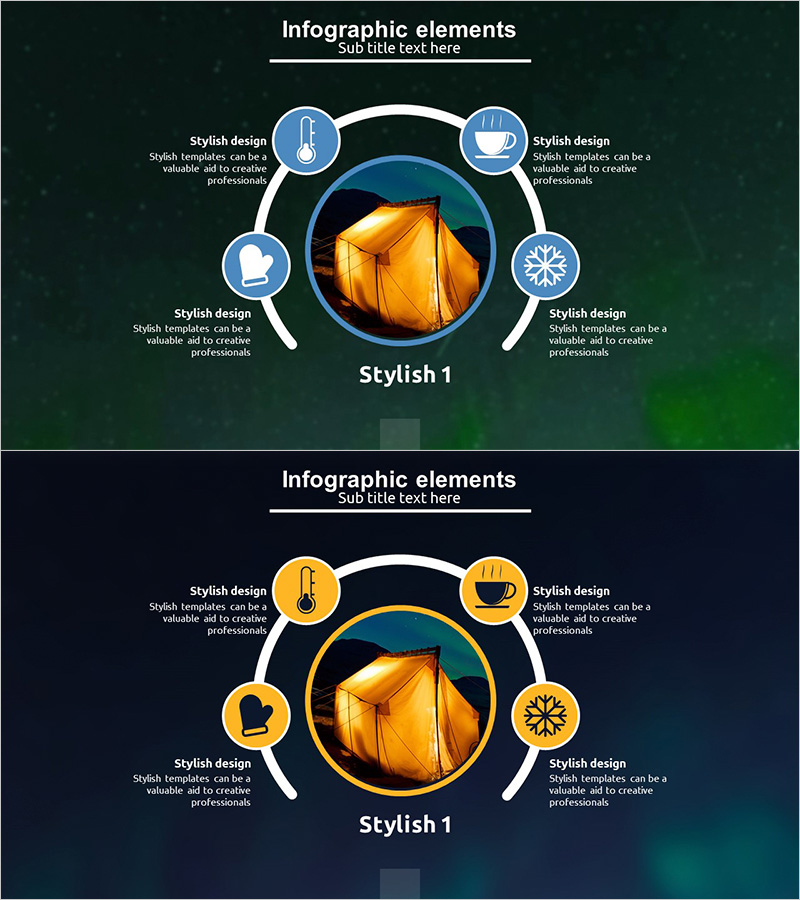
Camping Icon Facility Investment Plan Diagram
RJ0600032_19
- Last Update 06/29/2025
- File Size 1.1MB
- # of Slides 2
- File Format PPTX
- Slide Ratio 16:9
- Color
Keywords
- #Content-Based Slides
- #Design-Based Slides
- #Product/Service Introduction
- #Business Vision and Strategy
- #Diagram
- #Product/Service Introduction
- #Core Competencies
- #Spread
- #Radial Diagram
- #16:9
- #radial diagram PowerPoint
- #5-node icon slide template
- #central expansion diagram
- #facility investment plan presentation
- #business concept diagram PPT
About the Product
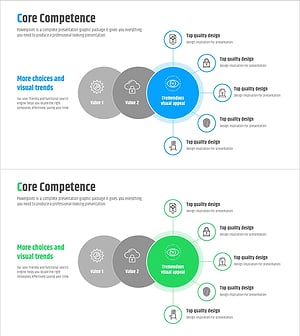
A professional PowerPoint slide featuring a radial diagram with five icon nodes radiating from a central image. The design combines a warm-toned central circular image (orange and gold gradient) with blue and orange dual-tone icon nodes, each including descriptive text areas. Two color variations are provided—blue-accent and orange-accent versions—allowing you to match your presentation theme and brand identity. This slide template is ready to use for business presentations covering facility investment plans, strategic frameworks, product features, or any concept requiring five-point analysis and visualization.
Usage Points
-
Main Usage
Designed to visually communicate a core concept or strategy by expanding it into five distinct perspectives or components. Ideal for presenting facility investment plans across five investment areas, business strategies with five key pillars, product features with five main benefits, or any framework requiring balanced five-point analysis.
-
How to Use
Insert your core subject image or icon in the central orange circular area. Add corresponding content to each of the five icon nodes and their accompanying text fields. Select either the blue-accent or orange-accent color variation to match your presentation's overall design theme and maintain visual consistency throughout your deck.
-
Recommended For
Executive presentations, investor pitch decks, product launch events, business strategy briefings, marketing planning documents, and corporate reports. Particularly effective when presenting balanced frameworks, multi-faceted analyses, or comprehensive overviews requiring equal emphasis on five key elements.
-
Slide Structure
Central circular image area (warm orange-gold tone) surrounded by 5 circular icon nodes (blue or orange background options) with individual text description fields. Nodes positioned at top (2), right (2), and left (1) creating a balanced radial layout. Two color variations included: blue-accent and orange-accent themes.
Related Products
-
Core Competency Diagram That Drives Growth
#Company Introduction #Business Vision and Strategy #Diagram
-
Global Travel Spread Diagram – Vision and Strategy Presentation
#Business Vision and Strategy #Diagram #Business Vision
-
Product/Service Overview Diagram – Presented with Modern Visuals
#Product/Service Introduction #Diagram #Product/Service Introduction
-
Core Competency Overlap Diffusion Diagram – Vision for Success
#Company Introduction #Business Vision and Strategy #Diagram
