Cheerful Camping Theme Cover Template
RJ0600014
- Last Update 06/24/2025
- File Size 0.6MB
- # of Slides 2
- File Format PPTX
- Slide Ratio 16:9
- Color
Keywords
About the Product
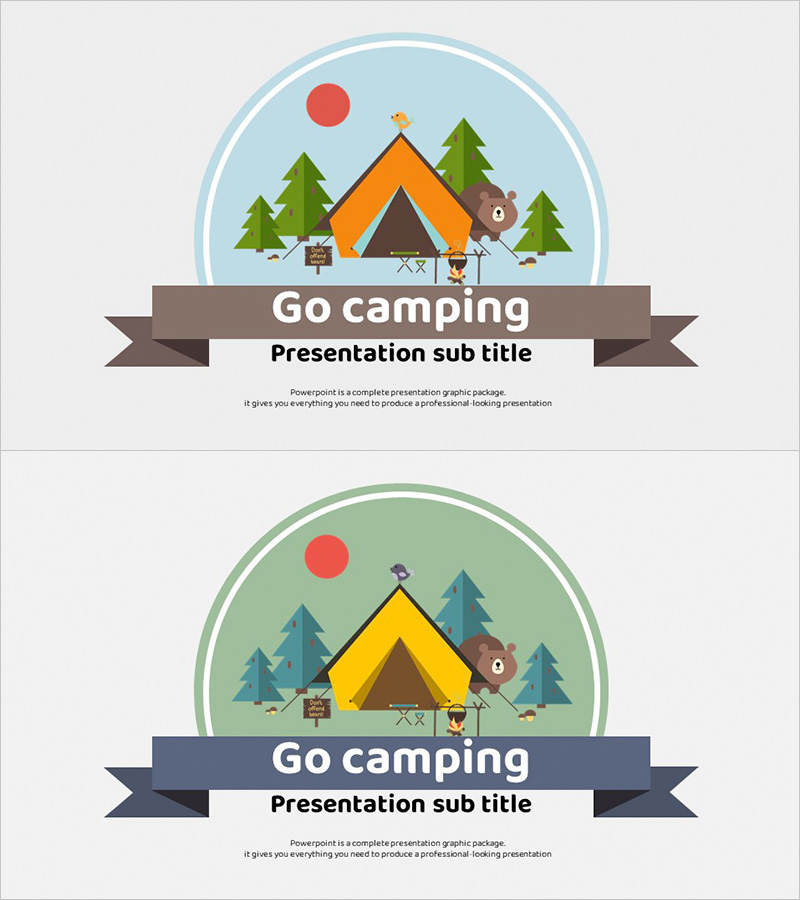
A 2-slide PowerPoint cover template featuring a camping theme with vibrant illustrations. The design includes a light blue and mint green background with an orange tent, green trees, and bear character artwork, perfect for outdoor activity, travel, and leisure presentations. The layout features a circular frame at the top for the title and a ribbon banner at the bottom for the subtitle, allowing easy text customization. Available in 16:9 widescreen PPTX format for immediate editing. Ideal for creating an engaging first impression in camping, tourism, event, and adventure-related presentations.
Usage Points
-
Main Usage
Serves as a cover slide for camping, outdoor activity, travel, tourism, and leisure-related presentations. The bright and friendly illustration style immediately captures audience attention and sets the tone for corporate events, educational seminars, and tourism marketing pitches.
-
How to Use
Enter your presentation title in the circular frame at the top and subtitle text in the ribbon banner at the bottom. Background colors, tent colors, and text fonts can be freely customized to match your brand identity. Additional space is available for logo placement.
-
Recommended For
Ideal for travel agencies, camping resorts, outdoor brands, tourism boards, event planning companies, and educational institutions. Particularly effective for youth and family program presentations, outdoor activity workshops, and tourism marketing pitches.
-
Slide Structure
Two-slide layout with slide 1 featuring a light blue background and slide 2 with a mint green background. Each slide contains three main areas: a circular frame at the top for title input, centered camping artwork (tent, trees, bear, bird), and a ribbon banner at the bottom for subtitle input.