



Color Check Schedule – Enhance Efficiency in Project Management
RJ0500039_29
- Last Update 06/17/2025
- File Size 0.6MB
- # of Slides 2
- File Format PPTX
- Slide Ratio 16:9
- Color
Keywords
About the Product
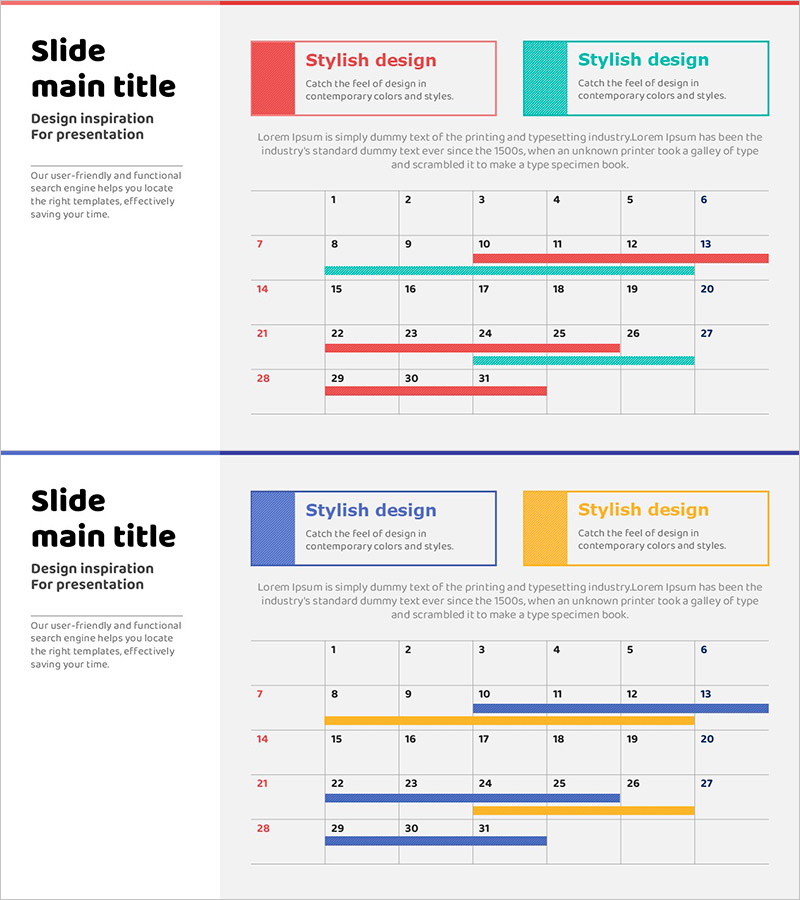
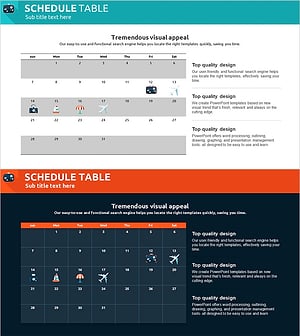
A color-coded schedule table PowerPoint slide designed for project management and business timeline tracking. This presentation slide features a horizontal timeline layout with red and turquoise color blocks to distinguish different tasks or phases, accommodating up to 30 items. Each task's start and end dates are clearly visualized through color-coded blocks, making it easy for team members to share schedules and monitor progress at a glance. The 2-slide set is adaptable to various project scales and can be immediately edited and deployed in your presentations.
Usage Points
-
Main Usage
Visualizes project schedules, business plans, marketing campaign timelines, and multi-task workflows by color-coding start and end dates. Enables teams to grasp progress status instantly and supports data-driven decision-making in presentations.
-
How to Use
Enter task names in the row number fields and adjust the position and length of color blocks to represent timelines. Use red and turquoise colors to distinguish between different projects or team assignments. Insert into meetings, reports, proposals, and various presentation materials.
-
Recommended For
Project managers, business planning teams, marketing departments, and operations teams requiring schedule management. Ideal for business plans, marketing proposals, project reports, investment pitches, and any presentation requiring timeline visualization.
-
Slide Structure
2-slide set with each slide containing a title area, descriptive text section, and a horizontal timeline table accommodating up to 30 items. Row numbers, task name input fields, and color block areas are clearly separated for intuitive data entry and visual clarity.
Related Products
-
Medical Product Differentiation Strategy Diagram
#Business Management #Operational Plan #Diagram
-
Summer Holiday Schedule – Business Operation Plan
#Business Management #Operational Plan #Diagram
-
Climbing Schedule Visualized in Calendar Format – A Tool for Efficient Operations
#Business Management #Operational Plan #Diagram
-
Itinerary Slide for a Trip Around the World – Efficient Travel Planning
#Business Management #Operational Plan #Diagram
