



Presentation Using Smart Learning and Thinking Icons
RJ0500039_12
- Last Update 06/17/2025
- File Size 0.9MB
- # of Slides 2
- File Format PPTX
- Slide Ratio 16:9
- Color
Keywords
- #Content-Based Slides
- #Design-Based Slides
- #Product/Service Introduction
- #Marketing Plan and Strategy
- #Other
- #Program Introduction
- #Marketing Objectives
- #16:9
- #education program introduction PowerPoint
- #icon slide design
- #learning program presentation
- #educational marketing slide
- #how to present education program in PowerPoint
About the Product
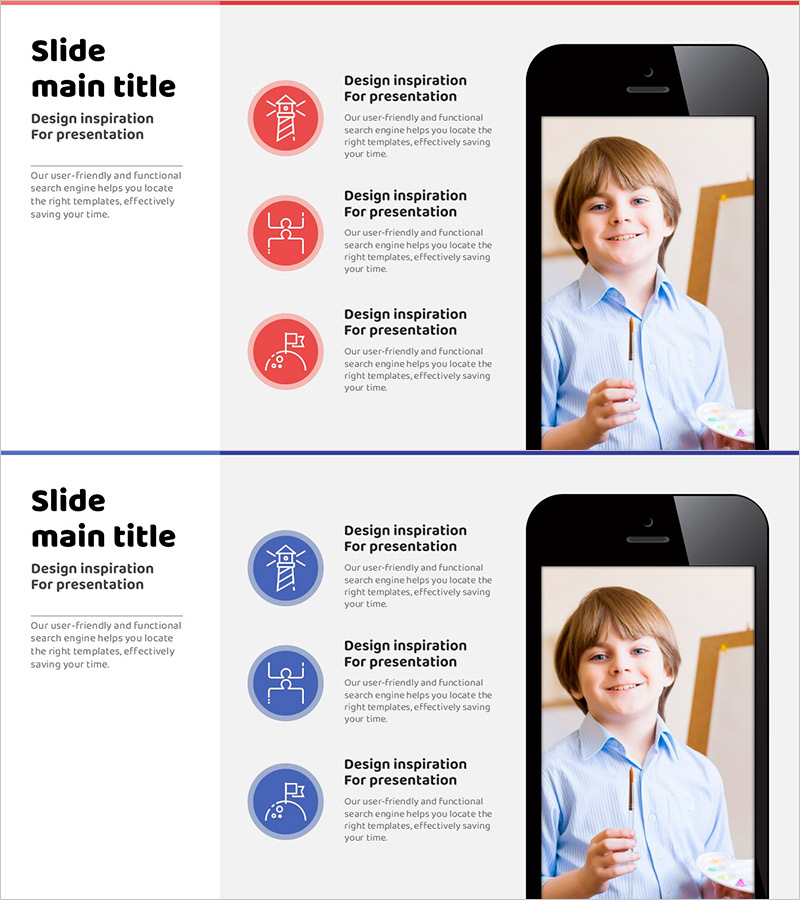
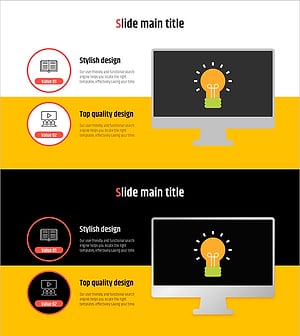
A PowerPoint slide designed to introduce educational programs focused on smart learning and critical thinking development. Features three circular icons in red and blue dual-tone colors that visually communicate the core values of your program. The layout combines a title and description area on the left with an image space on the right, creating a balanced composition with clear information hierarchy. Each icon is paired with descriptive text for easy comprehension. Ready to use for educational institutions, learning platforms, and talent development program presentations.
Usage Points
-
Main Usage
This slide simplifies and communicates the core values and characteristics of an educational program through visual icons. It structures key messages into three main points, enhancing audience understanding of learning objectives, program features, and development outcomes.
-
How to Use
Enter your program name in the left title area and add key value propositions in the text boxes next to each icon. Insert a learner photo or program-related image in the right image frame to strengthen credibility and engagement.
-
Recommended For
Ideal for educational institution briefings, learning platform marketing, talent development program proposals, educational consulting presentations, and parent information sessions where program value needs to be communicated effectively.
-
Slide Structure
Two-slide set with each slide divided into left section (title and four text input boxes) and right image frame. Includes both red and blue color versions, allowing you to select the version that best matches your presentation theme.
Related Products
-
Application Service Introduction Slide – Innovative Visual Template
#Product/Service Introduction #Diagram #Other
-
Introducing the Mobile App Service – Innovation and Utilization
#Product/Service Introduction #Diagram #Other
-
Market Entry Strategy Slide – Diagram for Achieving Marketing Goals
#Marketing Plan and Strategy #Diagram #Other
-
Benefits of Learning to Watch Video - Premium Design Offered
#Product/Service Introduction #Other #Program Introduction
