



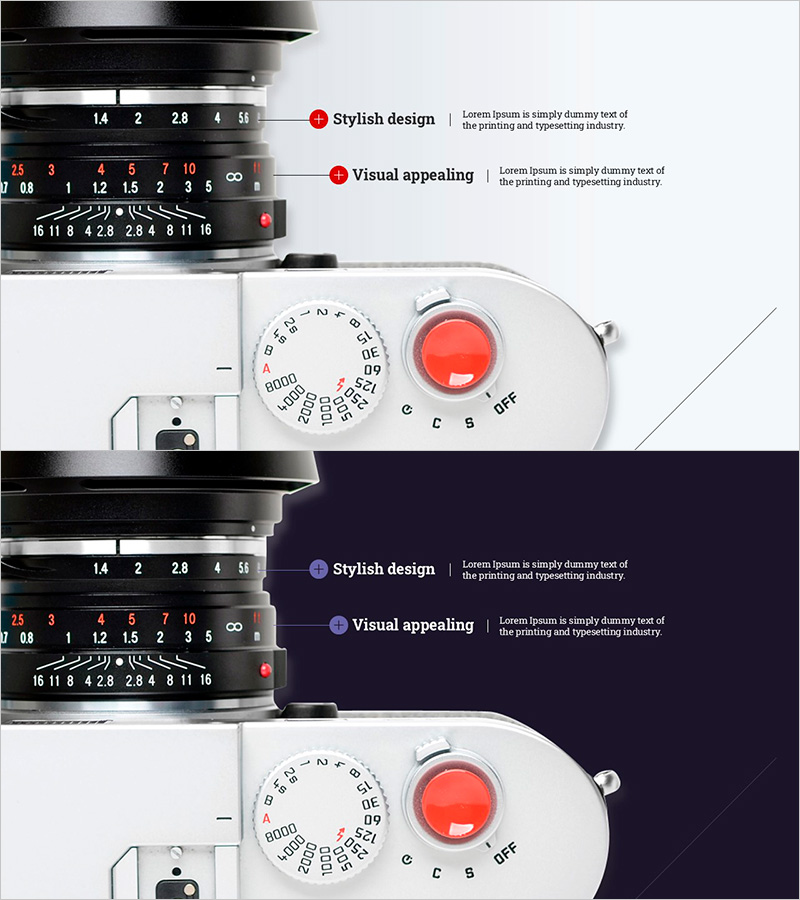
Camera Zoom Function – Stylish Design with Visual Appeal
RJ0500021_30
- Last Update 06/12/2025
- File Size 0.9MB
- # of Slides 2
- File Format PPTX
- Slide Ratio 16:9
- Color
Keywords
- #Content-Based Slides
- #Design-Based Slides
- #Product/Service Introduction
- #Other
- #Product/Service Introduction
- #16:9
- #camera zoom function PPT slide
- #product feature explanation PowerPoint
- #camera product introduction slide
- #how to explain product features in PowerPoint
- #technical product presentation
About the Product
A PowerPoint slide set explaining camera zoom functionality for product presentations. Featuring two design variations with white and dark navy backgrounds, these slides combine actual camera imagery with labeled feature callouts to convey technical specifications intuitively. The layout uses red accent markers to highlight key features, making it ideal for product demos, investor pitches, and technical briefings. Fully editable text labels allow customization for different camera models or optical features.
Usage Points
-
Main Usage
Visually communicate and emphasize a product's core feature (zoom capability) using real product imagery combined with labeled callouts. Builds product credibility for investor presentations, partner meetings, and customer demos by making technical specifications immediately understandable.
-
How to Use
Insert into the product features section of your presentation. White tone conveys approachability and innovation; dark tone projects premium positioning. Edit text labels to describe alternative features (focal length, aperture, shutter speed, autofocus) or customize for your specific product model.
-
Recommended For
Camera manufacturers, optical equipment companies, and lens makers presenting to investors, partners, or customers. Ideal for product launch events, technical briefings, B2B sales presentations, and product catalog slideshows. Use by product managers, marketing teams, and sales engineers.
-
Slide Structure
Two-slide set: Slide 1 features white background with centered camera image and two labeled feature callouts (stylish design, visual appeal). Slide 2 mirrors the layout on dark navy background. Both slides use centered product imagery with left-right text label zones for information hierarchy.
Related Products
-
Introduction to Data Services – Visually Appealing Template
#Product/Service Introduction #Other #Product/Service Introduction
-
Time Zone Weather Analysis Application Presentation Template
#Product/Service Introduction #Other #Product/Service Introduction
-
Hologram Wide PPT Mockup – Product/Service Introduction
#Product/Service Introduction #Other #Product/Service Introduction
-
Social Network Wide Template – Visual Trends
#Product/Service Introduction #Other #Product/Service Introduction
