



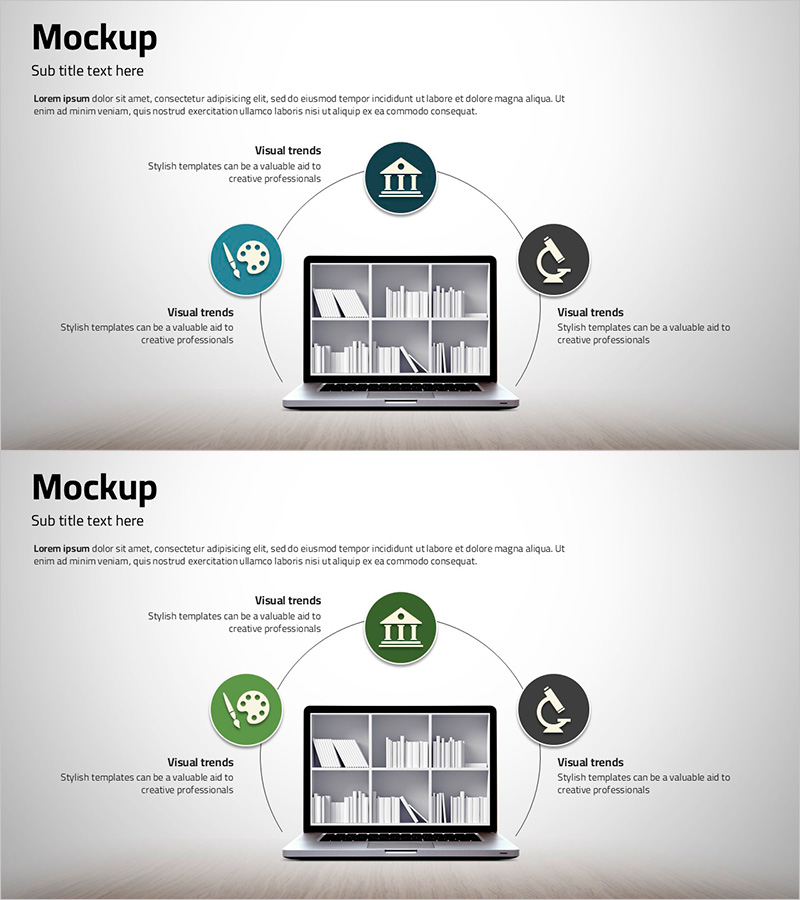
Diagram of 3 Key Functions – Business Strategy and Vision
RJ0500018_16
- Last Update 06/11/2025
- File Size 0.7MB
- # of Slides 2
- File Format PPTX
- Slide Ratio 16:9
- Color
Keywords
- #Content-Based Slides
- #Design-Based Slides
- #Product/Service Introduction
- #Business Vision and Strategy
- #Diagram
- #Other
- #Benefits and Advantages
- #Business Strategy
- #Spread
- #Radial Diagram
- #16:9
- #radial diagram PowerPoint
- #3-function expansion slide
- #center-to-periphery diagram
- #business strategy visualization
- #how to create radial diagram in PowerPoint
About the Product
A PowerPoint slide featuring a radial diagram where three key functions extend outward from a central core element. The design uses dark blue, green, and gray circular icons connected by lines to visualize relationships between business strategy, vision, and core functions. A laptop mockup at the center emphasizes digital solutions, technology platforms, and business model presentations. The 2-slide set is ready for immediate editing and ideal for corporate presentations, strategy meetings, and product introductions.
Usage Points
-
Main Usage
Visualizes core business values, strategies, or functions radiating outward from a central point. Ideal for presenting business strategy frameworks, organizational vision, three key product features, technology platform modules, or service differentiation in executive presentations.
-
How to Use
Enter your core message (company name, product name, or strategy title) in the central laptop mockup area. Add function names and descriptions to the three circular icon areas. Customize icon colors and text to match your brand guidelines. All elements are fully editable in PowerPoint.
-
Recommended For
Executive strategy presentations, technology company platform introductions, startup investor pitch decks, consulting firm strategy proposals, product development team feature explanations, and corporate vision-sharing meetings.
-
Slide Structure
2-slide set with radial layout. Each slide features a laptop mockup at center with three circular icons (dark blue, green, gray) positioned at top, left, and right. Icons connect to the central mockup via lines showing relationships. 16:9 widescreen format, PPTX file type. All design elements including icons, text boxes, and connecting lines are fully editable.
Related Products
-
Diagram Slide Introducing Rules of Running – Vision and Strategy
#Product/Service Introduction #Business Vision and Strategy #Diagram
-
Ice Hockey Method Diagram – Comprehensive Information Presentation
#Product/Service Introduction #Diagram #Other
-

Global Network Strategy Framework – Vision for Business Goals
#Business Vision and Strategy #Marketing Plan and Strategy #Diagram
-
Smart Network Business Strategy Diagram – Business Vision and Marketing Strategy
#Business Vision and Strategy #Marketing Plan and Strategy #Diagram
