



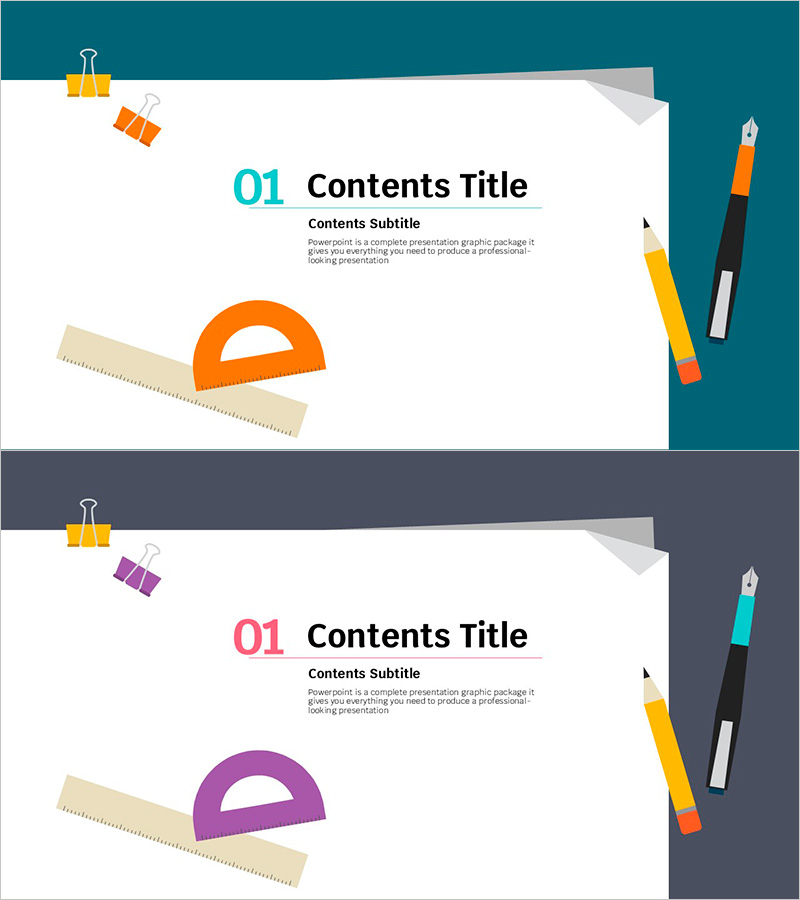
Manuscript Template Section - Professional Slide Design
RJ0500009_3
- Last Update 06/09/2025
- File Size 0.2MB
- # of Slides 2
- File Format PPTX
- Slide Ratio 16:9
- Color
Keywords
About the Product
A professional section divider slide for presentations featuring a teal background with orange accent elements. This 2-slide set includes clearly defined areas for title, subtitle, and descriptive text. Illustrated design elements such as clips, rulers, pens, and satellite icons add visual interest while representing education, planning, and creativity. Formatted in 16:9 widescreen PPTX, these slides are ready to edit and perfect for business presentations, educational seminars, training materials, and project proposals where section breaks are needed.
Usage Points
-
Main Usage
This slide serves as a visual break between sections of your presentation, helping to refocus audience attention and signal transitions to new topics. The clear title and subtitle areas make it ideal for introducing each major section in business presentations, educational seminars, training programs, and project proposals.
-
How to Use
Select the text fields in the slide master to enter your section title and subtitle. The teal background and orange accents can be retained or customized to match your company's brand colors. With 2 slides included, simply duplicate and modify the text for each new section to maintain consistent design throughout your presentation.
-
Recommended For
Ideal for business presentations, educational seminars, training materials, project proposals, company introductions, marketing presentations, annual reports, and any multi-section document requiring clear visual separation between topics. Recommended for presenters who want to maintain audience engagement and clearly signal content transitions.
-
Slide Structure
Each of the 2 slides features a teal header section at the top (for title and numbering) and a white content area below (for subtitle and descriptive text). Design elements including clips, rulers, and pens are positioned on the left, while marker illustrations appear on the right, creating visual balance and professional appearance.
Related Products
-

Restaurant Business Plan Template Section Slide
#Slide Type #Section Cover
-

Chess Themed Business Strategy Template Section Slide
#Slide Type #Section Cover
-
Modern Simple Proposal Template Section Slide
#Slide Type #Section Cover
-
Car Sharing Business Plan Template Section Slide
#Slide Type #Section Cover
