



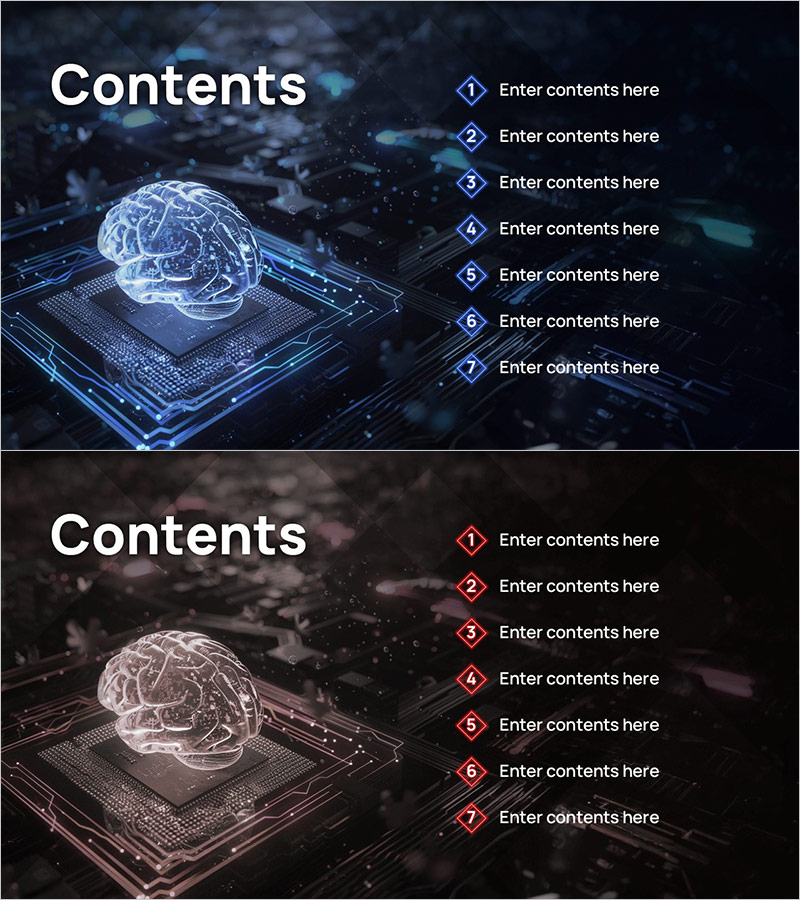
AI Neon Rhombus Visual Template - Attractive Contents Layout
RJ0400076_2
- Last Update 06/07/2025
- File Size 1.6MB
- # of Slides 2
- File Format PPTX
- Slide Ratio 16:9
- Color
Keywords
About the Product
A modern contents slide PowerPoint featuring AI-inspired neon rhombus design elements. The slide displays seven numbered rhombus boxes in neon blue and pink lines against a dark background, with text entry areas next to each item. Provided in 16:9 widescreen PPTX format with 2 slides, this template is ready to use for technology, AI, and innovation-focused presentations. Perfect for opening your deck with a visually striking and contemporary table of contents layout.
Usage Points
-
Main Usage
Serves as an opening contents or agenda slide to clearly outline your presentation structure. Captures audience attention with its tech-forward neon aesthetic while providing a clear roadmap of the topics to be covered.
-
How to Use
Simply enter your section titles in the text areas next to each numbered rhombus box. You can use all seven items or customize the number of items needed. Colors, fonts, and text are fully editable to match your brand or presentation theme.
-
Recommended For
Ideal for IT companies, software firms, AI startups, and tech-focused organizations. Suitable for investor pitches, product launches, innovation showcases, and executive presentations where a modern, professional appearance is essential.
-
Slide Structure
Dark background with 'Contents' heading on the upper left and seven vertically stacked neon rhombus numbered boxes (①–⑦) on the right side. Each box is accompanied by a text placeholder for easy content entry, creating a clean and organized contents layout.
Related Products
-
Global Investment Attraction Template Contents – Professionalism and Innovation
#Slide Type #Table of Contents
-
Stylish Company Profile Template Contents
#Slide Type #Table of Contents
-
Table of Contents Slide – Rounded Edge Business PowerPoint
#Slide Type #Table of Contents
-

Interior Product Introduction Template Contents – Essential Structure Provided
#Slide Type #Table of Contents
