Virtual Reality Theme Ending Slide Template – A Touching Conclusion
RJ0400065_30
- Last Update 06/05/2025
- File Size 0.4MB
- # of Slides 2
- File Format PPTX
- Slide Ratio 16:9
- Color
Keywords
About the Product
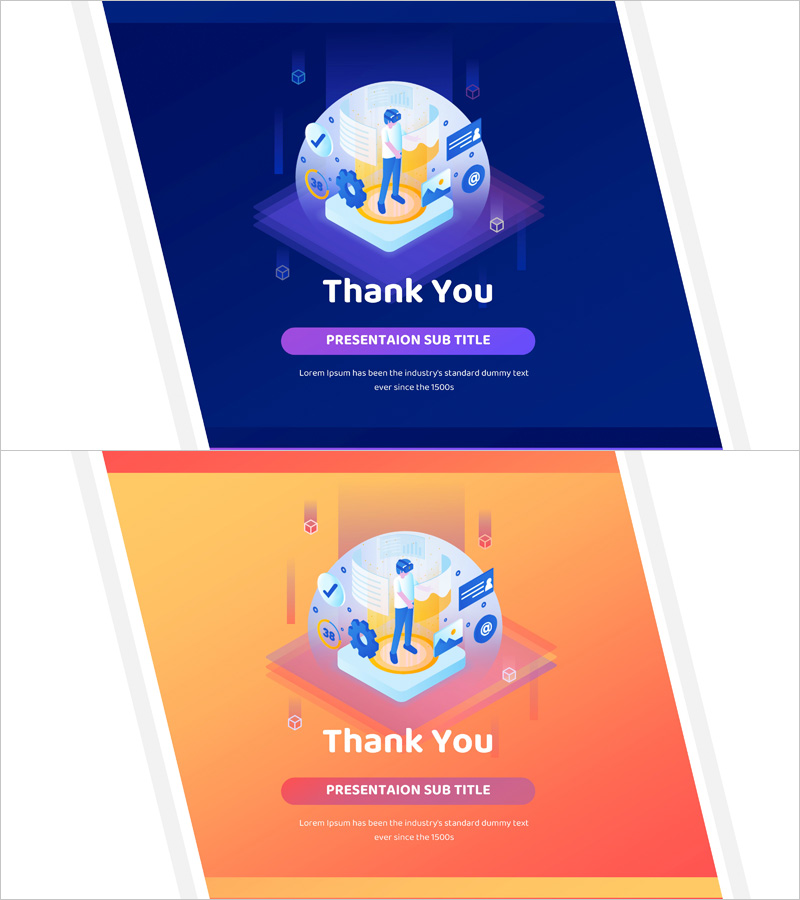
A 2-slide ending slide PowerPoint template that delivers a memorable conclusion to your presentation. Featuring contrasting navy blue and orange backgrounds with 3D illustrated characters and icons in the center, this modern design leaves a lasting positive impression on your audience. The circular frame contains symbols of collaboration and success—people, checkmarks, documents, and gears—while the 'Thank You' headline and subtitle area effectively convey your closing message. In 16:9 widescreen PPTX format, it's ready to edit immediately in any presentation software and works perfectly for business pitches, educational seminars, corporate presentations, and investor meetings.
Usage Points
-
Main Usage
Designed as the final slide of your presentation to deliver gratitude and close on a positive note. The contrasting navy and orange backgrounds create visual impact, while the centered circular frame with collaboration and success icons reinforces your presentation's core message.
-
How to Use
Insert at the end of your presentation and customize the 'Thank You' text and subtitle area with your closing message, contact information, or call-to-action. Two color versions (navy and orange) are provided—choose the one that matches your brand identity. All illustrations and icons are fully editable and can be modified or removed as needed.
-
Recommended For
Ideal for business presentations and meeting conclusions, educational seminars and lecture closings, product launch events and customer pitches, investor relations and funding presentations, conferences and webinar closing sessions. Particularly effective for presentations targeting younger audiences or emphasizing innovation and collaboration.
-
Slide Structure
Two-slide layout with the first slide featuring a navy blue background and the second an orange background. Each slide contains a 3D illustration at the top center, 'Thank You' as the main headline, a button-style 'PRESENTATION SUB TITLE' subtitle, and descriptive text area below for easy customization.