



App Service Overview PowerPoint – Product Introduction and Design Elements
RJ0400055_8
- Last Update 06/01/2025
- File Size 14.7MB
- # of Slides 2
- File Format PPTX
- Slide Ratio 16:9
- Color
Keywords
- #Content-Based Slides
- #Design-Based Slides
- #Product/Service Introduction
- #Other
- #Composition
- #Product and Service Overview
- #Mockup
- #16:9
- #app service overview PowerPoint slide
- #product introduction two-section comparison
- #app presentation slide template
- #how to present app features in PowerPoint
- #product overview pitch deck
About the Product
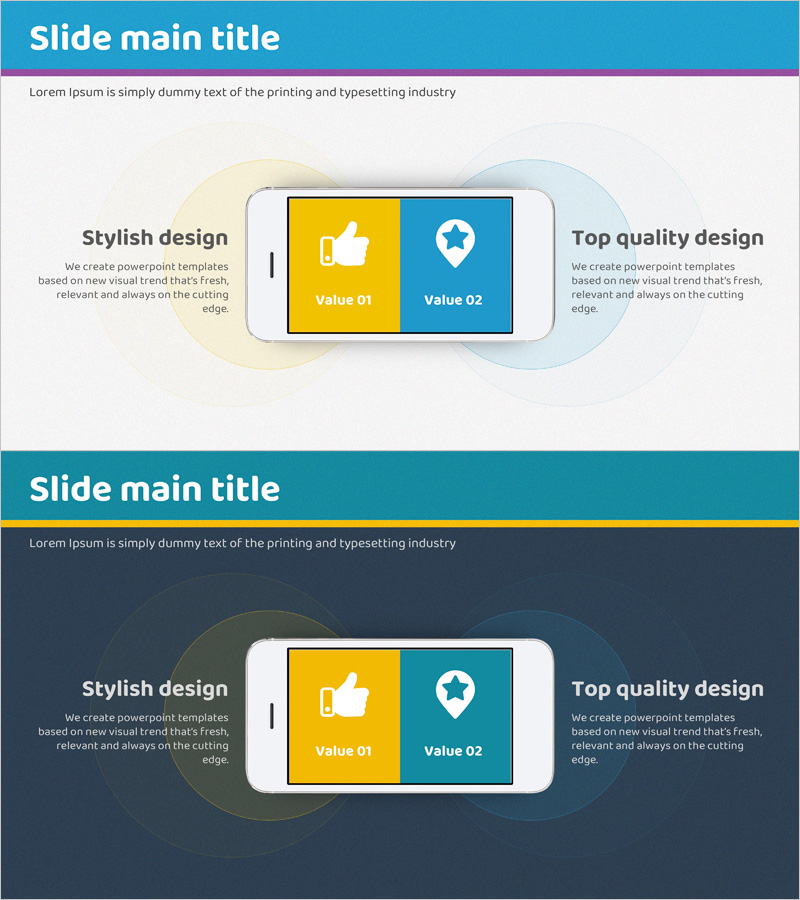
A 2-slide PowerPoint presentation optimized for app service and product introduction presentations. The design features a light gray background with a two-section comparison layout in blue and yellow, effectively communicating your product's core values visually. The left yellow section and right blue section each contain icons (thumbs up and star) and text input areas, allowing you to contrast two key product features. In 16:9 widescreen PPTX format compatible with all presentation environments, you can immediately edit and use it for app service presentations, product introduction decks, and business pitch materials.
Usage Points
-
Main Usage
This slide clearly presents two core values of your app service using a left-right comparison structure. It's ideal when you need to contrast two key elements such as product introduction, service overview, or app feature explanations.
-
How to Use
Enter your first value (e.g., user convenience) in the left yellow section and your second value (e.g., reliability) in the right blue section. Edit the icons and text in each section to emphasize your app's differentiated features.
-
Recommended For
Recommended for app development companies, startups, and IT firms presenting products and investment pitches. Perfect for app service introductions, new feature announcements, and customer-facing presentations.
-
Slide Structure
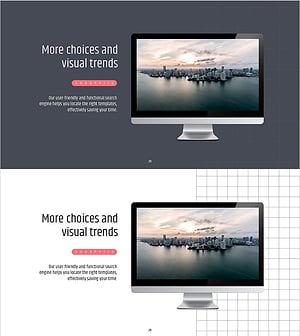
The 2-slide set consists of a title slide with a blue header area and descriptive text, followed by a two-section comparison layout (left yellow and right blue). Each section includes designated areas for icons, titles, and body text input.
Related Products
-
Presentation Template Featuring Mobile Phone Mockups for Product Introduction
#Product/Service Introduction #Other #Composition
-
Smart City Mobile Service Overview – Modern Design and Infographic
#Product/Service Introduction #Diagram #Other
-
Global IT Financial Services Overview – Leveraging the Latest Trends
#Product/Service Introduction #Diagram #Other
-
Simple PowerPoint Wide Template – Marketing Plan and Strategy
#Product/Service Introduction #Marketing Plan and Strategy #Other
