



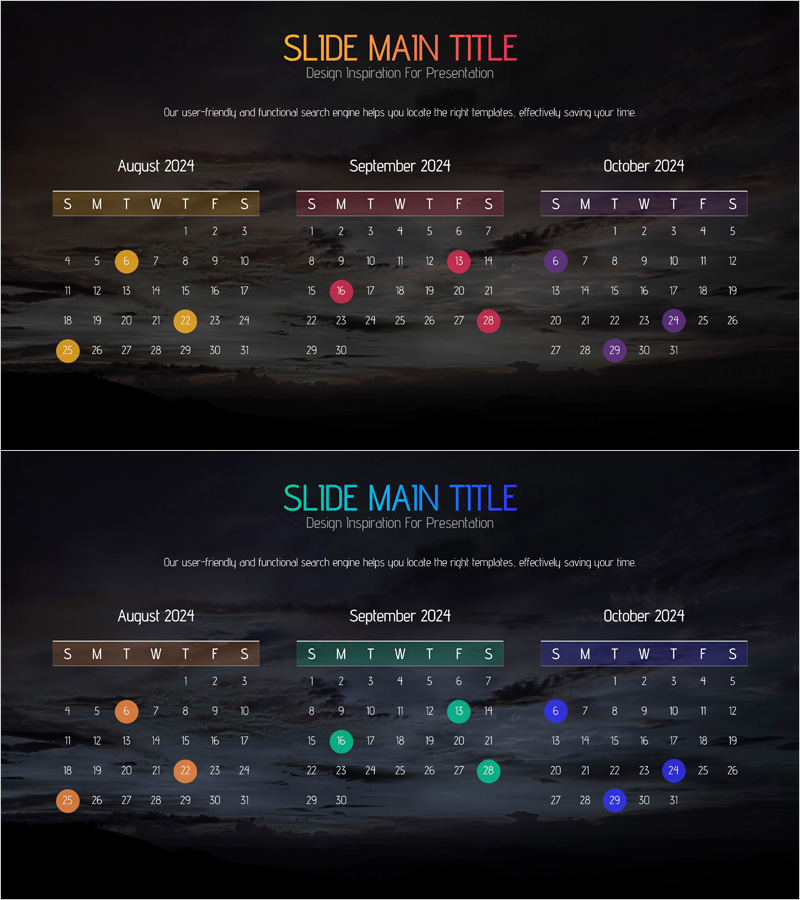
August, September, October Calendar Diagram – Essential for Business Strategy
RJ0400054_29
- Last Update 06/01/2025
- File Size 2.3MB
- # of Slides 2
- File Format PPTX
- Slide Ratio 16:9
- Color
Keywords
About the Product
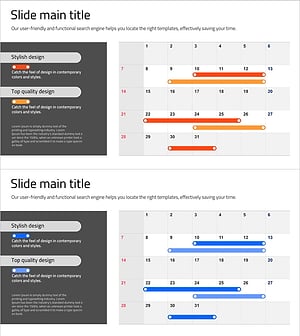
A calendar diagram PowerPoint slide displaying August, September, and October side-by-side for quarterly planning and timeline visualization. Each month features a weekly grid (S M T W T F S) with date cells and color-coded circular markers to highlight key milestones and deadlines. The dark background with gold, pink, and purple accent colors provides clear month-to-month distinction, making it ideal for business strategy presentations, project timelines, and operational planning. The layout includes ample text input areas for adding specific dates and event details. Two slide variations offer different color schemes to match your presentation tone.
Usage Points
-
Main Usage
Visualize quarterly business timelines, project milestones, and operational schedules across three consecutive months. The side-by-side layout enables stakeholders to grasp the complete timeline at a glance while color-coded markers emphasize critical dates and deliverables.
-
How to Use
Enter actual dates into each month's calendar grid and position the color-coded circular markers on key dates. Customize marker colors to distinguish event types (meetings, deadlines, launches), and add text boxes to label specific milestones or deliverables for clarity.
-
Recommended For
Business plans, quarterly reports, operational planning presentations, project kickoff meetings, executive briefings, and team planning sessions. Highly effective for marketing teams, project managers, operations departments, and cross-functional planning groups managing 3-month cycles.
-
Slide Structure
Each slide contains three month-based calendar sections with day-of-week headers and date grids (1–31). Five to six color-coded circular markers are positioned to indicate key events. Two slide versions provide alternate color combinations (gold/pink/purple vs. orange/cyan/violet) for flexible design integration.
Related Products
-
STEP 10 Arrow Roadmap – Business Strategy
#Business Strategy #Operational Plan #Diagram
-
Newspaper Wide PowerPoint Template Schedule – Business Strategy
#Business Strategy #Operational Plan #Diagram
-
Business Promotion Schedule Roadmap – Effective Operational Plan
#Business Strategy #Operational Plan #Diagram
-
Business Promotion Schedule – Effective Operational Planning
#Business Strategy #Operational Plan #Diagram
